


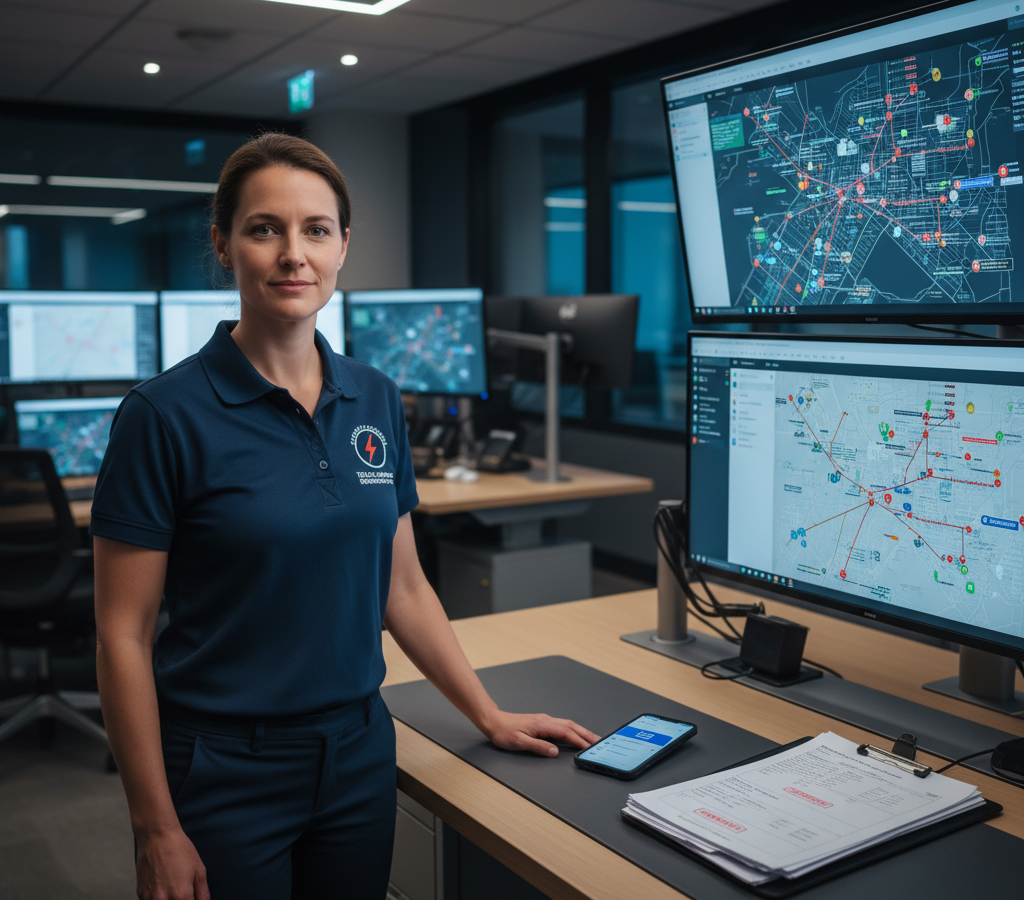
# Solutions de routage des appels d'urgence en télécommunications pour 2026
> TL; DR: Les solutions efficaces de planification des interventions d'urgence en télécommunications réduisent les délais de réponse aux pannes de réseau de plus de 25 minutes à moins de 5 minutes grâce à l'attribution automatisée des techniciens et à l'optimisation des itinéraires. Les systèmes modernes comme Zeo Route Planner utilisent l'intelligence artificielle pour identifier instantanément les techniciens qualifiés les plus proches et calculer les itinéraires optimaux, permettant ainsi aux équipes télécoms de gagner plus de 2 heures par jour tout en minimisant les interruptions de service coûteuses.
Lorsqu'une panne de réseau majeure frappe votre zone de desserte à 3 heures du matin, votre système d'intervention d'urgence est mis à rude épreuve. Les responsables d'infrastructures télécoms savent que chaque minute d'indisponibilité coûte des milliers d'euros en pertes de revenus et nuit à la confiance des clients. Pourtant, la plupart des services d'intervention d'urgence s'appuient encore sur des processus manuels et réactifs qui transforment les réparations critiques en un véritable chaos opérationnel.
Les solutions modernes de routage des interventions d'urgence en télécommunications transforment ces situations de gestion de crise en opérations de réponse coordonnées. La différence entre une panne de 4 heures et une réparation en 40 minutes tient souvent à un seul facteur : envoyer le bon technicien au bon endroit le plus rapidement possible.
Le coût caché d'une réponse lente des télécommunications d'urgence : pourquoi chaque minute compte
Les pannes de télécommunications entraînent des répercussions en cascade sur les entreprises, qui s'étendent bien au-delà de votre zone de desserte immédiate. Selon les Federal Communications CommissionLes pannes de réseau affectant plus de 900 000 minutes d’utilisation ont augmenté de 25 % entre 2022 et 2026, rendant une intervention d’urgence rapide plus cruciale que jamais.
Imaginez une coupure de fibre optique affectant les clients professionnels d'une grande métropole. Votre équipe d'intervention reçoit l'alerte à 2h15 du matin. Sans routage optimisé, vous risquez de subir plusieurs retards coûteux :
Dans un premier temps, identifier les techniciens les plus proches prend 10 à 15 minutes de vérification manuelle. Ensuite, le répartiteur calcule manuellement les itinéraires à l'aide d'outils de cartographie basiques, ce qui ajoute 5 à 10 minutes supplémentaires. Le technicien sélectionné reçoit un appel téléphonique avec les instructions, pose des questions complémentaires, puis part finalement 25 minutes après l'alerte initiale.
Ce même scénario se déroule différemment avec les solutions de routage d'interventions d'urgence en télécommunications. Votre système identifie automatiquement les trois techniciens qualifiés les plus proches en moins de 90 secondes. Les itinéraires sont optimisés instantanément en fonction du trafic en temps réel, et les techniciens reçoivent des instructions de réparation détaillées directement sur leurs appareils mobiles. Votre temps de réponse passe de 25 minutes à moins de 5 minutes.
L'impact financier s'accumule rapidement. Une seule heure d'indisponibilité pour les clients professionnels peut coûter à votre entreprise entre 50 000 et 100 000 dollars en pénalités et crédits liés aux SLA. Multipliez ce montant par plusieurs pannes simultanées, et des opérations de répartition inefficaces deviennent un véritable gouffre financier.
Écosystème complet d'intervention d'urgence : de l'alerte réseau à l'arrivée du technicien
Une intervention efficace en cas d'urgence dans le secteur des télécommunications exige une intégration parfaite entre les systèmes de surveillance du réseau et les opérations sur le terrain. Votre système de répartition des urgences repose sur trois composantes essentielles : la géolocalisation en temps réel des techniciens, l'attribution automatisée des tâches en fonction des compétences et des canaux de communication instantanés.
Suivi GPS en temps réel Elle constitue le fondement d'une intervention rapide. Votre système doit connaître la position exacte de chaque technicien, et non son lieu d'intervention prévu. Les urgences réseau ne suivent pas d'itinéraires planifiés, et vos capacités d'intervention doivent faire preuve de la même flexibilité.
L'affectation des techniciens en fonction de leurs compétences permet d'éviter l'erreur coûteuse d'envoyer un technicien cuivre pour une urgence fibre optique. Votre système de répartition doit filtrer automatiquement les techniciens disponibles selon leur niveau de certification, l'accès aux équipements et l'autorisation d'intervention d'urgence. Un technicien d'intervention sur pylônes certifié pour les travaux à haute tension intervient plus rapidement sur les pannes critiques de sites cellulaires que si l'appel était acheminé par trois spécialistes différents.
La communication mobile instantanée élimine les échanges téléphoniques qui retardent l'intervention d'urgence. Les techniciens reçoivent simultanément tous les détails de l'incident, les coordonnées du client et les itinéraires optimisés. Ils peuvent mettre à jour leur statut, demander des renforts ou signaler la fin de l'intervention sans avoir à contacter le centre de régulation.
Optimisation d'itinéraire en temps réel pour la répartition des appels d'urgence en télécommunications
Le système de guidage d'urgence traditionnel repose sur des cartes statiques et l'intuition du répartiteur. L'optimisation en temps réel prend en compte des dizaines de variables que le guidage manuel ne considère pas : l'état actuel du trafic, les travaux routiers, les conditions météorologiques et les capacités des véhicules des techniciens.
L'optimisation des itinéraires basée sur l'IA de Zeo Route Planner traite instantanément ces variables, réduisant ainsi les délais d'intervention d'urgence de plus de 2 heures par jour et par technicien. Le système ajuste automatiquement les itinéraires en cas de nouvelles urgences, garantissant ainsi que votre spécialiste disponible le plus proche intervienne toujours en priorité sur les pannes les plus critiques.
Le système de routage par priorité gère plusieurs urgences simultanées sans surcharger votre équipe d'intervention. Les pannes chez les clients professionnels sont traitées en priorité absolue par rapport aux problèmes résidentiels. Les infrastructures critiques, comme les hôpitaux et les services d'urgence, bénéficient d'une intervention immédiate d'un technicien. Votre système équilibre automatiquement les priorités d'intervention tout en informant chaque client des délais de réparation réalistes.
L'ajustement dynamique des itinéraires s'adapte à l'évolution de la situation tout au long de l'intervention d'urgence. Lorsqu'une coupure de fibre optique affecte plusieurs sites clients, votre système recalcule les affectations optimales des techniciens à mesure que chaque réparation est effectuée. Le technicien qui termine une intervention dans un quartier d'affaires est automatiquement dirigé vers le prochain site touché.
L'optimisation des plages horaires garantit l'arrivée des techniciens aux moments prévus par les clients. Les réparations d'urgence nécessitent souvent l'accès aux locaux du client ou une coordination avec d'autres services publics. Votre système de planification d'itinéraires prend en compte ces contraintes dans le calcul des heures d'arrivée, évitant ainsi aux techniciens d'attendre devant des bâtiments fermés ou d'arriver avant le rétablissement du courant.
Avancé logiciel de suivi des conducteurs permet aux équipes d'intervention de suivre en temps réel la progression des techniciens et de fournir des mises à jour précises aux clients tout au long du processus de réparation.
Coordination de plusieurs équipes de réparation : Gestion de flotte pour les infrastructures critiques
Les pannes de télécommunications de grande ampleur nécessitent une intervention coordonnée de plusieurs équipes de réparation. Les dégâts causés par un ouragan, les défaillances d'équipement ou les accidents de chantier peuvent engendrer des dizaines de pannes simultanées sur l'ensemble de votre zone de desserte. logiciel de gestion de flotte permet de distinguer les opérations de rétablissement réussies des interruptions de service prolongées.
L'affectation des équipes en fonction des capacités permet d'adapter la complexité des réparations aux ressources disponibles. Les réparations importantes des liaisons fibre optique nécessitent un équipement de fusion spécialisé et des techniciens expérimentés. Les pannes d'équipements chez le client requièrent des compétences et des outils différents. Votre système de gestion de flotte affecte les équipes en fonction de la proximité géographique et des exigences techniques.
La coordination en temps réel des équipes prévient les conflits de ressources et optimise l'efficacité des réparations. Lorsque plusieurs équipes interviennent dans une même zone sinistrée, votre système coordonne leurs déplacements afin d'éviter les embouteillages et les retards liés au partage de matériel. Les équipes reçoivent des mises à jour régulières sur les réparations en cours, la disponibilité des matériaux et les changements de priorité au fur et à mesure de l'évolution de la situation.
La gestion des incidents critiques prend en charge les réparations qui dépassent les capacités de l'équipe initiale. Les pannes complexes de câbles souterrains peuvent nécessiter du matériel d'excavation ou une coordination avec les services publics, au-delà de votre procédure d'intervention d'urgence standard. Votre système suit l'avancement des réparations et déclenche automatiquement les protocoles d'escalade lorsque les délais d'exécution dépassent les exigences des SLA d'urgence.
Solutions mobiles pour les techniciens d'urgence : au-delà du simple routage d'appels
Les techniciens d'intervention d'urgence ont besoin de bien plus que de simples informations d'itinéraire sur leurs appareils mobiles. Une intervention d'urgence complète exige un accès instantané à l'historique du client, aux spécifications du matériel, aux protocoles de sécurité et aux canaux de communication en temps réel.

augmenter les économies de carburant
Économisez 200 $ sur le carburant, par mois !
Optimisez les itinéraires avec notre algorithme, réduisant ainsi efficacement le temps et les coûts de trajet.
Commencez gratuitement
La plateforme mobile de Zeo fournit directement aux techniciens des itinéraires d'urgence optimisés, incluant les informations client et les détails de l'incident. Les techniciens bénéficient d'une navigation détaillée qui s'actualise automatiquement en fonction du trafic et des changements de priorité signalés par le centre de répartition.
Preuve de livraison Ce système documente les réparations d'urgence à des fins de conformité réglementaire et de facturation client. Les techniciens prennent des photos du matériel endommagé, recueillent les signatures numériques des clients et consignent des notes de réparation détaillées. Cette documentation est automatiquement transmise à vos systèmes de service client et de facturation, sans saisie de données supplémentaire.
Les mises à jour en temps réel permettent aux équipes d'intervention de suivre l'avancement des réparations sans avoir à multiplier les appels téléphoniques. Les techniciens peuvent modifier leur statut d'un simple clic : « en route », « sur place » ou « réparation terminée ». Les équipes d'intervention conservent ainsi une visibilité complète sur les opérations sur le terrain, tandis que les techniciens se concentrent sur les réparations techniques.
Le suivi GPS permet de localiser précisément les techniciens pour les mises à jour des heures d'arrivée estimées chez les clients et la coordination des équipes de renfort. Votre service client fournit des heures d'arrivée précises aux entreprises concernées. Les équipes d'intervention acheminent le matériel de renfort ou les spécialistes supplémentaires vers les lieux d'intervention exacts, sans risque d'erreur d'adresse ni d'utilisation d'instructions téléphoniques.
Analyse des performances : Mesurer et améliorer l'efficacité des interventions d'urgence
L'amélioration continue des interventions d'urgence exige une analyse détaillée des performances de l'ensemble de votre service de répartition. Les indicateurs de temps de réponse, les taux d'utilisation des techniciens et les scores de satisfaction client permettent d'identifier les axes d'amélioration qui réduisent l'impact des futures interventions d'urgence.
L'analyse des temps de réponse révèle des tendances dans l'efficacité de vos interventions d'urgence. Le délai moyen entre l'alerte et l'arrivée du technicien, ventilé par type d'incident et zone géographique, indique où l'optimisation des itinéraires a le plus d'impact. Vous pouvez ainsi identifier si les pannes d'équipement, les conditions de circulation ou la disponibilité des techniciens sont à l'origine de vos temps de réponse les plus longs.
Les indicateurs de performance des techniciens permettent d'optimiser l'affectation des équipes aux différents types d'urgences. Certains techniciens excellent dans le dépannage complexe, tandis que d'autres gèrent plus efficacement les réparations courantes. Votre système de répartition utilise ces données de performance pour affecter automatiquement les urgences aux techniciens présentant les meilleurs taux de réussite pour chaque type d'incident.
L'analyse de l'efficacité des itinéraires permet de comparer les interventions d'urgence réelles aux recommandations d'itinéraires optimisés. Selon l'analyse, Bureau of Labor StatisticsLes installateurs et réparateurs d'équipements de télécommunications passent en moyenne 28 % de leur temps en déplacement. Le suivi du respect des itinéraires optimisés permet d'identifier les besoins en formation et les améliorations du système susceptibles de réduire les temps de déplacement improductifs.
Les indicateurs d'impact client permettent de relier la performance des interventions d'urgence aux résultats commerciaux. Le suivi des minutes d'indisponibilité des services pour les clients par rapport aux temps de réponse révèle le coût réel des retards d'intervention. Ces données facilitent les décisions d'investissement dans des équipes d'urgence supplémentaires, des technologies de planification d'itinéraires et du matériel d'intervention.
Mise en œuvre de méthodes éprouvées techniques d'optimisation d'itinéraire Cette plateforme aide les entreprises de télécommunications à suivre leurs performances en matière de réponse aux situations d'urgence et à identifier les pistes d'optimisation. Ses fonctionnalités de reporting, utilisées par des entreprises dans plus de 150 pays, démontrent comment l'optimisation des itinéraires se traduit par des améliorations concrètes du service client et de l'efficacité opérationnelle.
Questions fréquemment posées
Q : Dans quel délai les techniciens de télécommunications doivent-ils intervenir en cas d'urgence sur le réseau ?
Les normes du secteur recommandent l'intervention d'un technicien dans les 15 minutes suivant la détection d'une panne réseau, les délais d'arrivée variant selon les accords de niveau de service. La plupart des entreprises s'attendent à un délai de résolution de 2 à 4 heures pour les pannes critiques, tandis que les particuliers prévoient généralement un délai de 24 à 48 heures selon la gravité de la panne.
Q : De quelles informations les systèmes de répartition des télécommunications d'urgence ont-ils besoin pour acheminer efficacement les techniciens ?
Les solutions efficaces de gestion des urgences en télécommunications nécessitent la localisation en temps réel des techniciens, leurs certifications, l'inventaire des équipements des véhicules et les conditions de circulation actuelles. Le système a également besoin des niveaux de priorité des clients, des accords de niveau de service et des spécifications techniques de la panne réseau pour affecter le technicien le plus qualifié à chaque intervention.
Q : Un logiciel d'optimisation de routage peut-il gérer plusieurs urgences de télécommunications simultanées ?
Oui, les systèmes avancés d'optimisation d'itinéraires priorisent automatiquement les interventions d'urgence multiples en fonction de l'impact sur le client, des accords de niveau de service et de la disponibilité des techniciens. L'optimisation basée sur l'IA de Zeo Route Planner traite instantanément ces variables, permettant aux équipes d'intervention de coordonner les réponses à des dizaines de pannes simultanées tout en assurant une affectation optimale des techniciens.
Q : Comment les entreprises de télécommunications évaluent-elles leurs performances en matière de réponse aux situations d'urgence ?
Les entreprises de télécommunications mesurent leur réactivité en cas d'urgence grâce à des indicateurs clés tels que le temps de réponse moyen, le taux de résolution au premier appel, les scores de satisfaction client et le taux d'utilisation des techniciens. L'analyse des performances permet d'identifier les points de blocage dans les processus de répartition et d'optimiser l'affectation des équipes selon le type d'urgence.
Q : De quelles capacités mobiles les techniciens en télécommunications d'urgence ont-ils besoin sur le terrain ?
Les techniciens d'intervention d'urgence ont besoin d'un accès mobile à des itinéraires optimisés, aux coordonnées des clients, aux spécifications du matériel et à une communication en temps réel avec le centre de répartition. Zeo Route Planner leur fournit une navigation détaillée, une documentation de preuve d'intervention par photos et signatures numériques, ainsi que des mises à jour instantanées permettant aux équipes de répartition de rester informées sans avoir à passer des heures au téléphone.
Démarrez un essai gratuit pour découvrir comment l'optimisation des itinéraires peut réduire vos temps de réponse d'urgence de 40 %.

Êtes-vous propriétaire d'une flotte?
Vous souhaitez gérer facilement vos chauffeurs et vos livraisons ?
Développez votre entreprise sans effort avec Zeo Routes Planner : optimisez les itinéraires et gérez plusieurs conducteurs en toute simplicité.

augmenter les économies de carburant
Économisez 2 heures sur les livraisons, tous les jours !
Optimisez les itinéraires avec notre algorithme, réduisant ainsi efficacement le temps et les coûts de trajet.
Commencez gratuitement





















