

Updated on: November 18, 2026
“`html
TL;DR: Advanced municipal routing software improves city services by automating route planning for waste collection, street cleaning, and emergency response, cutting travel time and fuel costs. Cities using route optimization tools report measurable reductions in operational expenses and faster service delivery. Route optimization tools like Zeo Route Planner address this with AI-powered route optimization, helping municipal fleet teams save 2+ hours daily.
Government officials face the challenge of navigating the complexities of rapidly advancing technology. The overwhelming options can make it difficult to choose the right solution.
Advanced municipal routing software is revolutionizing city services like waste collection, street cleaning, emergency responses, and utility management by optimizing routes, reducing costs, and improving service delivery, thereby enhancing the efficiency and effectiveness of municipalities.
This article provides valuable insights and a better understanding of municipal routing software, allowing officials to harness the power of the best software and transform their locality.
What is Municipal Routing Software?
Municipal routing software is a specialized tool designed to optimize the routing and scheduling of city services. It enhances efficiency, accuracy, and cost-effectiveness, ensuring the timely delivery of essential services to residents. Investing in the appropriate municipal routing software can enhance local governments’ operations, enhance service delivery, and foster stronger communities.
Municipal fleets face growing pressure to do more with limited budgets. According to the U.S. Bureau of Transportation Statistics, local governments operate hundreds of thousands of vehicles for public works, sanitation, and emergency services, making route efficiency a direct line item in annual budgets. As fuel costs and labor shortages continue to strain public works departments, routing software has shifted from a “nice-to-have” to a core operational requirement for cities of every size.
Key Benefits of Municipal Routing Software
Municipal routing software enhances city efficiency, reduces costs, and improves service delivery by offering a variety of benefits. Now, let’s take a look at some key benefits of municipal routing software.
- Optimized Routing: Plan efficient routes to reduce travel time and fuel consumption.
- Cost Savings: Reduce operational expenses, maximize resources, and prevent inefficiencies.
- Real-Time Adjustments: Dynamic route adjustments continuously update and adjust routes as new orders arrive.
- Improved Resource Management: Tracks vehicles, equipment, and employees for optimal resource allocation.
- Enhanced Communication: Facilitates real-time updates between dispatchers and field teams.
- Sustainability and Environmental Benefits: Reduces carbon emissions and supports city sustainability goals.
- Increased Resident Satisfaction: Delivers consistent, on-time services, improving public services.
- Data-Driven Decision Making: Provides analytics and reporting for informed future service planning.
- Scalability and Flexibility: Adaptable to cities of all sizes.
- Improved Emergency Response: Optimizes routes for emergency vehicles.
These benefits compound over time. A municipality that reduces fuel consumption by optimizing collection routes, for example, also reduces vehicle wear, lowers maintenance frequency, and extends fleet lifespan. The U.S. Environmental Protection Agency notes that optimized vehicle routing and reduced idling are among the most effective ways local fleets can lower emissions without purchasing new vehicles, making routing software a practical first step toward sustainability goals many cities have already committed to publicly.
Application of Municipal Routing Software in City Services
Municipal routing software is a tool that improves the efficiency and effectiveness of city services. Key applications include waste management, snow and ice removal, street cleaning, public transportation, utility and maintenance services, emergency response, parks and recreation maintenance, inspection services, and street repair and construction.
- Waste management efficiently plans routes for garbage and recycling collection, reducing fuel usage and ensuring timely pickups.
- Snow and ice removal prioritizes routes during snowstorms, while street cleaning optimizes sweeping schedules to cover maximum areas with minimal overlap.
- Public transportation improves route planning and scheduling, while utility and maintenance services organize repair schedules for streetlights, water mains, and power lines.
- Emergency response streamlines the dispatching of fire, police, and ambulance services, while parks and recreation maintenance plans routes for mowing, tree trimming, and park cleanups.
- Inspection services assign routes for building, road, and utility inspections, as well as street repair and construction, and efficiently dispatch crews to ensure timely completion.
Each of these applications has its own scheduling complexity. Waste collection routes, for instance, must account for vehicle capacity limits and changing pickup volumes, while inspection services often require matching specific inspectors to jobs based on certifications or specialties. Routing software that supports capacity-based planning and skill-based assignment helps departments handle these differences without relying on manual spreadsheets or static route maps that quickly become outdated.
How Zeo Municipal Routing Software Can help City Services?
Zeo Municipal Routing Software is designed to enhance city service management by providing various features for efficient route planning. Governments continuously strive to improve service and efficiency, with Zeo for municipalities serving as a powerful tool for achieving this objective. Now, let’s see how Zeo’s features can help city services operate more efficiently.
- Route Optimization
Route Optimization feature of Zeo automatically generates efficient routes for tasks like waste collection, street cleaning, and maintenance services. It can reduce travel distance and time, thereby completing more tasks within a shorter timeframe. It can enhance the quality of city services provided to residents, thereby promoting a more sustainable and cost-effective municipal operation. - Live Route Tracking
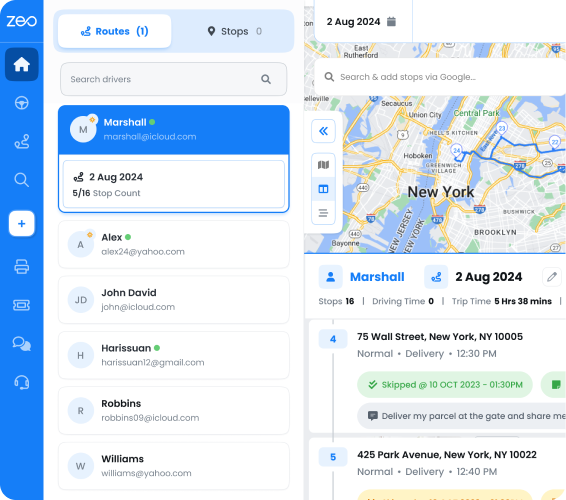
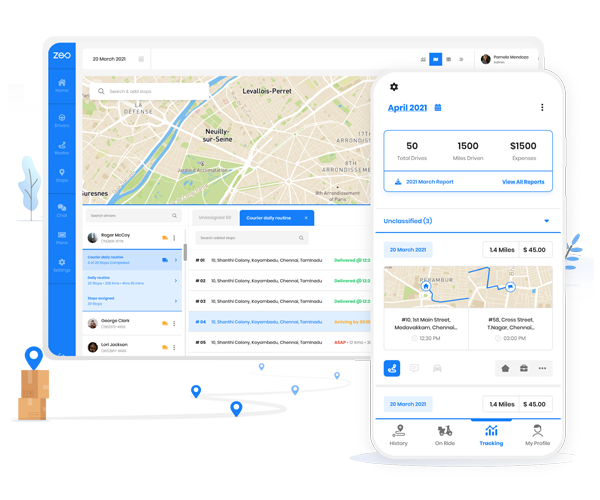
Zeo’s Live Route Tracking feature provides real-time monitoring of vehicles and field teams. It enables full visibility into municipal operations providing instant updates on the progress of services. It tracks the location and movement of city service vehicles, including garbage trucks, street sweepers, and emergency response vehicles, ensuring the timely completion of tasks. - Driver Management
Zeo’s Driver Management feature enables municipalities to efficiently manage their drivers. It provides drivers with location, route progress, and performance while maintaining accountability by tracking their daily activities. The system provides real-time tracking of all vehicles and drivers in the fleet, ensuring comprehensive operational visibility for better oversight and decision-making of municipal operations. - Route Analytics
Zeo’s Route Analytics feature offers municipalities comprehensive insights into route performance, thereby enhancing city operations and service delivery. It also helps to evaluate route efficiency to identify patterns and areas for improvement, aiding municipalities in making informed decisions regarding scheduling, resource allocation, and route planning. - Mobile App Drivers
Zeo Mobile App Drivers feature is designed for ease of use, reducing onboarding time and facilitating quick adaptation to the system without extensive training. The city service fleet managers can track drivers’ progress in real time, identifying delays, missed stops, and inefficiencies, enabling corrective actions to maintain tasks on schedule.
Planning for Scheduled and Recurring City Services
Many municipal services, from weekly trash pickup to monthly park maintenance, run on fixed recurring schedules. Managing these manually means re-building the same routes week after week, which wastes staff time and introduces avoidable errors when stops change. Scheduled and recurring route features let departments set up a route once and have it repeat automatically on a defined cadence, with the flexibility to pause a route temporarily during holidays or seasonal slowdowns without deleting the underlying schedule.

increase fuel savings
Hassle Free Deliveries & Pickups!
Optimize routes with our algorithm, reducing travel time and costs efficiently.
Get Started for Free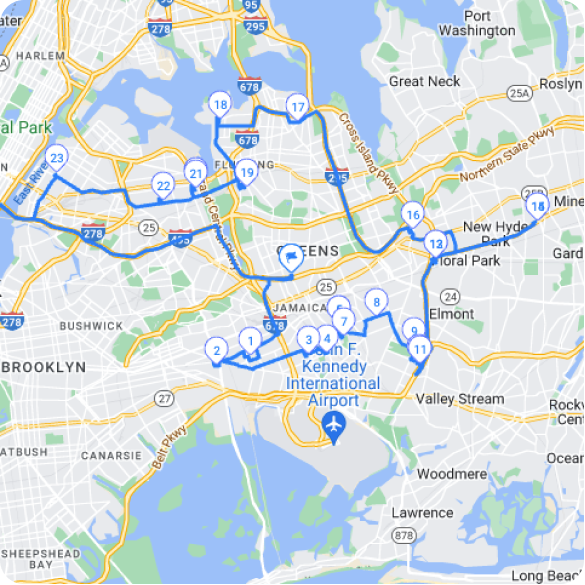
This matters for public works departments that handle seasonal work. A street sweeping program may need one crew assigned on weekdays and a different crew on weekends, or a single date may need a substitute driver due to vehicle maintenance. Recurring route tools that support day-specific agent assignments and single-day overrides give supervisors the flexibility to adjust without rebuilding the entire schedule from scratch, which is particularly useful for departments juggling multiple crews across a large service area.
Managing Data and Stop Information at Scale
Municipal routing often involves thousands of addresses, from residential collection points to inspection sites scattered across a city. Manually entering each stop is impractical, which is why bulk address import from Excel, CSV, or Google Sheets has become a standard requirement for any routing tool used at the city level. Departments can upload an entire week’s worth of stops in one file rather than typing addresses one at a time.
Frequently serviced locations, such as municipal buildings, schools, or recurring inspection sites, can also be saved as reusable stop lists so planners don’t have to re-enter the same addresses every planning cycle. This is especially useful for departments that rotate through the same set of locations on a weekly or monthly basis, since a saved list can be converted into a ready-to-go route in a few clicks rather than rebuilt from scratch each time.
Conclusion
Municipal services routing offers a solution for managing city service operations. Advanced municipal routing software, like Zeo municipal routing software, is revolutionizing city operations by enhancing efficiency, cost reduction, and quality of life for residents, enabling municipalities to adapt to modern challenges and ensure sustainable management.
The Zeo Route Planner allows for scheduling technicians’ jobs, improving personnel tracking, and automating activities, enhancing overall workflow. Zeo can transform city service operations, to learn more, book a free demo.
Frequently Asked Questions
How can cities reduce fuel costs for waste collection and public works fleets?
Cities reduce fuel costs primarily by shortening total travel distance through optimized route sequencing and by minimizing vehicle idling at stops. The EPA notes that route optimization and reduced idling are among the most cost-effective ways for public fleets to cut fuel use without replacing vehicles. Capacity-based routing also helps by ensuring trucks are filled efficiently before returning for disposal, reducing unnecessary trips.
What factors should a municipality consider before choosing routing software?
Municipalities should evaluate whether the software supports capacity constraints, time windows, and multi-driver assignment, since these directly affect whether routes reflect real operational limits. It’s also important to consider ease of adoption for drivers, since tools requiring extensive training slow rollout across large public works departments. Integration with existing scheduling systems and the ability to handle recurring routes are also key considerations for long-term use.
How does real-time GPS tracking improve emergency response and public works oversight?
Real-time GPS tracking gives dispatchers live visibility into exactly where every vehicle is, which allows faster rerouting when an emergency call comes in near an active crew. Zeo Route Planner’s live GPS tracking lets fleet managers monitor vehicle progress in real time across 150+ countries, helping departments spot delays or missed stops as they happen rather than after the fact. This visibility also supports better accountability since supervisors can verify routes were completed as scheduled.
What is the difference between static and dynamic route planning for city services?
Static route planning uses a fixed sequence of stops that doesn’t change regardless of real-time conditions like traffic, new service requests, or vehicle breakdowns. Dynamic route planning continuously recalculates routes as conditions change, allowing dispatchers to insert priority stops or reassign a route mid-shift without rebuilding the whole plan. Most modern public works departments favor dynamic systems because unplanned events, like an emergency pothole repair or a last-minute inspection request, are common in daily operations.
How much can route optimization save a municipal fleet on a daily basis?
Municipal fleets using route optimization software commonly report meaningful reductions in daily planning time since routes that once took dispatchers hours to build manually are generated automatically in minutes. Zeo Route Planner’s AI-powered route optimization saves fleet teams 2+ hours daily by automating stop sequencing and driver assignment across waste collection, inspections, and maintenance routes. Over a month, that time savings adds up to meaningful labor cost reductions for departments managing multiple crews.
“`
Are you a fleet owner?
Want to manage your drivers and deliveries easily?
Grow your business effortlessly with Zeo Routes Planner – optimize routes and manage multiple drivers with ease.

increase fuel savings
Save $200 on fuel, Monthly!
Optimize routes with our algorithm, reducing travel time and costs efficiently.
Get Started for Free