


Updated on: October 29, 2026
Reading time: 7 minutes
TL;DR: TikTok’s social commerce boom means sellers win or lose on delivery speed, not just viral reach. A sudden spike from one viral video can overwhelm manual delivery planning within hours, leaving customers waiting and brand trust damaged. Route optimization tools like Zeo Route Planner address this with AI-powered route optimization and live ETA updates, helping eCommerce teams save 2+ hours daily.
Is TikTok just a short video entertainment and social platform?
The answer is no!
It is rapidly transforming into a social commerce platform for many businesses.
TikTok offers a strong eCommerce engine that empowers businesses to connect and engage directly with their customers to boost sales. The TikTok Shop button makes the social commerce experience seamless and hassle-free.
But are there any challenges while running an eCommerce business through TikTok? YES!
Most sellers on TikTok fall short in logistics. Today, consumers hate to wait for their orders, they expect quick deliveries. Optimizing last-mile delivery becomes a crucial aspect of successful logistics for business owners present on TikTok. According to the U.S. Bureau of Transportation Statistics, the explosive growth of eCommerce parcel volume has placed sustained pressure on last-mile delivery networks, making efficient route planning more important than ever.
They must embrace modern technologies and route optimization tools to stay ahead in the race of social commerce.
So, what are the possibilities and expectations from TikTok social commerce platform for consumers and brands? And what role would route optimization play in these eCommerce logistics?
Let’s find out.
Ordering & Delivering Packages from TikTok Shop
Consumers expect a seamless and hassle-free eCommerce shopping experience. They don’t want any complicated navigation or unnecessary steps that can hamper their purchasing process. The TikTok Shop understands and implements this principle quite well.
However, though this platform makes buying very simple for consumers, sellers have to ensure they fulfill the orders without any delays. Social commerce thrives on instant gratification. TikTok sellers can’t afford to delay the deliveries if they want to scale their business growth.
The logistics and delivery inefficiencies are troubling the sellers. Lack of route optimization results in detours and delays in deliveries. Without efficient route planning, TikTok sellers struggle to keep up with the demands of social commerce.
What is the solution?
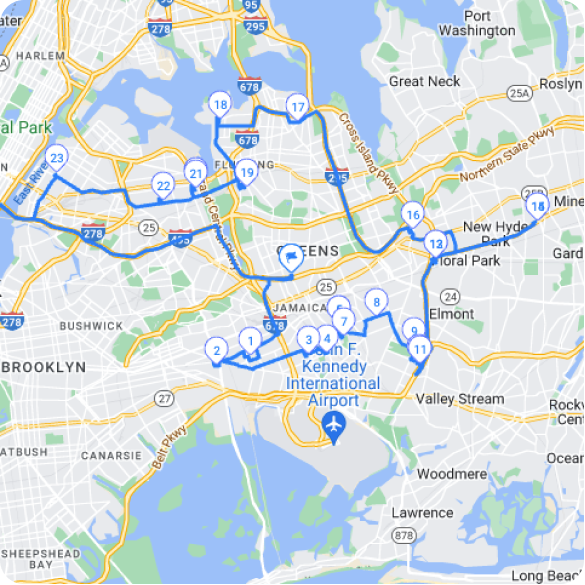
Smart route optimization tools that help you plan the fastest routes without any manual intervention. As your delivery routes get optimized, your travel time and fuel consumption decrease and your customer experience elevates to the next level. Zeo Route Planner’s AI-powered route optimization is built for exactly this scenario, helping sellers plan efficient multi-stop routes in minutes instead of hours.
You might also like to read: How E-commerce Businesses Can Use Packaging Effectively?
TikTok’s Possibilities for Consumers and Brands
Social commerce taps into the impulse buying psychology of consumers. The video entertainment platform proves to be a goldmine for businesses looking to target a new customer base for their sales growth.
TikTok’s algorithm analyses user behaviour, preferences, consumption patterns, and demographics to understand their buyer persona. Mapping it with a brand’s Ideal Customer Profile, this platform ensures your products reach the right target audience.
As a seller, you don’t waste time chasing the wrong audience and as a consumer, you are presented with the products that are most likely suitable for you.
However, sellers need to be cautious about the sudden spike in demand through TikTok orders. A viral video advertisement of your product can scale up your orders exponentially within a matter of hours.
Route optimization tools that employ AI algorithms for smarter route planning, live route tracking, and effective driver management will help you prevent any delivery bottlenecks and build a happy customer community for your brand.

increase fuel savings
Save $200 on fuel, Monthly!
Optimize routes with our algorithm, reducing travel time and costs efficiently.
Get Started for Free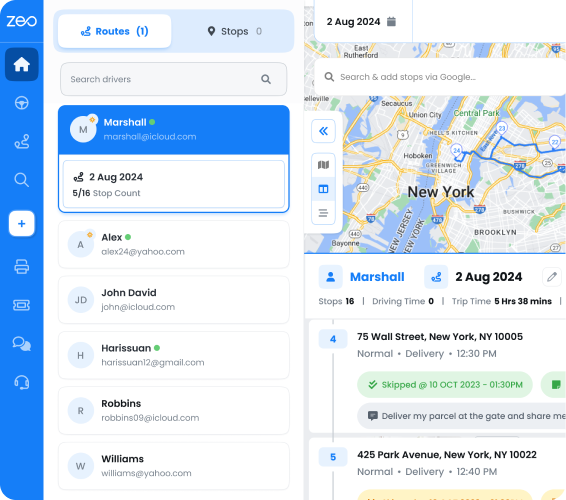
From TikTok Shop Button to Transparency
Trust and reliability are the currencies that run social commerce success. If you overpromise and underdeliver, the modern consumer will not repeat any purchase from you.
TikTok’s shop button has made the purchasing process quick and easy. Sellers need to create a streamlined logistics and delivery process to ensure consumers don’t have to wait longer than required to receive their packages.
Transparency and real-time communication are crucial to building trust in social commerce delivery. TikTok sellers need route optimization tools that support automated delivery updates to keep the customer informed. Integrating real-time vehicle tracking helps you monitor the fleet’s progress and ensure they are on time.
This transparency and visibility into the delivery process builds customer trust and lays the ground for long-term brand loyalty.
Handling Sudden Order Spikes Without Breaking Your Delivery Promise
One of the biggest operational risks of TikTok-driven social commerce is unpredictability. A product can sit quietly for weeks and then explode overnight once a video gains traction. This creates a logistics challenge that traditional, manual delivery planning simply isn’t built to handle. Research from the Pew Research Center shows that social media platforms now play an outsized role in shaping consumer purchasing decisions, which means demand spikes can happen faster than ever before.
When order volume suddenly doubles or triples, sellers relying on spreadsheets or manual dispatch often fall behind within hours. Drivers end up with inefficient routes, deliveries get missed, and customer service inboxes fill up with “where is my order” messages. This is precisely where capacity-based routing and auto-assignment of stops to drivers become valuable — orders can be distributed across available drivers and vehicles based on real capacity limits, rather than guesswork.
For sellers managing recurring fulfillment schedules, scheduled and recurring routes also reduce the daily planning burden, while bulk address import from Excel, CSV, or Google Sheets allows a sudden batch of TikTok Shop orders to be loaded into a route plan in minutes rather than entered one by one.
Building a Delivery Experience That Matches TikTok’s Speed
TikTok Shop customers are used to instant gratification in every part of their experience — from discovering a product to checking out. Their expectations don’t lower once the order is placed. A U.S. Bureau of Labor Statistics analysis of retail delivery trends underscores how delivery speed expectations have steadily climbed alongside the growth of online and social shopping.
To meet these expectations, sellers need more than just fast shipping — they need visibility. Live GPS tracking paired with live ETA updates lets customers see exactly where their package is, reducing anxious “where is my order” messages and support tickets. A branded tracking page with the seller’s own logo also reinforces brand identity at a moment when the customer is most engaged — while waiting for their delivery.
Proof of delivery features, including photo capture and digital signature collection, add another layer of accountability. If a customer disputes a delivery, sellers have documented evidence to resolve the issue quickly, which matters enormously for maintaining the five-star reviews that fuel more TikTok Shop sales.
The Future of TikTok and eCommerce: Why Route Optimization Matters
TikTok has redefined the way users consume video entertainment platforms. It has transformed eCommerce and enabled businesses to reach a wider audience in a short period of time.
However, to drive eCommerce success, brands can’t just rely on creative and smart marketing but also build a strong logistics blueprint to ensure excellence. Route optimization will drive logistics success in a market where consumers want super quick deliveries.
The time you take to deliver a package to a customer after they place an order will determine your growth in the eCommerce industry. With smart route planning, you save time, fuel, and other operational costs.
If your logistics strategy does not have route optimization at its core, you are bound to falter in the long run.
If you are looking to enhance your business sales and customer experience with quick deliveries, try our Zeo Route Planner – an AI-powered routing tool that is designed for excellence. Schedule a free demo to get started.
Frequently Asked Questions
How fast should a TikTok Shop seller deliver orders to stay competitive?
Most successful TikTok Shop sellers aim to fulfill and ship orders within 24-48 hours of purchase, since social commerce buyers expect speed similar to mainstream eCommerce giants. Delays beyond this window often lead to order cancellations or negative reviews, which directly hurt a seller’s visibility on the platform’s algorithm.
What causes delivery delays when a TikTok video goes viral?
A sudden spike in orders overwhelms manual or semi-manual delivery planning processes, leading to inefficient routes, missed time windows, and overloaded vehicles. Sellers without a system for capacity-based routing or bulk order import often fall behind within hours of a video gaining traction.
How can small eCommerce sellers manage delivery spikes from viral products?
Zeo Route Planner’s capacity-based routing and auto-assignment of stops to drivers let sellers quickly redistribute a sudden surge of orders across available drivers and vehicles without manual replanning. Combined with bulk address import from Excel or CSV, a seller can load hundreds of new TikTok Shop orders into an optimized route plan in minutes rather than hours.
Does real-time tracking actually reduce customer complaints?
Yes — when customers can see a live ETA and track their package’s location, they’re far less likely to contact customer support asking about order status. This visibility also reduces missed deliveries, since customers can plan to be available when the driver is close.
What is the difference between social commerce and traditional eCommerce logistics?
Social commerce logistics must handle unpredictable, viral-driven demand spikes, while traditional eCommerce demand is typically more forecastable through historical sales data and marketing calendars. This unpredictability means social commerce sellers need more flexible, scalable delivery systems, such as scheduled routing combined with dynamic mid-shift adjustments, to avoid being caught off guard by a sudden order surge.
Are you a fleet owner?
Want to manage your drivers and deliveries easily?
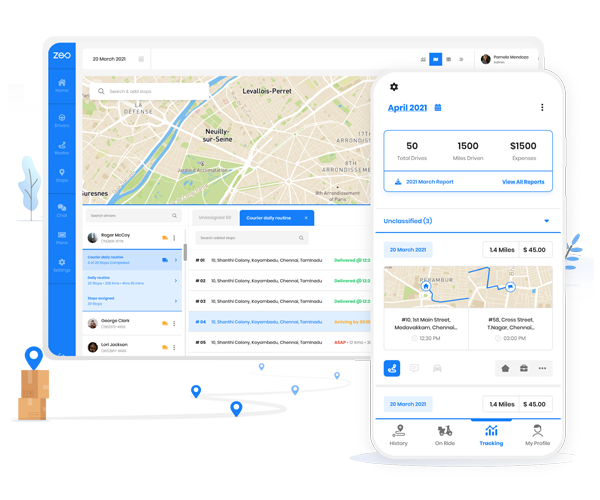
Grow your business effortlessly with Zeo Routes Planner – optimize routes and manage multiple drivers with ease.

increase fuel savings
Hassle Free Deliveries & Pickups!
Optimize routes with our algorithm, reducing travel time and costs efficiently.
Get Started for Free