



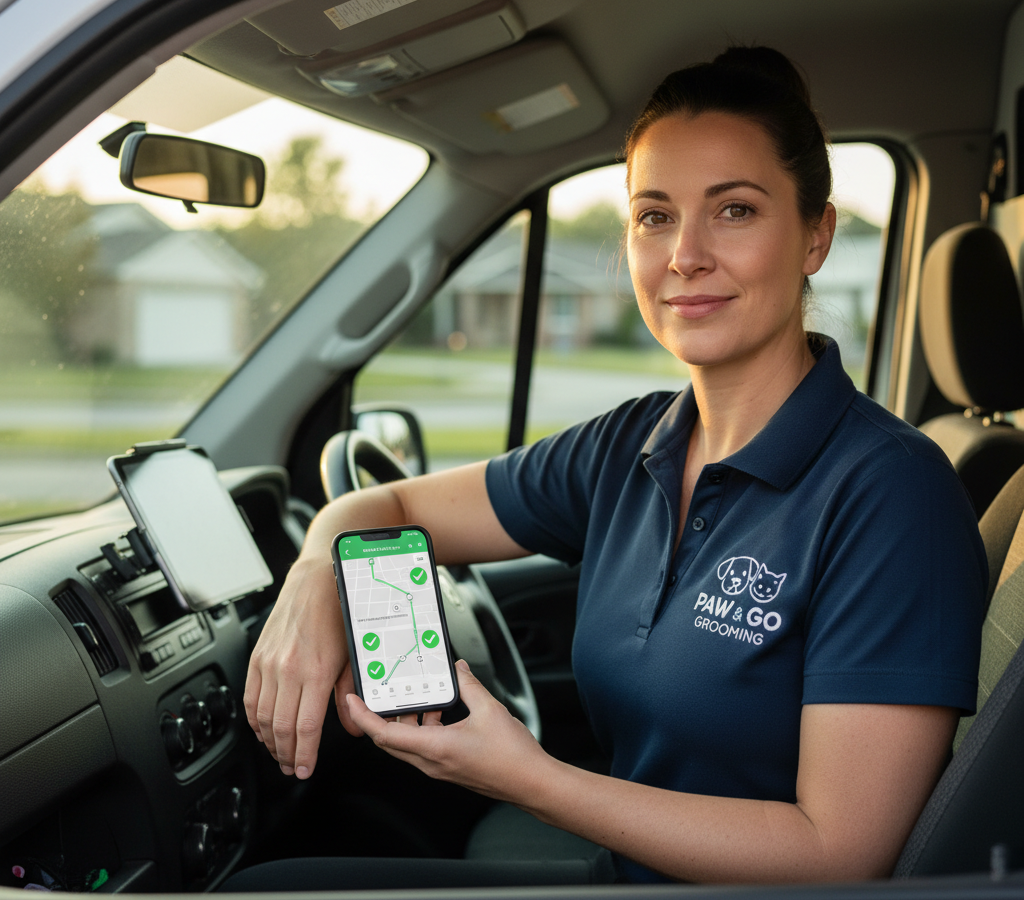
# Cum să optimizați rutele de grooming mobil
> Pe scurt: Echipamentele mobile de îngrijire parcuri pot reduce timpul zilnic de condus cu 30% și pot adăuga 2-3 programări pe zi prin gruparea geografică a programărilor, în loc să le programeze doar în funcție de preferințele de timp ale clienților. Rutarea deficitară face ca echipa de îngrijire parcuri să petreacă 25-35% din zi conducând ineficient între programări. Instrumentele de optimizare a rutelor, cum ar fi Zeo Route Planner, abordează acest lucru cu ajutorul optimizării bazate pe inteligență artificială, care ia în considerare modelele de trafic și gruparea geografică, ajutând echipele mobile de îngrijire parcuri să economisească peste 2 ore zilnic.
Administrarea unei afaceri mobile de îngrijire a animalelor de companie înseamnă că îngrijitorii petrec aproape la fel de mult timp conducând pe cât petrec cu îngrijirea. Planificarea deficitară a rutelor transformă ceea ce ar trebui să fie zile de lucru de 8 ore în maratoane de 12 ore pline de întoarceri, sosiri târzii și clienți frustrați.
Învățarea modului de optimizare a rutelor de îngrijire mobilă vă transformă operațiunea. În loc ca îngrijitorii să meargă în zig-zag prin oraș, aceștia urmează trasee logice care reduc timpul de condus cu 30% și creează spațiu pentru 2-3 programări suplimentare zilnic.
De ce optimizarea rutelor de grooming mobil contează mai mult decât crezi
Planificarea rutelor are un impact direct asupra fiecărui aspect al afacerii tale. Atunci când îngrijitorii pierd timpul conducând rute ineficiente, costurile se acumulează rapid.
Conform Biroului de Statistică a Muncii , un lucrător mobil obișnuit petrece 25-35% din zi călătorind între programări. Pentru îngrijitorii mobili care lucrează 10 ore pe zi, asta înseamnă 2.5 până la 3.5 ore doar condus.
Traseul prost ales creează o cascadă de probleme. Groomerii ajung târziu la programări, amânând programul întregii zile. Îți consumă bugetul de combustibil parcurgând kilometri inutili. Cel mai important, pot deservi doar un număr limitat de animale de companie, deoarece se pierde prea mult timp pe drum.
Rutele optimizate rezolvă aceste probleme în mod sistematic. În loc să planificați rutele doar pe baza orei programării, luați în considerare grupurile geografice, modelele de trafic și durata serviciului. Acest lucru reduce timpul total de condus și creează orare previzibile.
Impactul financiar este substanțial. Un tunzător care elimină o oră de condus zilnic poate adăuga 1-2 programări în plus. La 75 de dolari per programare, asta înseamnă un venit săptămânal suplimentar de 375-750 de dolari per tunzător.
Ghid pas cu pas pentru optimizarea rutelor de grooming mobil
Începeți prin a analiza modelele actuale de rutare. Imprimați rutele pentru o săptămână și marcați fiecare locație de programare pe o hartă. Veți observa rapid ineficiențele - rute care se intersectează de mai multe ori prin aceleași zone.
Grupați programările mai întâi pe zone geografice, apoi optimizați secvența în cadrul fiecărui grup. Nu programați un groomer pentru partea de nord la ora 9:00, în centru la ora 11:00 și apoi înapoi în nord la ora 13:00. Păstrați-i într-o singură zonă pentru dimineață, apoi mutați-i în zonele adiacente.
Luați în considerare durata serviciilor atunci când programați programările. Programați sesiuni de îngrijire mai lungi (programări complete pentru câinii de talie mare) atunci când aveți timp de pauză între zone. Faceți tunsori rapide și retușuri pentru unghii ca programări de umplere în cadrul grupurilor de programări.
Luați în considerare timpii realiști de condus între opriri. Folosiți date GPS reale, nu distanțe calculate în linie dreaptă. O programare care pare apropiată pe hârtie ar putea necesita 25 de minute de condus în oraș în timpul orelor de vârf. Software-ul modern de optimizare a rutelor poate calcula automat acești timpi de călătorie în lumea reală.
Rezervați timp pentru întârzieri neașteptate. Toaletarea mobilă implică animale, iar unele programări sunt lungi. Adăugați 10-15 minute între opriri, în loc să vă încărcați prea mult programul.
Planificați trasee care să curgă logic pe parcursul zilei. Începeți în zonele cele mai îndepărtate de casa sau de destinația groomerului dumneavoastră, apoi reveniți la traseul său spre casă. Acest lucru previne călătoriile lungi la sfârșitul zilelor de lucru obositoare.
Strategii avansate: Gestionarea clienților recurenți și programarea pe mai multe zile
Majoritatea clienților care utilizează servicii mobile de îngrijire personală își fac programări recurente la fiecare 4-8 săptămâni. Acest lucru creează oportunități pentru optimizarea avansată a rutelor pe parcursul mai multor săptămâni și luni.
Creați zone geografice și atribuiți fiecare zonă unor zile specifice ale săptămânii. Luni ar putea acoperi suburbiile din nord-vest, marți se ocupă de centrul orașului și cartierele apropiate, iar miercuri se concentrează pe zona de sud-est. Acest model reduce timpul total de condus pe măsură ce afacerea dvs. crește.
Grupează împreună tipuri similare de programări, atunci când este posibil. Dacă oferi atât servicii complete de îngrijire, cât și servicii doar pentru unghii, încearcă să grupezi programările pentru unghii. Aceste pauze mai scurte funcționează bine ca intervale de timp între programările majore de îngrijire din aceeași zonă.
Folosește datele programărilor recurente pentru a prezice capacitatea. Dacă știi că golden retriever-ul doamnei Johnson are nevoie de 90 de minute la fiecare șase săptămâni, iar cei doi câini mici ai familiei Martinez au nevoie de 2 ore la fiecare patru săptămâni, poți planifica în jurul acestor programări ancoră.
Luați în considerare oferirea unor mici reduceri clienților care rezervă intervale orare flexibile. Clienții care acceptă „cândva între orele 10:00 și 14:00” în loc să solicite ora fixă de 11:30 vă oferă mai multă flexibilitate în ceea ce privește ruta.
Planificați rute de mai multe zile împreună, nu individual. Un client care nu este convenabil pentru ruta de marți s-ar putea încadra perfect în programul de miercuri. Platformele de gestionare a serviciilor pe teren ajută la identificarea acestor oportunități pe parcursul zilei pe care planificarea manuală le ratează.
Gestionarea programărilor de ultim moment fără a vă distruge rutele optimizate
Programările urgente și rezervările de ultim moment nu trebuie să strice rutele planificate cu atenție. Cheia este să integrezi flexibilitatea în sistemul tău de optimizare încă de la început.
Rezervați intervale orare specifice pentru rezervări în aceeași zi. În loc să umpleți complet rutele, lăsați 2-3 intervale strategice în programul fiecărui groomer. Poziționați aceste intervale în locații centrale care pot deservi mai multe zone geografice.
Planificatorul de rute Zeo gestionează ajustările dinamice ale rutei atunci când apar programări urgente. Optimizarea bazată pe inteligență artificială recalculează întregul traseu în câteva secunde, arătând exact unde se potrivesc noile opriri, cu o întrerupere minimă a programărilor existente.
Dezvoltați un sistem de prioritate pentru solicitările de ultim moment. Îngrijirea urgentă (nevoi medicale, infestări cu purici) are prioritate față de rezervările de confort. Percepeți tarife premium pentru serviciile în aceeași zi pentru a compensa întreruperea rutei.
Creați un sistem de liste de așteptare pentru intervalele orare populare. Când clienții sună pentru programări pe rute deja optimizate, oferiți-le următorul interval orar disponibil care nu necesită modificări de rută. Mulți clienți acceptă ore puțin mai puțin convenabile atunci când le explicați beneficiile unui serviciu optimizat.
Instruiți-vă echipa de programare pentru a evalua impactul asupra rutelor înainte de a confirma programările. O rezervare care adaugă 45 de minute de condus s-ar putea să nu fie profitabilă, chiar și la prețuri premium.
Adevărații îngrijitori mobili își împărtășesc rezultatele optimizării rutelor
Sarah conduce Paws & Pamper Mobile Grooming în Phoenix, cu patru îngrijitori. Înainte de optimizarea rutelor, echipa ei lucra 10-11 ore pe zi și finaliza câte 6-7 programări fiecare. Costurile cu combustibilul erodau profiturile, iar îngrijitorii erau epuizați după zilele lungi.

crește economiile de combustibil
Livrări și ridicări fără probleme!
Optimizați rutele cu algoritmul nostru, reducând eficient timpul de călătorie și costurile.
Începeți gratuit
După implementarea principiilor de optimizare a rutelor de vânzare , tunsorii ei efectuează acum 8-9 programări în zile de 8.5 ore. Timpul petrecut cu mașina a scăzut de la peste 3 ore la mai puțin de 2 ore zilnic. Programările suplimentare generează 1,200 USD în plus per tunsor pe săptămână.
„Cea mai mare schimbare a fost gruparea programărilor pe zone, în loc să încercăm să ne adaptăm la ora preferată a fiecărui client”, explică Sarah. „Oferim intervale orare de dimineață sau după-amiază în fiecare cartier. Clienții s-au adaptat rapid când și-au dat seama că asta înseamnă ore de sosire mai fiabile.”
Centrul de îngrijire animală Mike's Mobile Pet Spa deservește zonele rurale din afara orașului Denver. Cea mai mare provocare a sa a fost distanțele lungi dintre programări. Uneori, au fost parcurse peste 200 km cu mașina pentru doar 5 programări.
Optimizarea rutelor l-a ajutat să identifice zonele rurale care erau profitabile și care necesitau un număr minim de programări. Acum deservește zonele periferice doar atunci când are cel puțin 3 programări pe o rază de 15 de kilometri.
Conform unui studiu de piață realizat de revista Pet Business , îngrijitorii mobili care utilizează software de optimizare a rutelor au în medie cu 23% mai multe programări pe zi, comparativ cu cei care planifică manual rutele. Economiile de timp se traduc direct într-o capacitate de creștere a veniturilor.
Alegerea software-ului potrivit de optimizare a rutelor pentru afacerea dvs. de îngrijire personală
Firmele de îngrijire mobilă au nevoie de funcții de optimizare a rutelor concepute pentru programări, nu doar pentru livrări. Căutați software care să gestioneze intervalele orare de programări, durata variabilă a serviciilor și comunicarea cu clienții.
Planificatorul de rute Zeo deservește peste 1.5 milioane de utilizatori din peste 150 de țări, cu funcții specifice pentru companiile de servicii mobile. Platforma economisește celor care pregătesc rutele peste 2 ore zilnic prin optimizarea rutelor bazată pe inteligență artificială, care ia în considerare modelele de trafic, durata programărilor și gruparea geografică.
Caracteristicile esențiale includ rutarea bazată pe capacitate (potrivirea personalului de tuns cu încărcăturile corespunzătoare ale programărilor), gestionarea intervalelor de timp (asigurându-se că programările se încadrează în disponibilitatea clienților) și urmărirea GPS în timp real, astfel încât clienții să știe exact când vor sosi personalul de tuns.
Echipajele dumneavoastră de tunsori auto au nevoie de acces mobil la rute optimizate. Managerii de flotă folosesc platforma web Zeo pentru a planifica și a atribui rute, în timp ce echipajele de tunsori auto primesc programe optimizate direct pe telefoanele lor prin intermediul aplicației mobile. Aceasta include navigare pas cu pas și detalii despre clienți pentru fiecare programare.
Funcțiile de comunicare cu clienții reduc neprezentările și reclamațiile. Notificările automate prin SMS și e-mail îi țin la curent pe clienți cu privire la locația groomerului și orele de sosire. Linkurile de urmărire în timp real permit clienților să monitorizeze progresul pe parcursul zilei.
Căutați funcții de dovadă a livrării specifice îngrijirii mobile. Captura de fotografii pentru fotografii înainte/după, colectarea semnăturii digitale pentru finalizarea serviciului și notele detaliate de service ajută la documentarea fiecărei programări și la reducerea disputelor.
Capacitățile de integrare contează pe măsură ce afacerea ta crește. Conectează software-ul de optimizare a rutelor cu sistemul tău de rezervări, software-ul de contabilitate și instrumentele de gestionare a clienților pentru a elimina introducerea duplicată a datelor. Asociația Americană a Produselor pentru Animale de Companie raportează că firmele de îngrijire mobilă care utilizează sisteme software integrate înregistrează rate de creștere cu 40% mai rapide în comparație cu cele care gestionează sistemele separat.
Calculele software-ului de optimizare a rutelor sunt simple. Dacă economisește fiecărui specialist în tunsori 1.5 ore zilnic și permite o programare suplimentară, asta înseamnă un venit săptămânal suplimentar de peste 375 USD per specialist în tunsori. Software-ul se amortizează singur în prima săptămână.
Întrebări frecvente
Î: Cât timp pot economisi îngrijitorii mobili cu rute optimizate?
De obicei, îngrijitorii mobili economisesc 1-3 ore zilnic printr-o optimizare adecvată a rutelor. În loc să petreacă 25-35% din zi conducând ineficient, rutele optimizate reduc timpul de călătorie la sub 20% din ziua lucrătoare. Optimizarea bazată pe inteligență artificială a Zeo Route Planner îi ajută pe îngrijitorii mobili să economisească peste 2 ore zilnic, eliminând revenirea la destinație și gruparea geografică a programărilor.
Î: Care este cea mai mare greșeală de rutare pe care o fac îngrijitorii mobili de animale de companie?
Cea mai frecventă greșeală este programarea întâlnirilor exclusiv pe baza orelor preferate de client, mai degrabă decât pe baza eficienței geografice. Acest lucru creează modele în zig-zag, în care îngrijitorii traversează orașul de mai multe ori pe zi. Îngrijitorii mobili de succes grupează programările pe zone și oferă intervale orare de dimineață sau după-amiază în fiecare cartier.
Î: Cum gestionezi programările de îngrijire de urgență fără să-ți strici traseul?
Rezervați 2-3 intervale de timp strategice în programul zilnic, poziționate în locații centrale care deservesc mai multe zone. Acest lucru permite flexibilitate pentru programări urgente, cum ar fi tratamente antipurici sau îngrijire preoperatorie. Ajustările dinamice ale traseului din Zeo Route Planner pot recalcula întregul traseu în câteva secunde atunci când apar rezervări de urgență, arătând exact unde se potrivesc noile opriri cu întreruperi minime.
Î: Ar trebui ca îngrijitorii mobili să perceapă o taxă suplimentară pentru programările în aceeași zi?
Da, prețurile premium pentru serviciile în aceeași zi compensează întreruperea rutei și ajută la filtrarea solicitărilor către urgențe reale. Multe firme de îngrijire personală mobile percep cu 25-50% mai mult pentru programările efectuate în termen de 24 de ore. Această strategie de prețuri menține profitabilitatea, oferind în același timp flexibilitate clienților care au nevoie cu adevărat de servicii urgente de îngrijire personală.
Î: Care este numărul ideal de programări pe zi pentru îngrijitorii mobili?
Cei mai eficienți îngrijitori mobili efectuează 7-9 programări în 8-9 ore pe zi, cu rute optimizate. Fără optimizare, îngrijitorii gestionează de obicei doar 5-6 programări în peste 10 ore pe zi, din cauza timpului excesiv de condus. Numărul exact depinde de tipurile de servicii, densitatea zonei geografice și durata programărilor.
Începeți perioada de probă gratuită de 14 zile a Zeo Route Planner și vedeți cât timp și combustibil puteți economisi pe următoarele rute de pregătire.

Sunteți proprietar de flotă?
Doriți să vă gestionați cu ușurință șoferii și livrările?
Dezvoltați-vă afacerea fără efort cu Zeo Routes Planner - optimizați rutele și gestionați mai mulți șoferi cu ușurință.

crește economiile de combustibil
Economisiți 200 USD la combustibil, lunar!
Optimizați rutele cu algoritmul nostru, reducând eficient timpul de călătorie și costurile.
Începeți gratuit





















