Atualizado em: 18 de maio de 2026
As entregas nem sempre ocorrem exatamente como planejado. Há imprevistos como atrasos, mudanças climáticas, bloqueios de estradas, ligações de clientes informando indisponibilidade e muito mais.
O que torna tudo mais difícil é operar uma frota sem uma atualização completa e em tempo real.
Por isso, é necessário saber onde estão seus veículos ou com o que seus motoristas estão lidando, para que não haja muita adivinhação e os despachantes permaneçam em sincronia com a situação na estrada.
O rastreamento de frota em tempo real destaca atrasos assim que ocorrem, redireciona os motoristas antes que os congestionamentos se acumulem e mantém os clientes informados.
Além disso, vamos explorar a fluidez com que as operações de entrega podem funcionar com o rastreamento da frota em tempo real.
O que é rastreamento de frota em tempo real?
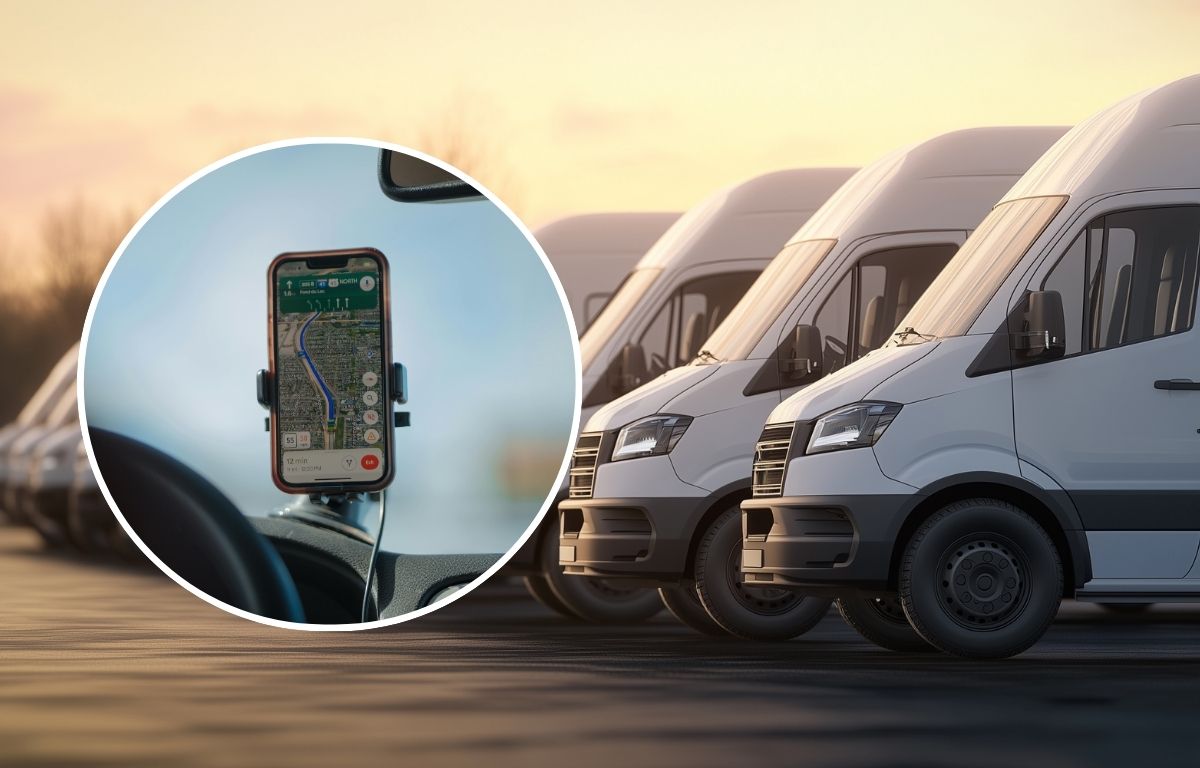
O rastreamento de frota em tempo real permite que você veja onde seus veículos estão a qualquer momento em um mapa ao vivo. Os despachantes obtêm uma visão completa do que está acontecendo no terreno em termos de atrasos, desvios, chegadas antecipadas ou paradas que estão demorando mais do que o previsto.
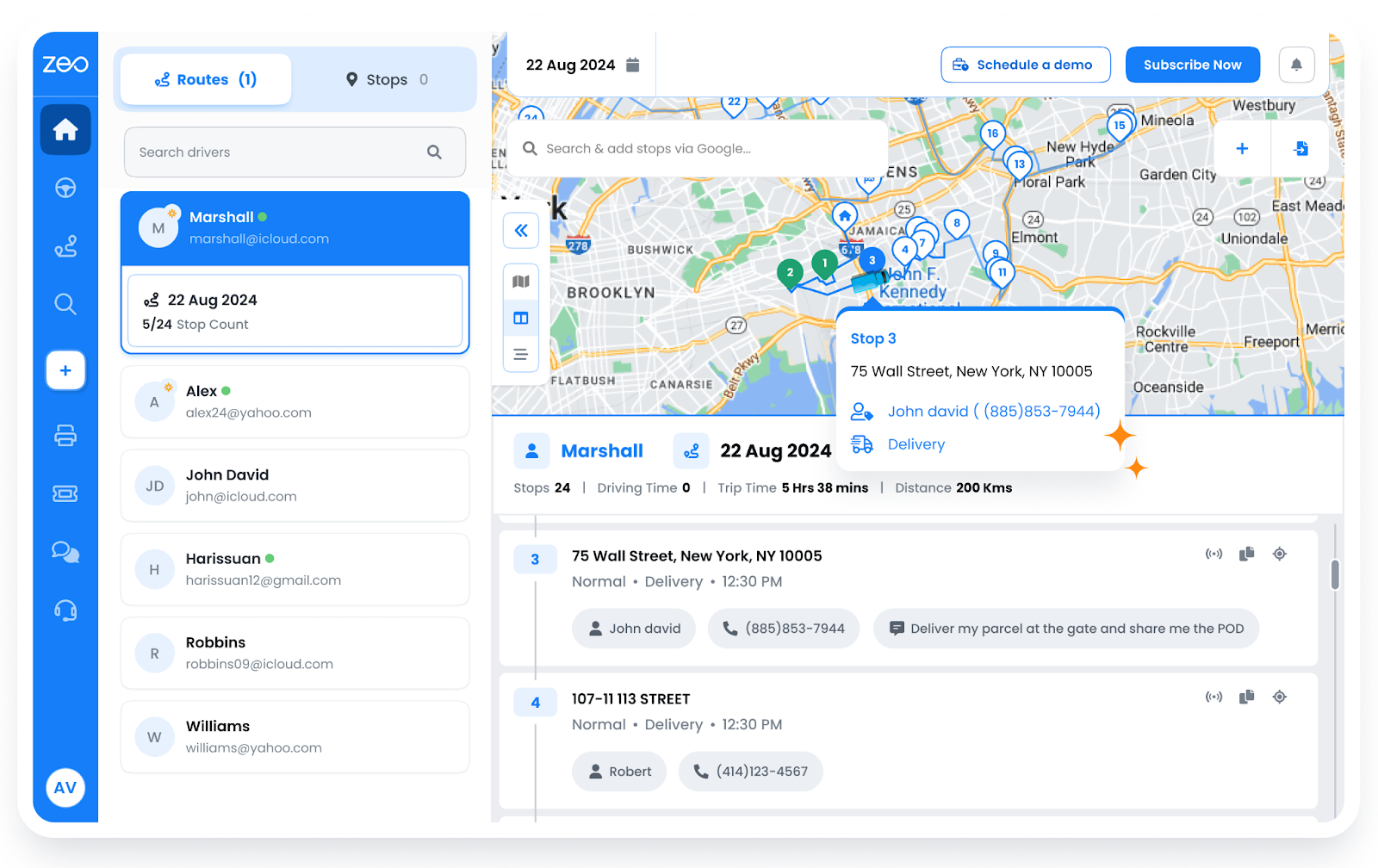
O rastreamento em tempo real normalmente funciona com:
- Um GPS que envia dados de localização continuamente.
- Integração com aplicativos móveis, em que os aplicativos dos motoristas compartilham atualizações sobre chegadas, atrasos ou problemas.
- Painel de controle em tempo real para que os despachantes visualizem todos os veículos em movimento, o status das paradas, etc.
- Um sistema de notificação que sinaliza automaticamente desvios de rota, atrasos ou paradas prolongadas.
Otimização de rotas no rastreamento de frotas em tempo real
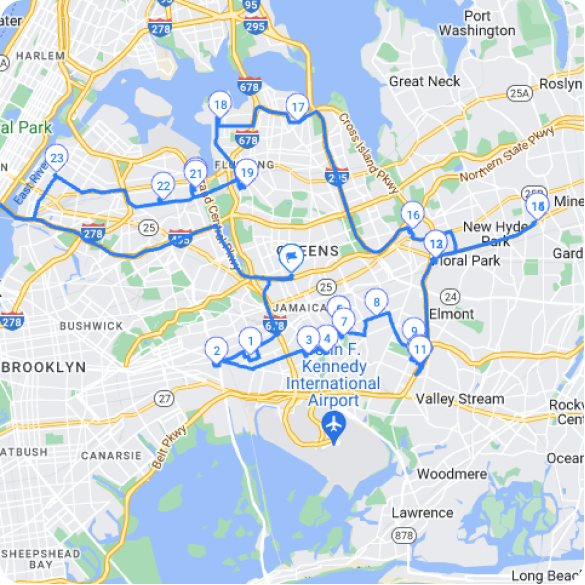
Quando os motoristas pegam a estrada, as coisas mudam. Um atraso em uma parada, o trânsito ficando mais intenso ou uma atualização de última hora de um cliente. Existem sistemas inteligentes que ajustam as rotas automaticamente, para que os motoristas não precisem esperar por ligações ou instruções.
Como funciona a otimização de rotas em tempo real
Para frotas que realizam múltiplas operações diariamente, saber como funciona a otimização de rotas em tempo real pode proporcionar maior controle em cada etapa.
Criação de Rota
As rotas iniciais são construídas a partir de agrupamentos de paradas com base na prioridade e proximidade, estabelecendo uma ordem lógica de entrega para reduzir a distância percorrida.
Transmissão ao vivo
Após o início da viagem, os dados de localização em tempo real são enviados de volta para o sistema, rastreando cada movimento realizado pelo motorista.
Atualizações de Driver
As instruções revisadas são enviadas instantaneamente para o aplicativo do motorista, para que ele possa seguir em direção à próxima parada mais eficiente.
Como o Planejador de Rotas Zeo oferece suporte a isso
Para gestores de frotas, o Zeo torna o planejamento de rotas eficiente e otimiza as sequências de paradas com base nos horários previstos de chegada e na distância.
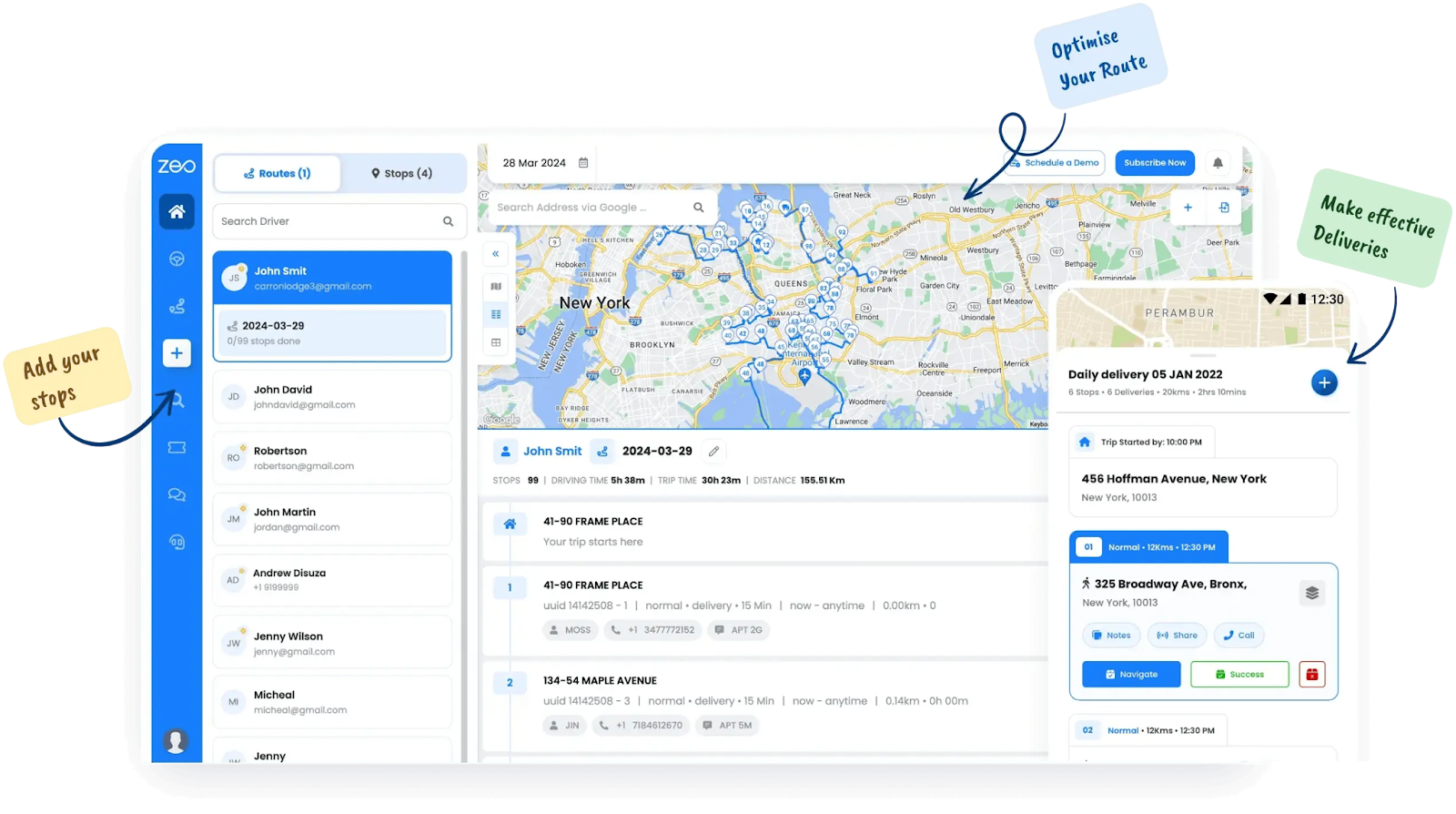
O recurso de otimização de rota Ajuda a planejar uma rota de forma que os motoristas precisem seguir o caminho mais curto e lógico, com base nas restrições de entrega atualizadas.
Precisão da janela de tempo
Cada entrega vem com uma expectativa, e a precisão da janela de tempo ajuda você a atender a essas expectativas com uma exatidão que se adapta ao longo do dia. Quando você sabe exatamente quando um veículo chegará a um local, pode alinhar as paradas com a disponibilidade do cliente, evitar gargalos e reduzir viagens de retorno.
Precisão de janela temporal para rastreamento de frotas em tempo real
Para cumprir esses prazos de forma consistente, os gestores de frota precisam entender o momento certo para cada parada.
Eis como o rastreamento em tempo real torna essa precisão possível em grande escala:
Horários marcados
A cada entrega é atribuído um período específico: por exemplo, das 2h às 4h. Esses marcadores tornam-se restrições que o sistema respeita ao criar ou ajustar rotas.
Monitoramento de ETA em tempo real
À medida que a frota se desloca, as horas previstas de chegada (ETAs) para cada parada são calculadas continuamente, de modo que, caso uma entrega comece a se desviar do prazo estipulado, o sistema emita um alerta.
Atualizações de clientes em tempo real
Caso ocorram alterações durante o trajeto, os clientes são notificados automaticamente.
Como Zeo ajuda
A Zeo permite que as equipes definam janelas de tempo de entrega com precisão e cria cada rota para se adequar a essas janelas.

aumentar a economia de combustível
Economize 2 horas em entregas, todos os dias!
Otimize rotas com nosso algoritmo, reduzindo tempo e custos de viagem de forma eficiente.
Começar de graça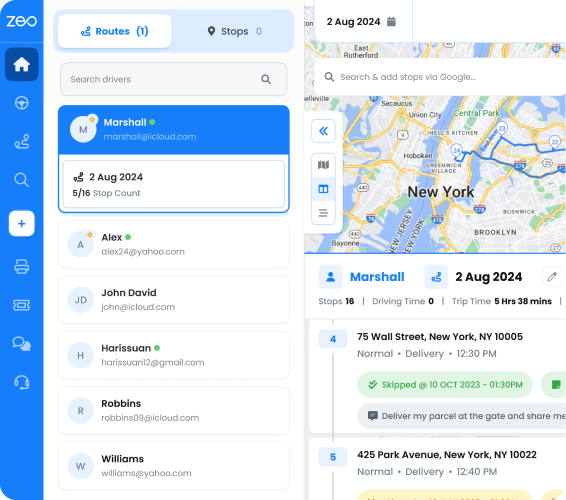
Mesmo quando surgem atrasos, a Zeo continua a impulsionar o progresso. Rastreamento do tempo estimado de entrega As rotas são baseadas em recalculações e reorganizações da sequência em tempo real.
Instruções detalhadas de parada
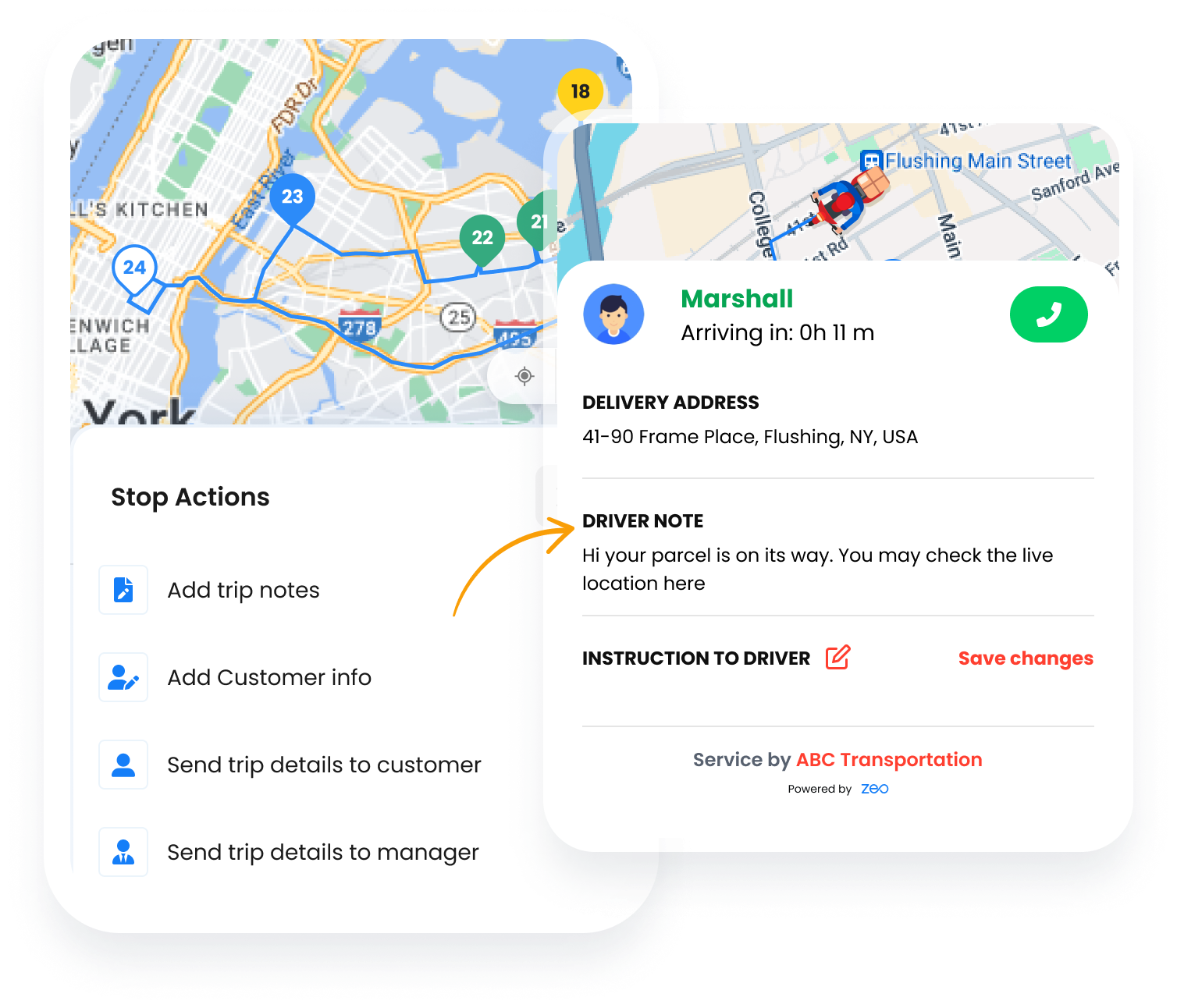
Pode haver instruções específicas para diferentes paradas. Isso pode afetar a fluidez da entrega. Por exemplo, alguns locais exigem códigos de acesso para portões ou detalhes de acesso por andar. Outros podem conter mercadorias frágeis que precisam ser manuseadas com cuidado ou que exigem que o motorista ligue com antecedência antes de chegar.
Você pode ter essas informações disponíveis diretamente no aplicativo do motorista, para que as entregas se tornem mais rápidas, precisas e muito menos estressantes para a equipe na rua.
Como os sistemas em tempo real mantêm os motoristas alinhados
Com sistemas em tempo real implementados, os motoristas podem acessar o seguinte:
Notas de nível de parada
Os operadores de despacho podem adicionar instruções personalizadas para cada parada, como códigos de acesso aos portões, dicas de manuseio de pacotes ou preferências de horário de entrega.
Alterações instantâneas no meio do percurso
Se um cliente ligar para alterar o ponto de entrega ou adicionar novas instruções, os atendentes podem atualizar a parada em tempo real, e os detalhes revisados serão refletidos imediatamente no aplicativo.
Remarcar ou pular fluxo
Se o destinatário não estiver disponível ou o local estiver bloqueado, os motoristas podem pular a parada com uma breve mensagem. Além disso, o sistema ajusta a rota instantaneamente e alerta a central de despacho para acompanhamento.
O papel da Zeo em entregas tranquilas
O Zeo Route Planner oferece suporte ao gerenciamento detalhado de paradas, permitindo que as equipes anexem notas, adicionem tags personalizadas e emitam atualizações durante a rota sem interromper o cronograma.
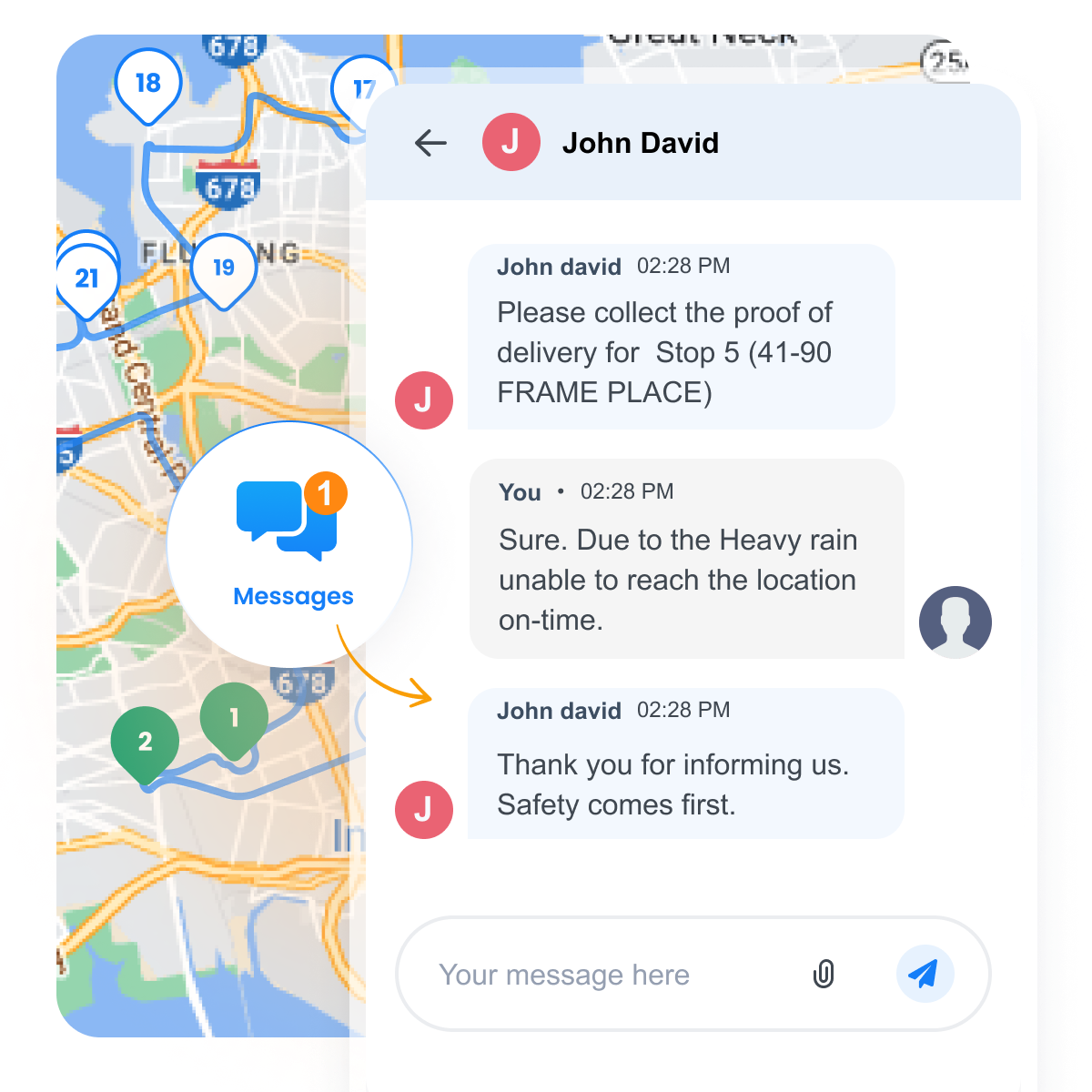
O aplicativo móvel para motoristas Permite a comunicação em tempo real, o que ajuda a refletir essas atualizações em tempo real para que os motoristas permaneçam focados e informados.
Prova de entrega (POD)
Após a entrega, concluir o processo é tão importante quanto a própria entrega. O comprovante de entrega cria um registro instantâneo de que o trabalho foi finalizado. Isso se torna crucial ao gerenciar múltiplas paradas, prazos apertados e reclamações de clientes.
Como é o fluxo de um bom POD
Os sistemas em tempo real integram o POD ao fluxo de trabalho, de modo que nada passe despercebido com as seguintes ações implementadas:
Registros automáticos de hora e localização
Cada entrega é registrada com data e hora e as coordenadas exatas do local de entrega, criando um histórico de auditoria sem qualquer trabalho manual.
Opções de verificação múltipla
Os motoristas podem coletar assinaturas de clientes, tirar fotos da entrega ou marcar a conclusão usando códigos seguros de uso único, de acordo com o que melhor se adequar ao modelo de negócio.
Visibilidade instantânea para despachantes
Assim que uma entrega é concluída, o painel de controle do sistema reflete a atualização. Isso proporciona à equipe visibilidade do que foi feito, do que está pendente e de onde é necessário fazer acompanhamento.
Como o Zeo Route Planner simplifica a experiência POD
O aplicativo móvel da Zeo permite que os motoristas registrem as entregas em um formato adequado à tarefa. Seja capturando uma assinatura, enviando uma imagem ou verificando por meio de um código OTP.
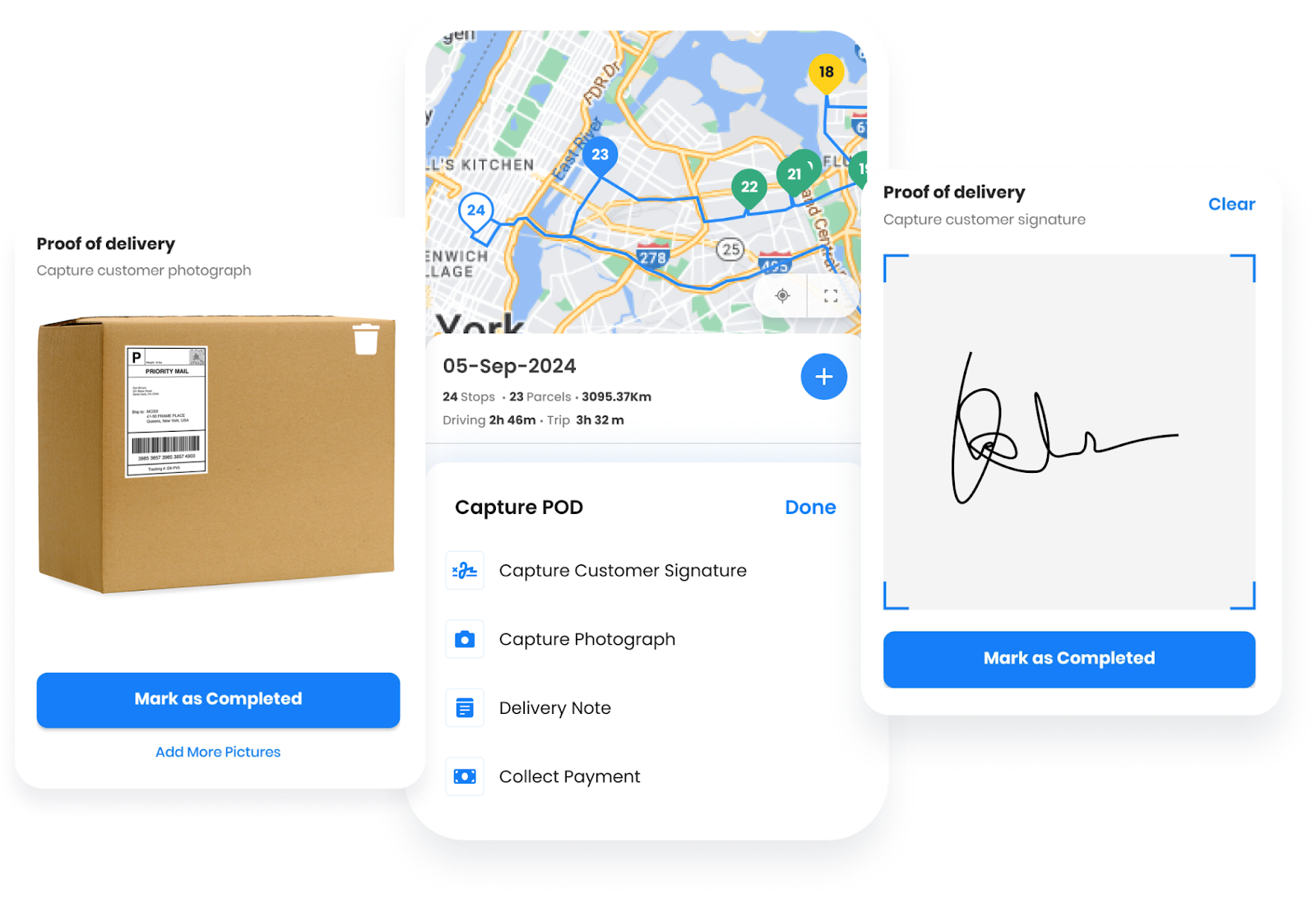
O comprovante de entrega pela Zeo Garante que as atualizações sejam enviadas instantaneamente para o painel do sistema, permitindo respostas mais rápidas e menos chamadas de suporte.
Conclusão
O rastreamento de frotas traz clareza às operações de entrega. Com visibilidade em tempo real, as equipes sabem onde cada veículo está, quais atrasos podem ocorrer e como responder mais rapidamente. Cada recurso, desde rotas otimizadas até instruções detalhadas e comprovantes de entrega, desempenha um papel fundamental na criação de uma experiência de entrega final eficiente e responsável.
O Zeo Route Planner facilita esse processo, alinhando despachantes e motoristas por meio de atualizações em tempo real, ajustes automatizados e uma visão única da estrada.
Confira você mesmo como o Zeo Route Planner pode ajudar a gerenciar sua frota com eficiência.

Você é proprietário de uma frota?
Quer gerenciar seus motoristas e entregas com facilidade?
Expanda seu negócio sem esforço com o Zeo Routes Planner – otimize rotas e gerencie vários motoristas com facilidade.
aumentar a economia de combustível
Entregas e coletas sem complicações!
Otimize rotas com nosso algoritmo, reduzindo tempo e custos de viagem de forma eficiente.
Começar de graça