




# Kalkulator točk za ponovno naročilo: Odpravite zaloge in zmanjšajte stroške
> TL; DR: Kalkulator točk za ponovno naročilo natančno določi, kdaj naročiti zalogo, preden zmanjka, z uporabo formule: (povprečna dnevna poraba × dobavni rok) + varnostna zaloga. Pravilni izračuni točk za ponovno naročilo odpravijo 1.1 bilijona dolarjev letnih stroškov zaradi izkrivljanja zalog, ki vplivajo na ameriška podjetja. Orodja za optimizacijo poti, kot je Zeo Route Planner, to izboljšajo s sledenjem porabe v realnem času, kar pomaga ekipam na terenu prihraniti več kot 2 uri na dan, hkrati pa ohranjati optimalno raven zalog.
Če nam zmanjka delov med kritičnim popravilom HVAC sistema ali če nam izdelki za načrtovane dobave zmanjkajo, nas to stane več kot le takojšnji prihodek. Glede na Študija popisa Nacionalne zveze trgovcev na drobnoIzkrivljanje zalog ameriška podjetja letno stane več kot 1.1 bilijona dolarjev, pri čemer pomanjkanje zalog predstavlja 42 % teh izgub.
Pravilna uporaba kalkulatorja za ponovno naročilo odpravi tako zaloge kot presežne zaloge. Ohranili boste optimalno raven zalog, hkrati pa ohranili zdrav denarni tok in zadovoljstvo strank.
Razumevanje točk ponovnega naročanja: temelj učinkovitega upravljanja zalog
Točka za ponovno naročilo vam pove, kdaj natančno naročiti več zalog, preden jih zmanjka. To je minimalna raven zalog, ki sproži novo naročilo.
Večina podjetij ugiba pri točkah ponovnega naročanja ali uporablja zastarele preglednice. To vodi do nujnih naročil po višjih cenah ali skladišč, polnih počasi gibljivih zalog.
Pametna naročilna mesta upoštevajo tri ključne dejavnike: povprečno dnevno porabo, dobavni rok dobaviteljev in varnostne zaloge za nihanja povpraševanja. Podjetja za bazenske storitve na primer potrebujejo večjo varnostno zalogo klora v poletnih mesecih kot pozimi.
Cilj ni le izogibanje zalogam. Gre za vzdrževanje minimalnih zalog, potrebnih za zadovoljevanje povpraševanja strank, hkrati pa za maksimiranje učinkovitosti denarnega toka. Učinkovito Upravljanje dobavne verige zahteva to ravnovesje med ravnijo storitev in stroški poslovanja.
Formula in kalkulator bistvene točke ponovnega naročila (z brezplačnim orodjem)
Osnovna formula za točko ponovnega naročila je preprosta:
Točka ponovnega naročila = (povprečna dnevna poraba × dobavni rok) + varnostna zaloga
Tukaj je opisano, kako deluje vsaka komponenta:
Povprečna dnevna porabaIzračunajte svojo tipično dnevno porabo v zadnjih 90 dneh. Za filtre HVAC, če mesečno uporabljate 120 filtrov, je to 4 na dan.
ČasDnevi med naročilom in prejemom zaloge. Vključujejo vikende in čas obdelave. Večina dobaviteljev navaja samo delovne dni.
Varnostna zalogaDodatna rezerva zalog za primer porasta povpraševanja ali zamud pri dobavi. Začnite s 25–50 % vašega povpraševanja po kritičnih artiklih v predvidenem roku dobave.
Primer izračunaElektričar povprečno dnevno porabi 5 žicnih matic. Dobavni rok dobavitelja je 7 dni. Varnostna zaloga je 15 enot (50 % rezerva).
Točka ponovnega naročila = (5 × 7) + 15 = 50 enot
Naročite nove žične matice, ko zaloga doseže 50 enot. To preprečuje pomanjkanje zalog in hkrati preprečuje prekomerne zaloge.
Ta izračun uporabite za vsak artikel, ki ga redno hranite na zalogi. Kritični artikli potrebujejo večjo varnostno zalogo kot izdelki, ki jih je mogoče enostavno nadomestiti.
Napredne strategije za ponovna naročila za sezonsko in spremenljivo povpraševanje
Sezonska podjetja potrebujejo dinamične točke za ponovno naročanje, ki se prilagajajo skozi vse leto. Storitve čiščenja bazenov julija porabijo trikrat več kemikalij kot januarja.
Metoda sezonskega prilagajanjaIzračunajte ločene točke ponovnega naročanja za obdobja največje sezone, ramenskega dela sezone in izven sezone. Za prepoznavanje vzorcev uporabite 12-mesečne zgodovinske podatke.
Podjetja za urejanje krajine bi morala določiti višje točke za ponovno naročilo gnojil spomladi in opreme za odstranjevanje snega pred zimo. Podatki o sezonski zaposlitvi Urada za statistiko dela kaže, da se sezonska zaposlenost v urejanju krajine letno spreminja za 40 %, kar kaže na velika nihanja povpraševanja.
Obvladovanje spremenljivega povpraševanjaNekateri izdelki imajo nepredvidljive vzorce uporabe. Rezervni deli za ogrevanje, prezračevanje in klimatizacijo lahko ostanejo neuporabljeni več mesecev, nato pa se njihova uporaba med vročinskimi valovi močno poveča.
Za artikle z visoko spremenljivostjo uporabite naslednjo formulo za varnostne zaloge:
Varnostna zaloga = Z-vrednost × √Dobavni rok × Standardni odklon dnevne porabe
Za 95-odstotno raven storitev (tveganje izpada zalog 5 %) uporabite Z-vrednost 1.65. Izračunajte standardni odklon iz zgodovine dnevne uporabe.
Integracija ABC analizeOsredotočite se na sofisticirane izračune točk za ponovno naročilo vaših najdragocenejših artiklov. Artikli kategorije A (visoka vrednost, visoka uporaba) si zaslužijo podrobno analizo. Artikli kategorije C lahko uporabljajo enostavnejše formule.
Upravljanje mobilnih zalog: Točke za ponovno naročanje za terenske ekipe in dostavne operacije
Terenski tehniki in dostavljavci spremljajo dejansko porabo zalog. Vedo, kateri deli se porabijo hitreje, kot kaže sledenje v vašem skladišču.
Tradicionalni sistemi za ponovno naročanje ne uspevajo mobilnim delovnim silam, ker podatki o zalogah ostanejo zastareli. Tehniki uporabljajo dele, vendar se posodobitve izvedejo več dni kasneje med obdelavo dokumentacije.
Posodobitve v realnem času za mobilne naprave rešujejo to težavo. Ko vaš vodovodar namesti del grelnika vode, takojšnje posodobitve zalog samodejno sprožijo izračune ponovnega naročila.
Vaši tehniki prek mobilnih aplikacij neposredno na svoje telefone prejmejo optimizirane poti, skupaj z zahtevami glede zalog za vsako delo. Takoj lahko označijo nizke ravni zalog, kar izboljša natančnost točk za ponovno naročilo. Programska oprema za sledenje voznikom zagotavlja preglednost, potrebno za spremljanje dejanskih vzorcev porabe na terenu.
Dostavne dejavnosti se soočajo z edinstvenimi izzivi. Učinkovitost poti vpliva na hitrost zalog. Vozniki, ki se dnevno večkrat ustavijo, porabijo dostavne zaloge hitreje, kot je bilo predvideno.
Pametna podjetja spremljajo porabo na miljo poti ali na dostavo, da bi natančneje določila za ponovna naročila. Optimizacija z umetno inteligenco v programu Zeo Route Planner skrajša čas vožnje za več kot 2 uri na dan, kar omogoča več dostav in višjo stopnjo obračanja zalog.
GPS sledenje mobilnih ekip zagotavlja podatke o vzorcih porabe, ki izboljšajo izračune točk za ponovno naročilo. Opazili boste trende, kot so večja poraba delov na določenih območjih storitev ali sezonske spremembe poti, ki vplivajo na potrebe po dobavi.
Industrijsko specifične aplikacije za naročila (dostava, ogrevanje, prezračevanje in klimatizacija, storitve bazenov, maloprodaja)
Dostava hranePokvarljiva zaloga zahteva agresivne točke za ponovno naročanje. Upoštevajte stopnje kvarjenja in porast povpraševanja ob koncu tedna. Varnostna zaloga mora vključevati dodatno zmogljivost za priljubljene artikle, ki se hitro razprodajo.
Dostavne službe restavracij potrebujejo višje točke za ponovno naročilo embalažnih materialov v promocijskih obdobjih. Spremljajte porabo na naročilo, da natančneje izračunate.
Podjetja za servisiranje ogrevanja, prezračevanja in klimatizacijeNujna popravila povzročajo nepredvidljivo porabo delov. Vzdržujte večjo varnostno zalogo za pogoste okvare, kot so kondenzatorji in kontaktorji.

povečati prihranek goriva
Dostave in prevzemi brez težav!
Optimizirajte poti z našim algoritmom, s čimer učinkovito zmanjšate čas potovanja in stroške.
Začnite brezplačno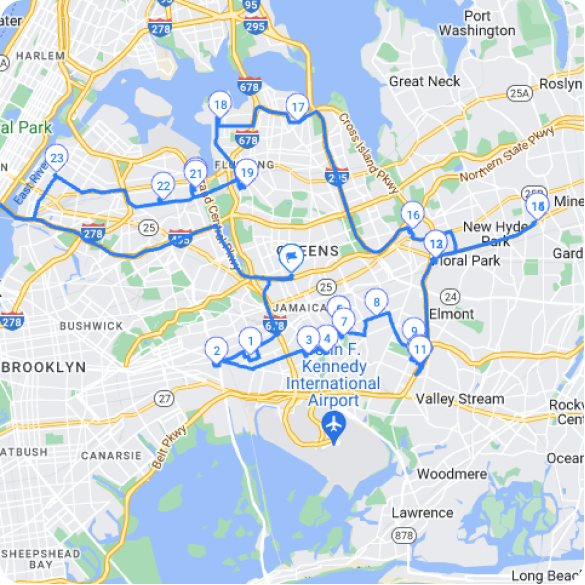
Sezonski vzorci so ključnega pomena. Deli klimatske naprave so največje poleti, komponente ogrevanja pa pozimi. Izračunajte ločene točke ponovnega naročanja za vsako sezono z uporabo podatkov o preteklih servisnih klicih.
Podjetja za bazenske storitvePoraba kemikalij je neposredno povezana s temperaturo vode in uporabo bazena. Višje točke za ponovno naročilo med plavalno sezono preprečujejo težave s storitvami za stranke.
Vreme nepredvidljivo vpliva na povpraševanje. Vročinska obdobja povečajo porabo kemikalij preko običajnih sezonskih vzorcev. V izračune vključite varnostne zaloge na podlagi vremena.
Maloprodajno poslovanjeHitrost izdelkov se razlikuje glede na lokacijo, sezono in promocije. Integracija e-trgovine vpliva na točke ponovnega naročanja, saj spletna naročila črpajo iz zaloge v trgovini.
Glede na Podatki o zalogah na drobno Ministrstva za trgovino, razmerje med zalogami v maloprodaji in prodajo je v povprečju 1.46, kar pomeni, da optimalne točke za ponovno naročilo vzdržujejo približno 44 dni zalog. Prilagodite glede na svojo panogo in stopnjo rasti. Razumevanje koeficient obračanja zalog pomaga optimizirati te izračune za maksimalno dobičkonosnost.
Storitve zatiranja škodljivcevPri materialih za obdelavo je treba upoštevati rok uporabnosti. Pri določanju časa ponovnega naročila upoštevajte rok uporabnosti, da zmanjšate količino odpadkov in preprečite pomanjkanje zalog.
Integracija točk za ponovno naročanje z načrtovanjem poti in dostavnimi postopki
Učinkovitost poti neposredno vpliva na uspeh upravljanja zalog. Optimizirane poti zmanjšujejo stroške goriva in omogočajo več obiskov strank na dan, kar vpliva na stopnjo porabe zalog.
Slabo načrtovanje poti ustvarja skrite stroške zalog. Vozniki, ki vozijo po neučinkovitih poteh, hitreje porabijo zaloge za vzdrževanje vozil. Prav tako imajo manj časa za dostavo, kar zmanjšuje promet zalog.
Integrirani sistemi povezujejo načrtovanje poti z upravljanjem zalog za učinkovite rezultate. Ko vaš načrtovalec poti pozna raven zalog, lahko določi prednost dostavam, da prepreči pomanjkanje zalog na lokacijah strank.
Programska oprema za optimizacijo poti Načrtovalnik zalog Zeo se tako integrira s sistemi za upravljanje zalog prek povezav Zapier in samodejno posodablja stanje zalog, ko vozniki zaključijo dostavo. Ti podatki v realnem času izboljšajo natančnost točk za ponovno naročilo z odpravo zamud pri ročnem vnosu.
Funkcije dokazila o dostavi natančno zajamejo, kaj je dostavljeno ali porabljeno na vsaki postaji. Foto dokumentacija in digitalni podpisi omogočajo natančno sledenje porabe za natančnejše določitve točk za ponovno naročilo.
Sistemi za obveščanje strank zmanjšujejo zamujene dostave, zaradi katerih zaloga ostane v tovornjakih. Povezave za sledenje v živo in SMS posodobitve zagotavljajo, da so stranke pripravljene, ko vozniki prispejo.
Pametno načrtovanje poti omogoča tudi pravočasno upravljanje zalog. Ko poznate natančne urnike dobav, lahko načrtujete ponovna naročila, da zmanjšate potrebe po skladiščnem prostoru in hkrati preprečite pomanjkanje zalog.
Pogoste napake pri ponovnem naročanju in kako jih avtomatizirani sistemi preprečujejo
Napaka 1: Uporaba povprečnih dobavnih rokov namesto maksimalnihDobavitelji ne dobavljajo vedno po urniku. Za preprečevanje pomanjkanja zalog zaradi zamud pri dostavi uporabite dobavni rok 90. percentila, ne povprečij.
Napaka 2: Ignoriranje spremenljivosti povpraševanjaStalna povprečna poraba ne pomeni stalne dnevne porabe. Izračunajte standardni odklon, da upoštevate skoke povpraševanja.
Napaka 3: Nastavitev statičnih točk prerazporeditveRast poslovanja, sezonske spremembe in tržne spremembe zahtevajo prilagoditve točk za ponovno naročilo. Izračune pregledujte četrtletno.
Napaka 4: Spregledanje minimalnih količin naročilaMOQ dobaviteljev lahko zahteva večja naročila, kot jih predlaga vaš izračun točke ponovnega naročila. To upoštevajte pri načrtovanju varnostnih zalog.
Napaka 5: Slaba kakovost podatkovNetočno sledenje uporabe naredi izračune točk za ponovno naročilo neuporabne. To težavo rešujejo posodobitve mobilne delovne sile in avtomatizirano sledenje.
Sodobne platforme za načrtovanje poti preprečujejo številne napake pri ponovnem naročanju z integriranim sledenjem. Zeo-ove funkcije sledenja GPS v realnem času in dokazila o dostavi zagotavljajo natančne podatke o porabi, ki samodejno izboljšajo izračune ponovnega naročila.
Zmožnosti analitike in poročanja prepoznavajo trende, ki jih ročni sistemi spregledajo. Opazili boste sezonske vzorce, vpliv učinkovitosti poti na porabo zalog in spremembe v vedenju strank, ki vplivajo na povpraševanje. Učinkovito upravljanje polic To postane mogoče, ko imate na voljo natančne podatke o porabi, ki prispevajo k izračunom ponovnega naročila.
Integracije API-jev povezujejo podatke o načrtovanju poti s sistemi za upravljanje zalog, kar zagotavlja, da točke ponovnega naročanja odražajo dejansko porabo na terenu in ne predpostavk skladišča.
Pravilno določanje točk za ponovno naročanje zahteva natančne podatke, ustrezne izračune in redne prilagoditve. Podjetja, ki obvladajo to ravnovesje, odpravijo zaloge, hkrati pa ohranjajo zdrav denarni tok in zadovoljstvo strank.
Pogosto zastavljena vprašanja
V: Kako izračunate varnostno zalogo za artikle s spremenljivim povpraševanjem?
Uporabite formulo: Varnostna zaloga = Z-vrednost × √Dobavni rok × Standardni odklon dnevne porabe. Z-vrednost 1.65 zagotavlja 95-odstotno zaščito pred zalogami na ravni storitve, medtem ko standardni odklon upošteva spremenljivost povpraševanja v vaših zgodovinskih podatkih o uporabi.
V: Kakšna je razlika med točko ponovnega naročila in ekonomsko ugodno količino naročila?
Točka ponovnega naročila določa, kdaj naročiti (sprožilna točka), medtem ko ekonomična količina naročila (EOQ) določa, koliko naročiti. Točka ponovnega naročila preprečuje pomanjkanje zalog, EOQ pa zmanjšuje skupne stroške naročanja in skladiščenja. Obe delujeta skupaj za optimalno upravljanje zalog.
V: Kako pogosto je treba pregledovati in posodabljati točke za ponovno naročanje?
Točke za ponovno naročilo preglejte četrtletno za večino podjetij, mesečno za artikle z visoko hitrostjo in sezonsko za izdelke s predvidljivimi vzorci. Sledenje zalog v realnem času v programu Zeo Route Planner zagotavlja podatke o porabi, ki pomagajo samodejno izboljšati te izračune, ko se poslovni pogoji spremenijo.
V: Ali lahko točke za ponovno naročilo delujejo za pokvarljivo blago?
Da, vendar zahtevajo krajše dobavne roke in višje odstotke varnostnih zalog zaradi tveganja kvarjenja. Pri izračunih časovnih okvirov upoštevajte datume poteka veljavnosti in v obdobjih največjega povpraševanja uporabite agresivne točke za ponovno naročanje, da preprečite tako zaloge kot odpadke.
V: Kako sezonska podjetja prilagajajo točke za ponovno naročilo skozi vse leto?
Izračunajte ločene točke za ponovno naročilo za obdobja največje sezone, obdobja po koncu sezone in izven sezone z uporabo 12-mesečnih zgodovinskih podatkov. Podjetja za bazenske storitve na primer potrebujejo 3-krat več točk za ponovno naročilo zalog kemikalij v juliju v primerjavi z januarjem zaradi sezonskih vzorcev porabe.
Začnite brezplačno preskusno različico programa Zeo Route Planner ... da vidite, kako lahko integrirano sledenje zalogam in optimizacija poti zmanjšata tako zaloge kot stroške dostave. Povežite svoje operativne podatke za pametnejše odločitve o točkah ponovnega naročanja, ki izboljšajo dobičkonosnost.

Ali ste lastnik voznega parka?
Želite preprosto upravljati svoje voznike in dostavo?
Z Zeo Routes Plannerjem brez truda razširite svoje podjetje – optimizirajte poti in z lahkoto upravljajte več voznikov.

povečati prihranek goriva
Prihranite 200 USD na gorivu, mesečno!
Optimizirajte poti z našim algoritmom, s čimer učinkovito zmanjšate čas potovanja in stroške.
Začnite brezplačno





















