


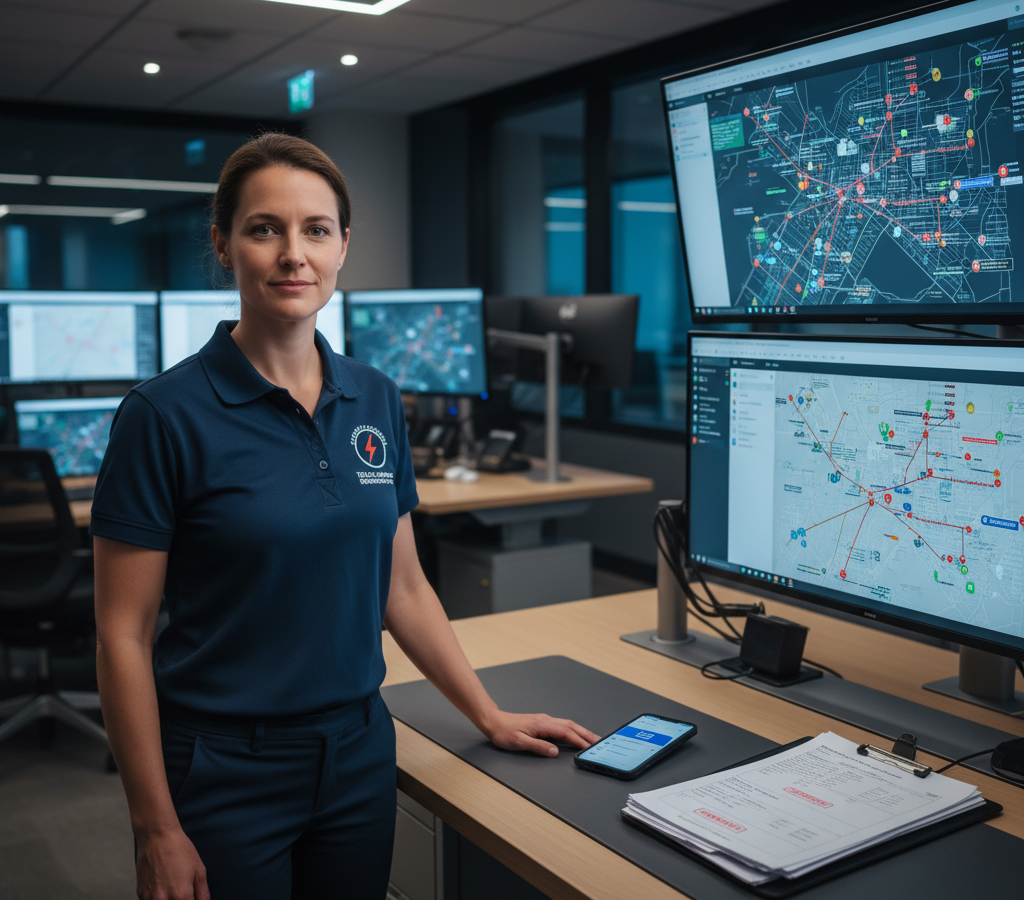
# 2026 için Acil Durum Telekomünikasyon Sevk Yönlendirme Çözümleri
> TL; DR: Etkin telekom acil durum sevk ve yönlendirme çözümleri, otomatik teknisyen ataması ve rota optimizasyonu sayesinde ağ kesintisi müdahale sürelerini 25 dakikadan 5 dakikanın altına indirir. Zeo Route Planner gibi modern sistemler, yapay zeka destekli optimizasyon kullanarak en yakın nitelikli teknisyenleri anında belirler ve en uygun rotaları hesaplar; bu da telekom ekiplerinin günlük 2 saatten fazla zaman tasarrufu yapmasına ve maliyetli hizmet kesintilerini en aza indirmesine yardımcı olur.
Gece saat 3'te hizmet bölgenizde büyük bir ağ kesintisi yaşandığında, acil müdahale sisteminiz en büyük sınavla karşı karşıya kalır. Telekomünikasyon altyapı yöneticileri, her bir dakikalık kesintinin binlerce dolarlık gelir kaybına ve müşteri güveninin azalmasına neden olduğunu bilir. Ancak çoğu acil durum müdahale operasyonu hala kritik onarımları operasyonel kaosa dönüştüren reaktif, manuel süreçlere dayanmaktadır.
Modern telekomünikasyon acil durum sevk ve yönlendirme çözümleri, bu senaryoları kriz yönetiminden koordineli müdahale operasyonlarına dönüştürüyor. 4 saatlik bir kesinti ile 40 dakikalık bir onarım arasındaki fark genellikle tek bir şeye bağlıdır: doğru teknisyeni doğru yere mümkün olan en hızlı şekilde ulaştırmak.
Acil Durum Telekomünikasyon Hizmetlerinde Yavaşlığın Gizli Maliyeti: Her Dakika Neden Önemli?
Telekomünikasyon kesintileri, hizmet verdiğiniz bölgenin çok ötesine uzanan zincirleme iş etkileri yaratır. Federal İletişim Komisyonu900,000'den fazla kullanıcı dakikasını etkileyen ağ kesintileri 2022'den 2026'ya kadar %25 arttı ve bu da hızlı acil müdahale ihtiyacını her zamankinden daha kritik hale getirdi.
Büyük bir metropol bölgesindeki ticari müşterileri etkileyen bir fiber kablo kesintisini düşünün. Sevk ekibiniz uyarıyı sabah 2:15'te alıyor. Optimize edilmiş bir rota planlaması olmadan, maliyetli birçok gecikmeyle karşı karşıya kalıyorsunuz:
Öncelikle, en yakın teknisyenlerin belirlenmesi 10-15 dakika süren manuel bir kontrol işlemi gerektiriyor. Ardından, görevli personel temel haritalama araçlarını kullanarak rotaları manuel olarak hesaplıyor ve bu da 5-10 dakika daha sürüyor. Seçilen teknisyene yol tarifi içeren bir telefon görüşmesi yapılıyor, açıklayıcı sorular soruluyor ve son olarak ilk uyarıdan 25 dakika sonra yola çıkıyor.
Telekomünikasyon acil durum sevk yönlendirme çözümlerinde aynı senaryo farklı şekilde gelişir. Sisteminiz 90 saniye içinde en yakın üç nitelikli teknisyeni otomatik olarak belirler. Rotalar gerçek zamanlı trafiğe göre anında optimize edilir ve teknisyenler ayrıntılı onarım görevlerini doğrudan mobil cihazlarında alırlar. Yanıt süreniz 25 dakikadan 5 dakikanın altına düşer.
Finansal etki hızla artar. Kurumsal müşteriler için tek bir saatlik kesinti, şirketinizin SLA cezaları ve kredileri nedeniyle 50,000 ila 100,000 dolar arasında bir maliyete yol açabilir. Bunu birden fazla eş zamanlı kesintiyle çarptığınızda, verimsiz dağıtım operasyonları kâr katili haline gelir.
Eksiksiz Acil Durum Müdahale Ekosistemi: Ağ Uyarısından Teknisyenin Varışına Kadar
Etkin telekomünikasyon acil durum müdahalesi, ağ izleme sistemleri ve saha operasyonları arasında kusursuz entegrasyon gerektirir. Acil durum sevk ekosisteminizin üç temel bileşene ihtiyacı vardır: gerçek zamanlı teknisyen konum verileri, otomatik beceri tabanlı atama ve anlık iletişim kanalları.
Gerçek zamanlı GPS izleme Bu, hızlı müdahalenin temelini oluşturur. Sisteminiz, her teknisyenin tam olarak nerede bulunduğunu bilmelidir, planlanan yerde değil. Ağ acil durumları planlanmış rotaları izlemez ve sevk yeteneklerinizin de aynı esnekliğe sahip olması gerekir.
Beceriye dayalı görevlendirme, bir bakır uzmanını fiber acil durumuna göndermenin maliyetli hatasını önler. Sevk sisteminiz, sertifika seviyesine, ekipman erişimine ve acil durum yetkilendirme iznine göre mevcut teknisyenleri otomatik olarak filtrelemelidir. Yüksek voltajlı işler için sertifikalı bir kule tırmanıcısı, çağrıyı üç farklı uzmana yönlendirmekten daha hızlı bir şekilde kritik baz istasyonu arızalarına ulaşır.
Anlık mobil iletişim, acil müdahale sürelerini uzatan telefon trafiğini ortadan kaldırır. Teknisyenler, olayla ilgili tüm ayrıntıları, müşteri iletişim bilgilerini ve optimize edilmiş rotaları aynı anda alırlar. Sevk merkezini aramadan durumlarını güncelleyebilir, destek isteyebilir veya tamamlanma raporunu verebilirler.
Acil Durum Telekomünikasyon Sevk İşlemleri için Gerçek Zamanlı Rota Optimizasyonu
Geleneksel acil durum rotalama, statik haritalara ve sevk görevlilerinin sezgilerine dayanır. Gerçek zamanlı optimizasyon, manuel rotalamanın gözden kaçırdığı düzinelerce değişkeni dikkate alır: mevcut trafik düzenleri, yol yapım çalışmaları, hava koşulları ve teknisyen araçlarının kapasitesi.
Zeo Rota Planlayıcısı'nın yapay zeka destekli rota optimizasyonu, bu değişkenleri anında işleyerek teknisyen başına ortalama acil müdahale sürelerini günlük 2 saatten fazla azaltır. Sistem, yeni acil durumlar ortaya çıktığında rotaları otomatik olarak ayarlayarak, en yakın uzmanınızın her zaman en yüksek öncelikli arızalara ilk ulaşmasını sağlar.
Öncelik tabanlı yönlendirme, sevk ekibinizi aşırı yüklemeden aynı anda birden fazla acil durumu yönetir. İşletme müşterilerinin kesintileri, konut sorunlarına göre en kısa sürede müdahale önceliğine sahiptir. Hastaneler ve acil servisler gibi kritik altyapılar, anında teknisyen ataması alır. Sisteminiz, her müşteriyi gerçekçi onarım süreleri konusunda bilgilendirirken, müdahale önceliklerini otomatik olarak dengeler.
Dinamik rota ayarlaması, acil durum müdahalesi boyunca değişen koşullara uyum sağlar. Bir fiber kesintisi birden fazla müşteri lokasyonunu etkilediğinde, sisteminiz her onarım tamamlandığında en uygun teknisyen atamalarını yeniden hesaplar. Bir iş bölgesindeki onarımı tamamlayan teknisyen, otomatik olarak bir sonraki etkilenen lokasyona yönlendirilir.
Zaman aralığı optimizasyonu, teknisyenlerin müşterilerin beklediği zamanda varmalarını sağlar. Acil onarımlar genellikle müşteri tesisine erişim veya diğer hizmetlerle koordinasyon gerektirir. Yönlendirme sisteminiz, bu kısıtlamaları varış zamanlarına dahil ederek teknisyenlerin kilitli binaların dışında beklemesini veya elektrik kesintisi giderilmeden önce varmasını önler.
Gelişmiş ortodontik vakalar için kapsamlı çözüm paketi sürücü takip yazılımı Bu özellik, sevk ekiplerinin teknisyenlerin ilerlemesini gerçek zamanlı olarak izlemesini ve onarım süreci boyunca müşteriye doğru güncellemeler sağlamasını mümkün kılar.
Birden Fazla Onarım Ekibinin Koordinasyonu: Kritik Altyapılar İçin Filo Yönetimi
Büyük ölçekli telekomünikasyon acil durumları, birden fazla onarım ekibinden koordineli müdahale gerektirir. Kasırga hasarı, ekipman arızaları veya inşaat kazaları, hizmet bölgenizde aynı anda düzinelerce kesintiye neden olabilir. Etkin müdahale filo yönetim yazılımı Başarılı kurtarma operasyonlarını uzun süreli hizmet kesintilerinden ayırır.
Kapasite tabanlı ekip ataması, onarım karmaşıklığını mevcut kaynaklarla eşleştirir. Büyük fiber ana hat onarımları, özel füzyon ekleme ekipmanı ve deneyimli teknisyenler gerektirir. Müşteri tesislerindeki ekipman arızaları farklı beceri ve araçlar gerektirir. Filo yönetim sisteminiz, ekipleri hem coğrafi yakınlığa hem de teknik gereksinimlere göre atar.
Gerçek zamanlı ekip koordinasyonu, kaynak çatışmalarını önler ve onarım verimliliğini en üst düzeye çıkarır. Birden fazla ekip aynı etkilenen alanda çalıştığında, sisteminiz trafik çatışmalarını ve ekipman paylaşımından kaynaklanan gecikmeleri önlemek için hareketlerini koordine eder. Ekipler, koşullar geliştikçe ilgili onarımlar, malzeme bulunabilirliği ve öncelik değişiklikleri hakkında güncellemeler alır.
Acil durum yönetimi, ilk ekip kapasitesini aşan onarımları ele alır. Karmaşık yeraltı kablo arızaları, standart acil durum müdahalenizin ötesinde kazı ekipmanı veya altyapı koordinasyonu gerektirebilir. Sisteminiz, onarım ilerlemesini izler ve tamamlanma süreleri acil durum SLA gereksinimlerini aştığında otomatik olarak acil durum protokollerini tetikler.
Acil Durum Teknisyenleri için Mobil Çözümler: Temel Çağrı Yönlendirmesinin Ötesinde
Acil durum teknisyenlerinin mobil cihazlarında temel rota bilgilerinden daha fazlasına ihtiyaçları vardır. Eksiksiz bir acil durum müdahalesi, müşteri geçmişine, ekipman özelliklerine, güvenlik protokollerine ve gerçek zamanlı iletişim kanallarına anında erişim gerektirir.

yakıt tasarrufunu artırın
Aylık yakıttan 200$ tasarruf edin!
Algoritmamızla rotaları optimize ederek seyahat süresini ve maliyetleri verimli bir şekilde azaltın.
Ücretsiz Başlayın
Zeo'nun mobil platformu, müşteri bilgileri ve olay özellikleriyle birlikte optimize edilmiş acil durum rotalarını doğrudan teknisyenlerin akıllı telefonlarına iletiyor. Teknisyenler, trafik koşullarına ve sevk operasyonlarından gelen öncelik değişikliklerine göre otomatik olarak güncellenen adım adım navigasyon alıyor.
Teslimat kanıtı Bu özellik, mevzuata uyumluluk ve müşteri faturalandırması için acil onarımları belgelendirir. Teknisyenler hasarlı ekipmanın fotoğraflarını çeker, müşteri yetkililerinden dijital imzalar toplar ve ayrıntılı onarım notları kaydeder. Bu dokümantasyon, ek veri girişi gerektirmeden doğrudan müşteri hizmetleri ve faturalandırma sistemlerinize aktarılır.
Gerçek zamanlı durum güncellemeleri, sevk ekiplerinin sürekli telefon görüşmelerine gerek kalmadan onarım ilerlemesi hakkında bilgi sahibi olmasını sağlar. Teknisyenler, tek bir düğmeye basarak durumlarını "yolda"dan "sahada"ya ve "onarım tamamlandı"ya güncelleyebilirler. Sevk ekipleri saha operasyonlarının tam görünürlüğünü korurken, teknisyenler teknik onarımlara odaklanabilir.
GPS takibi, müşteri tahmini varış zamanı güncellemeleri ve yedek ekip koordinasyonu için teknisyenlerin tam konumlarını sağlar. Müşteri hizmetleri ekibiniz, etkilenen işletmelere doğru varış zamanlarını iletir. Sevk ekipleri, adres karışıklığı veya telefon tabanlı yönlendirmeler olmadan yedek ekipmanı veya ek uzmanları tam çalışma yerlerine yönlendirir.
Performans Analitiği: Acil Durum Müdahale Verimliliğinin Ölçülmesi ve İyileştirilmesi
Acil müdahalede sürekli iyileştirme, tüm sevk operasyonunuz genelinde ayrıntılı performans analizi gerektirir. Müdahale süresi metrikleri, teknisyen kullanım oranları ve müşteri memnuniyeti puanları, gelecekteki acil durum etkilerini azaltacak iyileştirme fırsatlarını belirler.
Yanıt süresi analizi, acil durum sevk verimliliğinizdeki kalıpları ortaya çıkarır. Olay türüne ve coğrafi bölgeye göre ayrılmış, uyarıdan teknisyenin olay yerine ulaşmasına kadar geçen ortalama süre, rota optimizasyonunun en büyük etkiyi nerede yarattığını gösterir. Ekipman arızalarının, trafik düzenlerinin veya teknisyen müsaitliğinin en uzun yanıt sürelerinize neden olup olmadığını belirleyebilirsiniz.
Teknisyen performans ölçütleri, farklı acil durum türleri için ekip atamalarını optimize etmeye yardımcı olur. Bazı teknisyenler karmaşık arıza gidermede üstün başarı gösterirken, diğerleri rutin onarımları daha verimli bir şekilde gerçekleştirir. Sevk sisteminiz, bu performans verilerini kullanarak acil durumları, belirli olay türleri için en iyi başarı oranlarına sahip teknisyenlere otomatik olarak atar.
Rota verimliliği analizi, gerçek acil durum müdahalesinin optimize edilmiş rota önerileriyle nasıl karşılaştırıldığını gösterir. Buna göre İşgücü İstatistikleri BürosuTelekomünikasyon ekipmanı kurulum ve onarım teknisyenleri, zamanlarının ortalama %28'ini araç içinde geçiriyor. Optimize edilmiş rotalara uyumun izlenmesi, verimsiz seyahat süresini azaltan eğitim fırsatlarını ve sistem iyileştirmelerini belirlemeye yardımcı olur.
Müşteri etkisi ölçütleri, acil müdahale performansını iş sonuçlarıyla ilişkilendirir. Müşteri kaynaklı kesinti sürelerinin müdahale süreleriyle karşılaştırılması, sevk gecikmelerinin gerçek maliyetini gösterir. Bu veriler, ek acil durum ekipleri, rota belirleme teknolojisi ve müdahale ekipmanına yönelik yatırım kararlarını destekler.
Kanıtlanmış uygulama rota optimizasyon teknikleri Telekom şirketlerinin acil durum müdahale performansını izlemesine ve optimizasyon fırsatlarını belirlemesine yardımcı olur. 150'den fazla ülkede şirketler tarafından kullanılan platformun raporlama özellikleri, rota optimizasyonunun müşteri hizmetlerinde ve operasyonel verimlilikte ölçülebilir iyileştirmelere nasıl dönüştüğünü göstermektedir.
Sıkça Sorulan Sorular
S: Telekomünikasyon teknisyenleri ağ acil durumlarına ne kadar hızlı müdahale etmelidir?
Sektör standartları, ağ arızasının tespit edilmesinden sonraki 15 dakika içinde teknisyen gönderilmesini önermektedir; varış süreleri hizmet seviyesi anlaşmalarına göre değişiklik gösterebilir. Çoğu işletme müşterisi, kritik kesintiler için 2-4 saatlik çözüm süreleri beklerken, konut hizmetleri genellikle ciddiyetine bağlı olarak 24-48 saat süre tanır.
S: Acil durum telekomünikasyon sevk sistemlerinin teknisyenleri verimli bir şekilde yönlendirebilmesi için hangi bilgilere ihtiyacı vardır?
Etkin telekomünikasyon acil durum sevk ve yönlendirme çözümleri, teknisyenlerin gerçek zamanlı konumlarına, beceri sertifikalarına, araç ekipman envanterine ve mevcut trafik koşullarına ihtiyaç duyar. Sistem ayrıca, her acil duruma en nitelikli teknisyeni atamak için müşteri öncelik seviyelerine, hizmet seviyesi anlaşmalarına ve ağ arızasının teknik özelliklerine de ihtiyaç duyar.
S: Rota optimizasyon yazılımı, aynı anda meydana gelen birden fazla telekomünikasyon acil durumunu yönetebilir mi?
Evet, gelişmiş rota optimizasyon sistemleri, müşteri etkisi, hizmet seviyesi anlaşmaları ve teknisyen müsaitliğine bağlı olarak birden fazla acil durumu otomatik olarak önceliklendirir. Zeo Rota Planlayıcısı'nın yapay zeka destekli optimizasyon süreci, bu değişkenleri anında işleyerek, sevk ekiplerinin onlarca eş zamanlı arızaya müdahale koordinasyonunu sağlarken, teknisyen atamalarının en uygun şekilde yapılmasını da mümkün kılar.
S: Telekomünikasyon şirketleri acil durum müdahale performansını nasıl takip ediyor?
Telekomünikasyon şirketleri, acil durum müdahalesini ortalama müdahale süresi, ilk seferde çözüm oranları, müşteri memnuniyeti puanları ve teknisyen kullanım oranları gibi temel ölçütler aracılığıyla ölçer. Performans analizi, sevk süreçlerindeki darboğazları belirlemeye ve farklı acil durum türleri için ekip atamalarını optimize etmeye yardımcı olur.
S: Acil durum telekomünikasyon teknisyenlerinin sahada hangi mobil yeteneklere ihtiyacı var?
Acil durum teknisyenlerinin optimize edilmiş rotalara, müşteri iletişim bilgilerine, ekipman özelliklerine ve sevk merkeziyle gerçek zamanlı iletişime mobil erişime ihtiyaçları vardır. Zeo Rota Planlayıcı, teknisyenlere adım adım navigasyon, fotoğraflar ve dijital imzalar aracılığıyla hizmet belgesi kanıtı ve sevk ekiplerini sürekli telefon görüşmelerine gerek kalmadan bilgilendiren anlık durum güncellemeleri sağlar.
Rota optimizasyonunun acil müdahale sürelerinizi %40 oranında nasıl kısaltabileceğini görmek için ücretsiz deneme sürümünü başlatın.

Filo sahibi misiniz?
Sürücülerinizi ve teslimatlarınızı kolayca yönetmek mi istiyorsunuz?
Zeo Routes Planner ile işinizi zahmetsizce büyütün; rotaları optimize edin ve birden fazla sürücüyü kolaylıkla yönetin.
yakıt tasarrufunu artırın
Aylık yakıttan 200$ tasarruf edin!
Algoritmamızla rotaları optimize ederek seyahat süresini ve maliyetleri verimli bir şekilde azaltın.
Ücretsiz Başlayın





















