



עודכן בתאריך: במרץ 21, 2026
Home service businesses such as plumbers, electricians, HVAC technicians, pest control professionals, and landscapers rely heavily on local visibility and trust. Customers usually search online when they need help urgently, and the businesses that appear with clear visuals, good content, and active social media often win the job.
Today, artificial intelligence tools make it easier than ever to create professional marketing content without hiring photographers, designers, or video editors.
כלי אחד כזה הוא Zyka AI, which allows businesses to generate images, videos, and marketing content with simple prompts. The platform can create cinematic visuals, AI-generated ads, and short videos designed for marketing campaigns.
In this guide, we’ll show how home service providers can use AI-generated media to promote their services effectively.
Why Marketing Matters for Home Service Businesses
Many service providers rely on word-of-mouth or local directories. While these still work, modern customers often look at:
- תוצאות חיפוש בגוגל
- Google Maps listings
- דפי מדיה חברתית
- Short video platforms like Instagram Reels or TikTok
If your business doesn’t have engaging photos or videos, potential customers may skip your listing.
This is where AI content generation becomes powerful.
Instead of spending hours designing posts or recording videos, you can generate marketing content instantly.
What is Zyka AI?
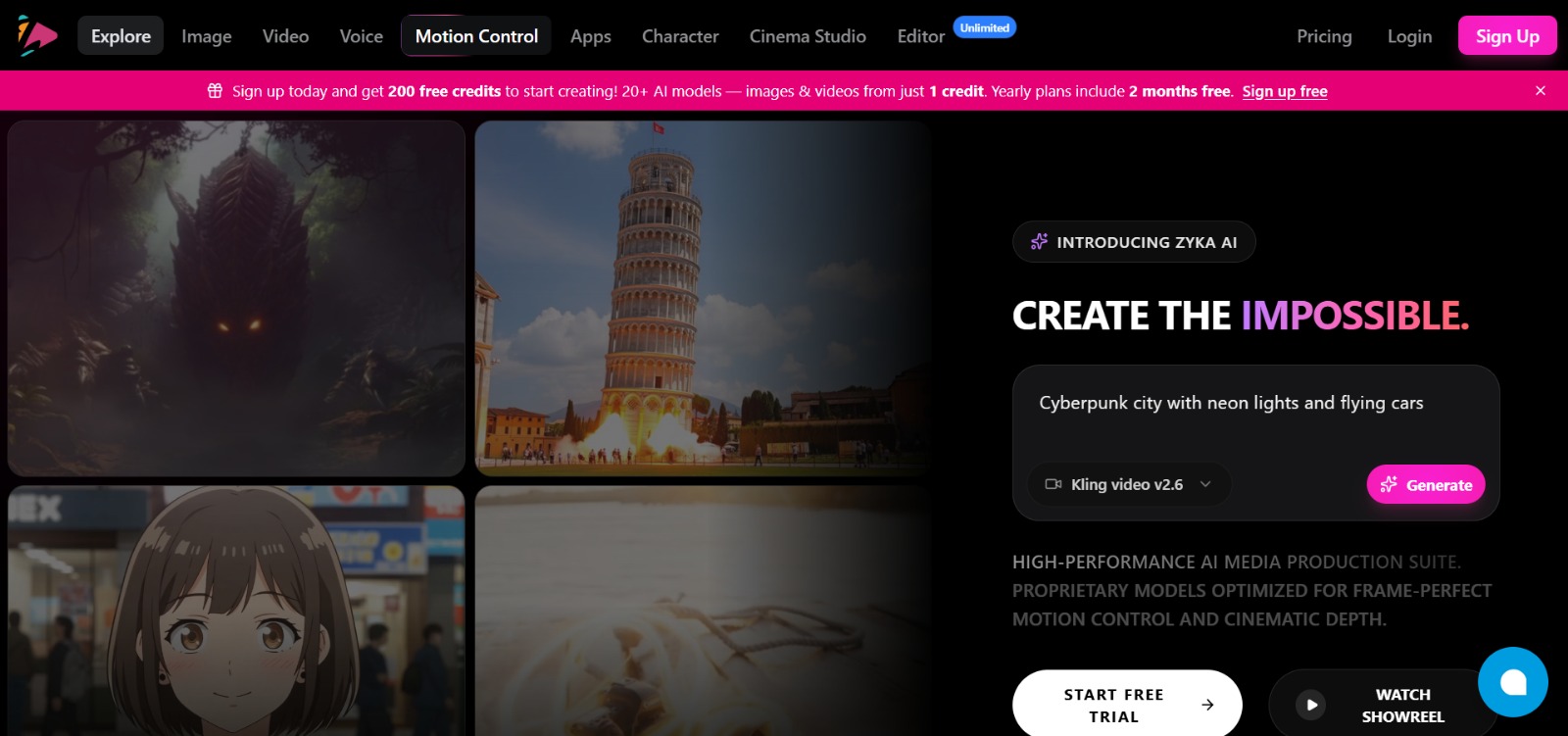
Zyka AI is an AI platform that helps businesses create:
- סרטוני שיווק שנוצרו באמצעות בינה מלאכותית
- Professional product or service images
- Short social media clips
- UGC-style advertisements
- Visual effects and edited content
The platform allows users to generate visuals from simple prompts and create cinematic scenes or promotional content quickly.
For home service businesses, this means you can create professional marketing material without needing a camera crew or design team.
Simple Ways to Promote Your Business Using AI
1. Create Promotional Service Photos
Many home service businesses struggle with visuals. A plumber or electrician might only have a few photos of their work.
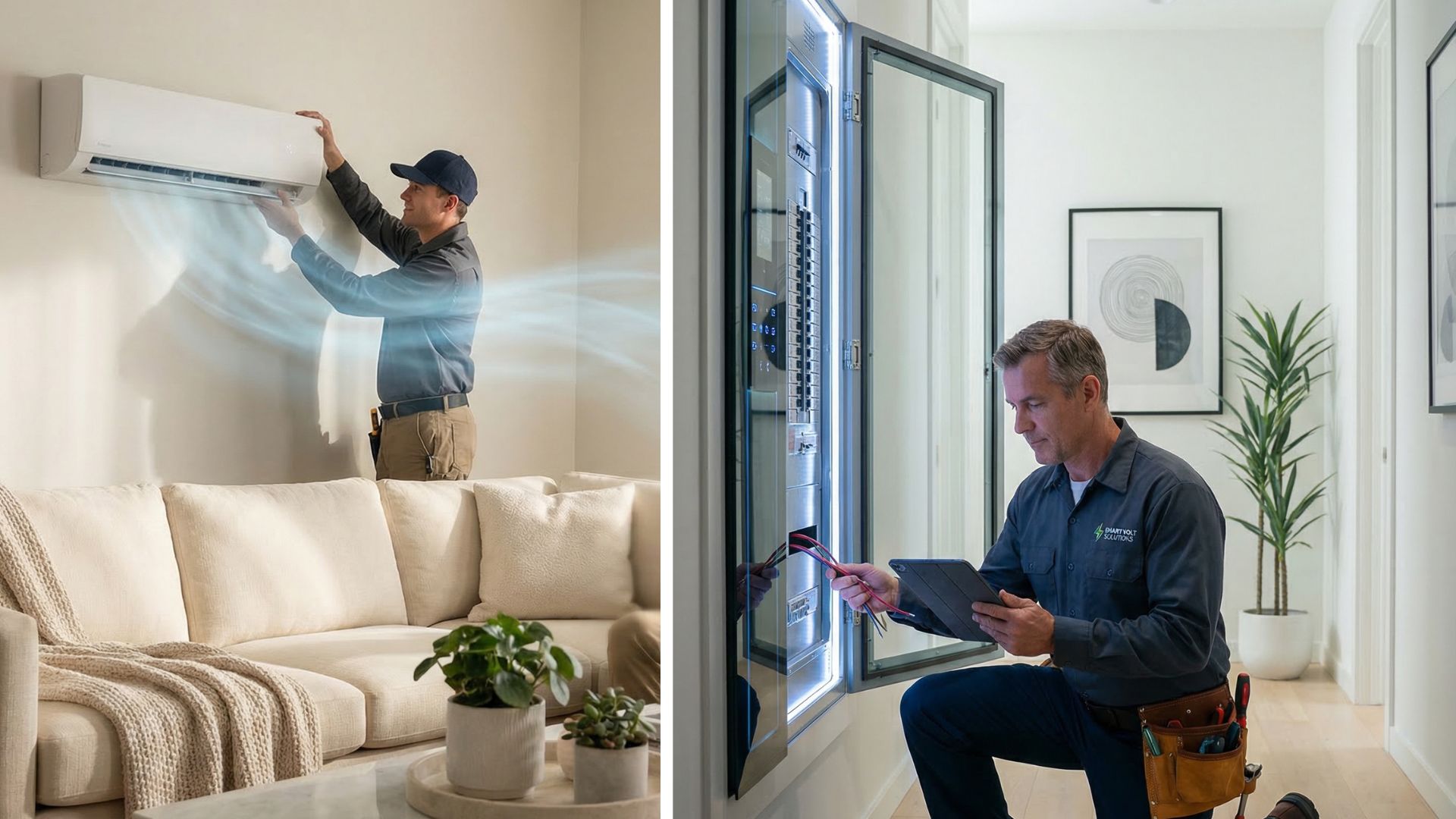
With AI tools, you can generate realistic promotional images such as:
- A modern bathroom plumbing installation
- An electrician fixing a smart home panel
- An HVAC technician installing an AC unit
- A pest control technician inspecting a home
These visuals can be used on:
- אתר האינטרנט שלך
- פרופיל עסקי של גוגל
- פייסבוק ואינסטגרם
- Local service ads
AI visuals help your business appear more professional and trustworthy.
2. Generate Short Marketing Videos
Short videos are currently one of the most powerful marketing formats.
With AI video tools, you can create content such as:
Example video ideas
- “How to prevent plumbing leaks in winter”
- “Signs your electrical wiring needs repair”
- “5 AC maintenance tips before summer”
- “Before vs after pest control service”
These videos can be posted on:
- סלילי אינסטגרם
- מכנסי YouTube
- טיק טוק
- פייסבוק
Short videos help increase reach and attract potential customers.
3. Create Social Media Ads Quickly
Paid ads can bring a steady flow of local customers.
Using AI, you can generate ad creatives like:
- Service promotion banners
- Short ad videos
- Seasonal service offers
Example ad ideas:
- Plumbing business
- “24/7 emergency plumbing service”
- “Fix leaking pipes today”
- חשמלאי
- “Upgrade your home wiring safely”
- שירות HVAC
- “AC installation before summer rush”
AI visuals help your business appear more professional and trustworthy.

להגדיל את החיסכון בדלק
משלוחים ואיסוף ללא בעיות!
בצע אופטימיזציה של מסלולים בעזרת האלגוריתם שלנו, צמצום זמן הנסיעה והעלויות בצורה יעילה.
התחל לעבוד בחינם
4. Generate Content for Your Website or Blog
Content marketing is a powerful way to attract customers through Google search.
AI tools can help you create blog topics like:
- How to unclog a sink at home
- When to replace your electrical panel
- Signs your AC needs servicing
- Pest control tips for summer
Publishing helpful articles improves your search visibility and credibility.
Combining AI Marketing with Route Optimization
For home service providers, marketing is only half the job. Efficient service delivery is equally important.
זה איפה Zeo Route Planner הופך להיות בעל ערך.
Zeo helps businesses:
- Plan optimized service routes
- Assign stops to technicians
- Track drivers in real time
- Provide estimated arrival times to customers
Route optimization can reduce travel time, improve efficiency, and help service businesses handle more jobs per day.
על ידי שילוב AI marketing + smart routing, service providers can grow faster.
Workflow for a Home Service Business
Step 1: Generate Marketing Content
השתמש Zyka AI ליצור:
- תמונות קידום מכירות
- Short service videos
- פוסטים ברשתות החברתיות
Step 2: Publish Content Online
- פרופיל עסקי של גוגל
- אינסטגרם`
- פייסבוק
- מדריכים מקומיים
Step 3: Receive Service Requests
Customers discover your business through content and ads.
Step 4: Plan Service Routes
השתמש Zeo Route Planner to assign jobs and optimize technician routes.
Step 5: Deliver Services Efficiently
Drivers follow optimized routes and complete jobs faster.
Why Use AI for Marketing
- Save time on content creation
- Reduce marketing costs
- Create professional visuals instantly
- הישאר פעיל ברשתות החברתיות
- הגדל את הנראות באינטרנט
This allows small businesses to compete with larger companies without a big marketing budget.
AI tools are transforming how small businesses market themselves.
שאלות נפוצות
Can plumbers and electricians really use AI-generated content for marketing?
Yes. AI tools can help plumbers, electricians, HVAC technicians, pest control providers, and other home service businesses create professional marketing visuals quickly.
Do I need technical skills to create AI marketing content?
No. Most AI tools are designed for beginners.
Where can home service businesses use AI-generated images and videos?
- פרופיל עסקי של גוגל
- אינסטגרם ופייסבוק
- מכנסי YouTube
- אתרים עסקיים
- פרסומות באינטרנט
How can route planning help service businesses after they get more leads?
Route planning tools like Zeo Route Planner can optimize technician routes and improve efficiency.
Is AI marketing affordable for small businesses?
Yes. AI tools are often much cheaper than hiring agencies.
עטיפת Up
For home service providers like plumbers, electricians, and HVAC technicians, AI can make it easier to create professional marketing content quickly.
באמצעות כלים כמו Zyka AI ו Zeo Route Planner, businesses can attract more customers and handle more service requests efficiently.
More visibility, more bookings, and better service delivery.

האם אתה בעל צי?
רוצה לנהל את הנהגים והמשלוחים שלך בקלות?
הגדל את העסק שלך ללא מאמץ עם Zeo Routes Planner - בצע אופטימיזציה של מסלולים ונהל מספר נהגים בקלות.
להגדיל את החיסכון בדלק
חסוך שעתיים על משלוחים, כל יום!
בצע אופטימיזציה של מסלולים בעזרת האלגוריתם שלנו, צמצום זמן הנסיעה והעלויות בצורה יעילה.
התחל לעבוד בחינם










