



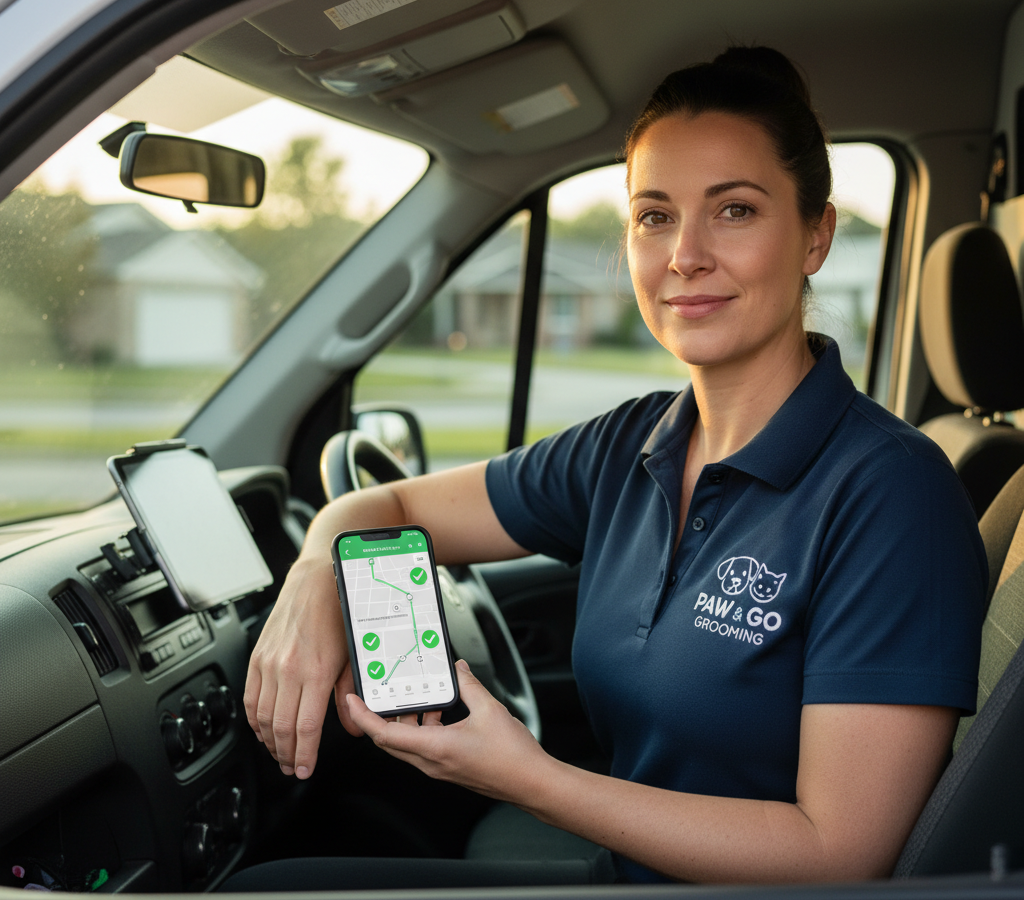
# Hogyan optimalizáljuk a mobil kozmetikai útvonalakat
> TL; DR: A mobil kutyakozmetikusok akár 30%-kal is csökkenthetik a napi vezetési időt, és naponta 2-3 találkozóval növelhetik az időpontokat azáltal, hogy földrajzilag csoportosítják az időpontokat ahelyett, hogy kizárólag az ügyfél időbeosztása alapján ütemeznének. A rossz útvonaltervezés miatt a kutyakozmetikusok a napjuk 25-35%-át nem hatékonyan vezetve töltik az időpontok között. Az olyan útvonaloptimalizáló eszközök, mint a Zeo Route Planner, ezt mesterséges intelligenciával működő optimalizálással kezelik, amely figyelembe veszi a forgalmi mintákat és a földrajzi csoportosítást, segítve a mobil kutyakozmetikus csapatokat napi 2+ órányi munkaidőt megtakarítani.
Egy mobil kisállatkozmetikai vállalkozás működtetése azt jelenti, hogy a kozmetikusok majdnem annyi időt töltenek vezetéssel, mint amennyit kozmetikázással. A rossz útvonaltervezés a 8 órás napokat 12 órás maratonná változtatja, tele visszakozásokkal, késésekkel és frusztrált ügyfelekkel.
A mobil kozmetikai útvonalak optimalizálásának elsajátítása átalakítja a működésedet. Ahelyett, hogy a kozmetikusok cikkcakkban járnának a városon keresztül, logikus útvonalakat követnek, amelyek 30%-kal csökkentik az utazási időt, és napi 2-3 további találkozóra teremtenek helyet.
Miért fontosabb a mobil kozmetikai útvonal optimalizálása, mint gondolnád?
Az útvonaltervezés közvetlenül befolyásolja vállalkozása minden területét. Amikor az ápolók időt pazarolnak a nem hatékony útvonalak bejárására, a költségek gyorsan gyűlnek.
Szerint Bureau of Labor StatisticsAz átlagos mobil szolgáltató a nap 25-35%-át utazással tölti a találkozók között. A napi 10 órát dolgozó mobil kozmetikusok esetében ez 2.5-3.5 órát jelent csak vezetéssel.
A rossz útvonaltervezés problémák özönét okozza. A kozmetikusok késve érkeznek a megbeszélt időpontokra, ami az egész napos programot kitolja. Felesleges kilométerek megtételével felemésztik az üzemanyag-költségvetésedet. Ami a legfontosabb, hogy csak korlátozott számú háziállatot tudnak kiszolgálni, mert rengeteg idő megy el az úton.
Az optimalizált útvonalak szisztematikusan oldják meg ezeket a problémákat. Ahelyett, hogy kizárólag az időpontok alapján tervezné meg az útvonalakat, figyelembe veszi a földrajzi csoportosulásokat, a forgalmi mintákat és a szolgáltatás időtartamát. Ez csökkenti a teljes vezetési időt és kiszámítható ütemterveket hoz létre.
A pénzügyi hatás jelentős. Egy kozmetikus, aki napi egy óra vezetési időt szüntet meg, további 1-2 időpontot tud beütemezni. 75 dolláros időpontdíjjal ez kozmetikusonként heti 375-750 dollár pluszbevételt jelent.
Lépésről lépésre útmutató a mobil kozmetikai útvonalak optimalizálásához
Kezd azzal, hogy elemzed a jelenlegi útvonaltervezési mintáidat. Nyomtasd ki egy hétnyi útvonalat, és jelöld meg az egyes találkozóhelyeket a térképen. Gyorsan látni fogod a hatékonyságnövekedést – azokat az útvonalakat, amelyek többször is keresztezik ugyanazokat a területeket.
Először földrajzi terület szerint csoportosítsd az időpontokat, majd optimalizáld a sorrendet az egyes csoportokon belül. Ne ütemezz be kozmetikust az északi oldalra reggel 9-kor, a belvárosba 11-kor, majd vissza az északi oldalra délután 1-kor. Tartsd őket egy területen délelőttre, majd menj át a szomszédos területekre.
A kezelések ütemezésekor vegye figyelembe a kezelések időtartamát. Hosszabb kozmetikai kezeléseket (teljes körű kezelést nagytestű kutyák esetén) akkor ütemezzen be, amikor van elegendő ideje a különböző területek között. A gyors körömvágásokat és -javításokat töltőanyagként, csoportos keretek között végezze.
Számolj reális vezetési időkkel a megállók között. Használj valós GPS-adatokat, ne egyenes vonalú távolságokat. Egy papíron szorosnak tűnő találkozó akár 25 perc városi vezetést is igényelhet csúcsforgalomban. Modern útvonaloptimalizáló szoftver automatikusan ki tudja számolni ezeket a valós utazási időket.
Tervezzen be tartalékidőt a váratlan késésekre. A mobil kozmetika állatokat is érint, és egyes időpontok túl sokáig tartanak. Ahelyett, hogy túl szorosan betartaná az időbeosztását, 10-15 percet szokott beilleszteni a megállók közé.
Tervezzen olyan útvonalakat, amelyek logikusan követik a nap folyamán. Kezdje a kozmetikus otthonától vagy a végállomástól legtávolabbi területeken, majd haladjon vissza a hazavezető útvonal felé. Ez megakadályozza a hosszú utakat a fáradt munkanapok végén.
Haladó stratégiák: Visszatérő ügyfelek kezelése és többnapos ütemezés
A legtöbb mobil kozmetikai ügyfél 4-8 hetente foglal időpontot. Ez lehetőséget teremt a több hétre és hónapra kiterjedő, fejlett útvonal-optimalizálásra.
Hozz létre földrajzi zónákat, és rendeld hozzá az egyes zónákat a hét adott napjaihoz. Hétfő az északnyugati külvárosokat, kedd a belvárost és a közeli környékeket, szerda pedig a délkeleti területet fedheti le. Ez a minta a vállalkozás növekedésével csökkenti az összesített vezetési időt.
Ha lehetséges, a hasonló időpontokat blokkold. Ha teljes körű kozmetikai és csak kozmetikai szolgáltatásokat is kínálsz, próbáld meg a kozmetikai időpontokat csoportosítani. Ezek a rövidebb megállók jól áthidalják az ugyanazon a területen belüli nagyobb kozmetikai időpontok közötti rést.
Az ismétlődő találkozók adatainak felhasználásával előre jelezheti a kapacitást. Ha tudja, hogy Mrs. Johnson golden retrieverének hathetente 90 percre, a Martinez család két kiskutyájának pedig négyhetente 2 órára van szüksége, akkor ezekhez a horgonytalálkozókhoz igazíthatja az időbeosztását.
Fontolja meg kisebb kedvezmények felajánlását azoknak az ügyfeleknek, akik rugalmas időablakot foglalnak. Azok az ügyfelek, akik a „valamikor délelőtt 10 és délután 2 óra között” időpontot választják a pontos 11:30 helyett, nagyobb útvonal-rugalmasságot biztosítanak.
Többnapos útvonalakat tervezz együtt, ne külön-külön. Egy ügyfél, akinek kényelmetlen a keddi útvonal, tökéletesen beleillik a szerdai menetrendbe. Field service menedzsment A platformok segítenek azonosítani azokat a több napra kiterjedő lehetőségeket, amelyeket a manuális tervezés elszalaszt.
Utolsó pillanatban egyeztetett időpontok kezelése az optimalizált útvonalak felborulása nélkül
A sürgős időpontfoglalásoknak és az utolsó pillanatban tett foglalásoknak nem kell tönkretenniük a gondosan megtervezett útvonalakat. A lényeg az, hogy a kezdetektől fogva rugalmasságot építs be az optimalizálási rendszeredbe.
Foglalj le konkrét időpontokat az aznapi foglalásokhoz. Ahelyett, hogy teljesen telepakolnád az útvonalakat, hagyj 2-3 stratégiai rést minden kozmetikus időbeosztásában. Ezeket az időközöket központi helyeken helyezd el, amelyek több földrajzi területet is ki tudnak szolgálni.
A Zeo Route Planner dinamikus útvonal-módosításokat végez sürgős találkozók esetén. A mesterséges intelligencia által vezérelt optimalizálás másodpercek alatt újraszámítja a teljes útvonalat, pontosan megmutatva, hogy az új megállók hová illeszkednek, minimális zavarással a meglévő találkozókban.
Dolgozz ki prioritási rendszert az utolsó pillanatban érkező kérésekhez. A sürgősségi ellátás (orvosi szükségletek, bolhafertőzések) elsőbbséget élvez a kényelmes foglalásokkal szemben. Számíts fel prémium díjat az aznapi szolgáltatásért az útvonalterv megszakadásának kompenzálására.
Hozz létre várólistarendszert a népszerű időpontokhoz. Amikor az ügyfelek már optimalizált útvonalakon érdeklődnek időpontért, ajánld fel nekik a következő szabad időpontot, amely nem igényel útvonalmódosítást. Sok ügyfél elfogadja a valamivel kevésbé kényelmes időpontokat is, ha elmagyarázod az optimalizált szolgáltatás előnyeit.
Képezze ki ütemezési csapatát az útvonaltervezés hatásának felmérésére az időpontok megerősítése előtt. Egy 45 perccel hosszabb vezetési időt biztosító foglalás még prémium árak mellett sem biztos, hogy jövedelmező.
Valódi mobil kozmetikusok megosztják útvonal-optimalizálási eredményeiket
Sarah négy kozmetikussal vezeti a Paws & Pamper Mobile Grooming nevű vállalkozást Phoenixben. Az útvonalak optimalizálása előtt csapata napi 10-11 órát dolgozott, és fejenként 6-7 időpontot teljesített. Az üzemanyagköltségek felemésztették a profitot, a kozmetikusok pedig kiégtek a hosszú munkanapoktól.

növeli az üzemanyag-megtakarítást
Takarítson meg 200 dollárt az üzemanyagon, havonta!
Optimalizálja az útvonalakat algoritmusunkkal, így hatékonyan csökkenti az utazási időt és a költségeket.
Get Started ingyen
A megvalósítás után értékesítési útvonal optimalizálás Az alapelvek értelmében a kozmetikusai most napi 8.5 óra alatt 8-9 időpontot teljesítenek. A vezetési idő napi 3+ óráról 2 óra alá csökkent. A további időpontok heti 1,200 dolláros pluszbevételt jelentenek kozmetikusonként.
„A legnagyobb változás az volt, hogy az időpontokat területenként csoportosítottuk ahelyett, hogy minden ügyfél preferált időpontjához igazítottuk volna” – magyarázza Sarah. „Minden környéken délelőtti vagy délutáni időpontokat kínálunk. Az ügyfelek gyorsan alkalmazkodtak, amikor rájöttek, hogy ez megbízhatóbb érkezési időket jelent.”
Mike Mobil Állatszállója Denveren kívüli vidéki területeket szolgál ki. A legnagyobb kihívást a találkozók közötti hosszú távolságok jelentették számára. Voltak napok, amikor több mint 200 kilométert kellett vezetni mindössze 5 találkozóért.
Az útvonaloptimalizálás segített neki azonosítani, hogy mely vidéki területek kiszolgálása nyereséges, és melyek igényelnek minimális időpont-együttest. Most csak akkor szolgálja ki a külső területeket, ha legalább 3 időpontja van 15 kilométeres körzetben.
Egy iparági kutatás szerint Állatüzleti magazinAz útvonaloptimalizáló szoftvert használó mobil kozmetikusok átlagosan napi 23%-kal több időpontot foglalnak el, mint azok, akik manuálisan tervezik meg az útvonalakat. Az időmegtakarítás közvetlenül a megnövekedett bevételi kapacitáshoz vezet.
A megfelelő útvonaloptimalizáló szoftver kiválasztása kozmetikai vállalkozása számára
A mobil kozmetikai vállalkozásoknak útvonal-optimalizálási funkciókra van szükségük, amelyeket kifejezetten a szolgáltatási időpontokhoz terveztek, nem csak a kiszállításokhoz. Keressen olyan szoftvert, amely kezeli az időpont-ablakokat, a változó szolgáltatási időtartamokat és az ügyfelekkel való kommunikációt.
A Zeo Route Planner több mint 1.5 millió felhasználót szolgál ki több mint 150 országban, és speciális funkciókat kínál a mobil szolgáltató vállalkozások számára. A platform naponta több mint 2 órát takarít meg a kozmetikusoknak a mesterséges intelligencia által vezérelt útvonal-optimalizálásnak köszönhetően, amely figyelembe veszi a forgalmi mintákat, az időpontok időtartamát és a földrajzi csoportosulást.
Az alapvető funkciók közé tartozik a kapacitásalapú útvonaltervezés (a kozmetikusok megfelelő időpont-beosztással való összehangolása), az időablak-kezelés (az időpontok ügyfél-elérhetőséghez való igazodása), valamint valós idejű GPS követés így a vásárlók pontosan tudják, mikor érkeznek a kozmetikusok.
Kozmetikusainak mobil hozzáférésre van szükségük az optimalizált útvonalakhoz. A flottamenedzserek a Zeo webes platformját használják az útvonalak megtervezéséhez és kiosztásához, míg a kozmetikusok optimalizált ütemterveket kapnak közvetlenül a telefonjukra a mobilalkalmazáson keresztül. Ez magában foglalja a lépésről lépésre történő navigációt és az ügyféladatokat minden találkozóhoz.
Az ügyfélkommunikációs funkciók csökkentik a távolmaradások és a panaszok számát. Az automatikus SMS- és e-mail-értesítések tájékoztatják az ügyfeleket a kozmetikus helyéről és érkezési idejéről. Az élő követési linkek lehetővé teszik az ügyfelek számára, hogy a nap folyamán nyomon kövessék a folyamatot.
Keres Kézbesítési igazolás Mobil kozmetikára jellemző funkciók. Fotókészítés előtte/utána képekhez, digitális aláírás gyűjtése a szolgáltatás elvégzéséhez és részletes szervizjegyzetek segítenek dokumentálni minden időpontot és csökkenteni a vitákat.
Az integrációs lehetőségek fontosak a vállalkozás növekedésével. Csatlakoztassa az útvonaloptimalizáló szoftvert foglalási rendszeréhez, könyvelőszoftveréhez és ügyfélkezelő eszközeihez az ismétlődő adatbevitel kiküszöbölése érdekében. Amerikai Kisállattermékek Szövetsége jelentések szerint az integrált szoftverrendszereket használó mobil girlfrissítési vállalkozások 40%-kal gyorsabb növekedési ütemet mutatnak, mint azok, amelyek külön kezelik a rendszereket.
Az útvonaloptimalizáló szoftver matematikája egyszerű. Ha minden kozmetikusnak napi 1.5 órát takarít meg, és lehetővé teszi 1 további időpontfoglalást, az kozmetikusonként több mint 375 dollár plusz heti bevételt jelent. A szoftver az első héten megtérül.
Gyakran ismételt kérdések
K: Mennyi időt takaríthatnak meg a mobil kozmetikusok az optimalizált útvonalakkal?
A mobil kutyakozmetikusok jellemzően napi 1-3 órát takarítanak meg a megfelelő útvonal-optimalizálással. Ahelyett, hogy napjuk 25-35%-át nem hatékony vezetéssel töltenék, az optimalizált útvonalak a munkanap 20%-a alá csökkentik az utazási időt. A Zeo Route Planner mesterséges intelligenciával vezérelt optimalizálása segít a mobil kutyakozmetikusoknak napi több mint 2 órát megtakarítani azáltal, hogy kiküszöböli a visszautazást és az időpontok földrajzi csoportosítását.
K: Mi a legnagyobb hiba, amit a mobil állatkozmetikusok elkövetnek az útvonaltervezésben?
A leggyakoribb hiba az időpontok ütemezése kizárólag az ügyfél által preferált időpontok alapján, a földrajzi hatékonyság helyett. Ez cikkcakk mintákat hoz létre, ahol a kozmetikusok naponta többször is áthaladnak a városon. A sikeres mobil kozmetikusok területenként csoportosítják az időpontokat, és délelőtti vagy délutáni időpontokat kínálnak az egyes környékeken belül.
K: Hogyan kezeled a sürgős kozmetikai időpontokat anélkül, hogy tönkretennéd az útvonaladat?
Foglalj le 2-3 stratégiai időközt a napi ütemtervedben, központi helyeken, amelyek több területet is kiszolgálnak. Ez rugalmasságot biztosít a sürgős időpontok, például bolhakezelés vagy műtét előtti kozmetika esetén. A Zeo Route Planner dinamikus útvonal-módosításai másodpercek alatt újratervezik a teljes útvonalat, amikor sürgős foglalások merülnek fel, pontosan megmutatva, hogy az új megállók hová illeszkednek minimális fennakadás mellett.
K: A mobil kozmetikusoknak fel kell-e fizetniük az aznapi időpontokért?
Igen, az aznapi szolgáltatás prémium árazása kompenzálja az útvonalterv megszakadását, és segít a valódi vészhelyzetekre szűrni a kérelmeket. Sok mobil kozmetikus 25-50%-kal többet számít fel a 24 órán belül lefoglalt időpontokért. Ez az árképzési stratégia fenntartja a jövedelmezőséget, miközben rugalmasságot kínál azoknak az ügyfeleknek, akiknek valóban sürgős kozmetikai szolgáltatásokra van szükségük.
K: Mi az ideális időpontok száma naponta a mobil kozmetikusok számára?
A leghatékonyabb mobil kozmetikusok optimalizált útvonaltervezéssel napi 8-9 óra alatt 7-9 találkozót bonyolítanak le. Optimalizálás nélkül a kozmetikusok jellemzően csak 5-6 találkozót tudnak lebonyolítani napi 10+ óra alatt a túlzott vezetési idő miatt. A pontos szám a szolgáltatás típusától, a földrajzi terület sűrűségétől és a találkozók időtartamától függ.
Kezdje el a Zeo Route Planner 14 napos ingyenes próbaverzióját, és nézze meg, mennyi időt és üzemanyagot takaríthat meg a következő ápolási útvonalain.

Ön flottatulajdonos?
Könnyen szeretné kezelni a járművezetőket és a szállításokat?
Fejlessze vállalkozását erőfeszítés nélkül a Zeo Routes Planner segítségével – optimalizálja az útvonalakat és kezeljen könnyedén több járművezetőt.

növeli az üzemanyag-megtakarítást
Takarítson meg 2 órát a kiszállítással, mindennap!
Optimalizálja az útvonalakat algoritmusunkkal, így hatékonyan csökkenti az utazási időt és a költségeket.
Get Started ingyen 




















