



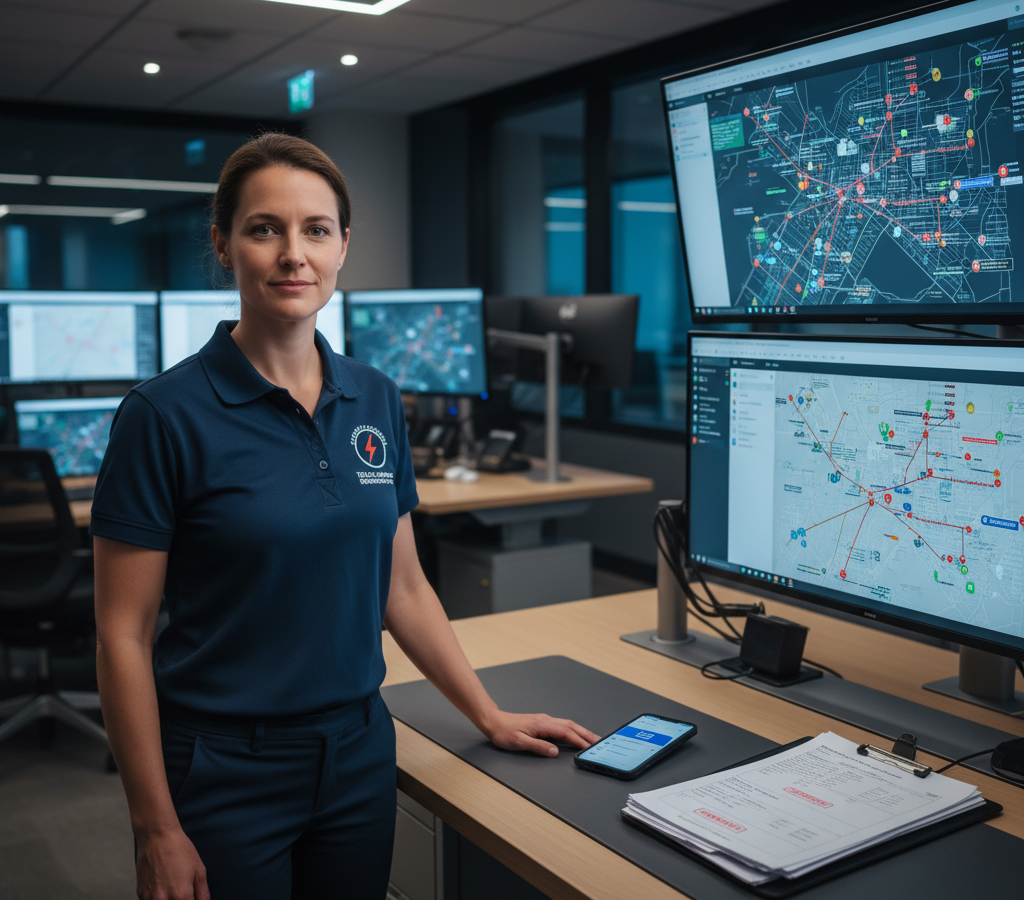
# حلول توجيه إرسال الاتصالات الطارئة لعام 2026
باختصار : تعمل حلول توجيه فرق الطوارئ في قطاع الاتصالات على تقليل أوقات الاستجابة لانقطاع الشبكة من أكثر من 25 دقيقة إلى أقل من 5 دقائق، وذلك من خلال التعيين الآلي للفنيين وتحسين المسارات. تستخدم الأنظمة الحديثة، مثل Zeo Route Planner، تقنيات الذكاء الاصطناعي لتحديد أقرب الفنيين المؤهلين وحساب المسارات المثلى فورًا، مما يساعد فرق الاتصالات على توفير أكثر من ساعتين يوميًا مع تقليل انقطاعات الخدمة المكلفة.
عندما يحدث انقطاع كبير في الشبكة في منطقتك في الساعة الثالثة صباحًا، يواجه نظام الاستجابة للطوارئ لديك اختبارًا حقيقيًا. يدرك مديرو البنية التحتية للاتصالات أن كل دقيقة من التوقف عن العمل تكلف آلاف الدولارات من الإيرادات وثقة العملاء. ومع ذلك، لا تزال معظم عمليات إرسال الطوارئ تعتمد على إجراءات يدوية تفاعلية تحول الإصلاحات الحرجة إلى فوضى تشغيلية.
تُحوّل حلول توجيه عمليات الاستجابة الطارئة الحديثة في قطاع الاتصالات هذه السيناريوهات من إدارة الأزمات إلى عمليات استجابة منسقة. غالباً ما يكمن الفرق بين انقطاع الخدمة لمدة أربع ساعات وإصلاحها في غضون أربعين دقيقة في أمر واحد: إيصال الفني المناسب إلى الموقع المناسب بأسرع وقت ممكن.
التكلفة الخفية لبطء استجابة خدمات الاتصالات الطارئة: لماذا كل دقيقة مهمة؟
تُخلّف انقطاعات الاتصالات آثارًا متسلسلة على الأعمال التجارية تتجاوز بكثير نطاق منطقة الخدمة المباشرة. ووفقًا للجنة الاتصالات الفيدرالية ، فقد زادت انقطاعات الشبكة التي تؤثر على أكثر من 900,000 ألف دقيقة مستخدم بنسبة 25% بين عامي 2022 و2026، مما يجعل الاستجابة السريعة لحالات الطوارئ أكثر أهمية من أي وقت مضى.
لنفترض انقطاعًا في شبكة الألياف الضوئية يؤثر على عملاء الأعمال في منطقة حضرية رئيسية. يتلقى فريق الإرسال لديكم التنبيه في الساعة 2:15 صباحًا. بدون توجيه مُحسَّن، ستواجهون العديد من التأخيرات المكلفة:
أولاً، يستغرق تحديد أقرب الفنيين من 10 إلى 15 دقيقة من الفحص اليدوي. ثم يقوم موظف التنسيق بحساب المسارات يدويًا باستخدام أدوات الخرائط الأساسية، مما يضيف من 5 إلى 10 دقائق أخرى. يتلقى الفني المختار مكالمة هاتفية تتضمن التوجيهات، ويطرح أسئلة توضيحية، ثم ينطلق بعد 25 دقيقة من التنبيه الأولي.
يختلف هذا السيناريو نفسه مع حلول توجيه عمليات الطوارئ في قطاع الاتصالات. إذ يحدد نظامك تلقائيًا أقرب ثلاثة فنيين مؤهلين خلال 90 ثانية. ويتم تحسين المسارات فورًا بناءً على حركة البيانات في الوقت الفعلي، ويتلقى الفنيون مهام الإصلاح التفصيلية مباشرةً على أجهزتهم المحمولة. وينخفض وقت الاستجابة من 25 دقيقة إلى أقل من 5 دقائق.
يتفاقم الأثر المالي بسرعة. قد تكلف ساعة واحدة من انقطاع الخدمة لعملاء الشركات شركتك ما بين 50,000 و100,000 دولار أمريكي كغرامات وتعويضات بموجب اتفاقية مستوى الخدمة. وإذا تكرر هذا الأمر مع عدة حالات انقطاع متزامنة، فإن عمليات الإرسال غير الفعالة ستصبح سببًا رئيسيًا في خسارة الأرباح.
منظومة الاستجابة للطوارئ المتكاملة: من تنبيه الشبكة إلى وصول الفني
تتطلب الاستجابة الفعالة لحالات الطوارئ في قطاع الاتصالات تكاملاً سلساً بين أنظمة مراقبة الشبكة والعمليات الميدانية. يحتاج نظام إرسال الطوارئ الخاص بك إلى ثلاثة مكونات أساسية: بيانات موقع الفنيين في الوقت الفعلي، والتخصيص الآلي القائم على المهارات، وقنوات اتصال فورية.
يُشكّل نظام تحديد المواقع العالمي (GPS) في الوقت الفعلي أساس الاستجابة السريعة. يجب أن يعرف نظامك الموقع الدقيق لكل فني، وليس الموقع المُجدول له. لا تتبع حالات الطوارئ في الشبكة مسارات مُخططة، وتحتاج قدرات الإرسال لديك إلى نفس المرونة.
يمنع التوزيع القائم على المهارات الخطأ المكلف المتمثل في إرسال فني متخصص في النحاس إلى حالة طوارئ متعلقة بالألياف الضوئية. يجب أن يقوم نظام الإرسال الخاص بك بتصفية الفنيين المتاحين تلقائيًا حسب مستوى الشهادة، وإمكانية الوصول إلى المعدات، وتصريح الطوارئ. يصل متسلق الأبراج المعتمد للعمل على الجهد العالي إلى أعطال مواقع الخلايا الحرجة بشكل أسرع من توجيه المكالمة عبر ثلاثة فنيين متخصصين مختلفين.
تُغني الاتصالات الفورية عبر الهاتف المحمول عن الحاجة إلى تبادل المكالمات الهاتفية الذي يُؤخر الاستجابة لحالات الطوارئ. يتلقى الفنيون تفاصيل الحادث كاملةً، ومعلومات الاتصال بالعميل، والمسارات المُحسّنة في آنٍ واحد. كما يُمكنهم تحديث الحالة، أو طلب الدعم، أو الإبلاغ عن إتمام المهمة دون الحاجة إلى الاتصال بمركز العمليات.
تحسين المسار في الوقت الفعلي لإرسال الاتصالات في حالات الطوارئ
يعتمد التوجيه التقليدي لحالات الطوارئ على الخرائط الثابتة وحدس موظف الاستقبال. أما التحسين في الوقت الفعلي فيأخذ في الاعتبار عشرات المتغيرات التي يغفلها التوجيه اليدوي: أنماط حركة المرور الحالية، وأعمال الطرق، والظروف الجوية، وقدرات مركبات الفنيين.
يقوم نظام Zeo Route Planner، المدعوم بالذكاء الاصطناعي، بتحسين المسارات ومعالجة هذه المتغيرات فورًا، مما يقلل متوسط أوقات الاستجابة للطوارئ بأكثر من ساعتين يوميًا لكل فني. ويقوم النظام بتعديل المسارات تلقائيًا عند ظهور حالات طوارئ جديدة، مما يضمن وصول أقرب فني متخصص متاح إلى الأعطال ذات الأولوية القصوى أولًا.
يُتيح نظام التوجيه القائم على الأولويات التعامل مع حالات الطوارئ المتعددة والمتزامنة دون إرهاق فريق الإرسال. تُعطى حالات انقطاع الخدمة لدى عملاء الشركات أولوية قصوى على حساب مشاكل المنازل. كما تُخصص فنيون متخصصون فورًا للبنية التحتية الحيوية كالمستشفيات وخدمات الطوارئ. يُوازن النظام أولويات الاستجابة تلقائيًا مع إبقاء جميع العملاء على اطلاع بأطر زمنية واقعية للإصلاح.
يُتيح نظام تعديل المسار الديناميكي التكيف مع الظروف المتغيرة خلال الاستجابة للطوارئ. فعندما يؤثر انقطاع الألياف الضوئية على مواقع عملاء متعددة، يُعيد النظام حساب التوزيع الأمثل للفنيين مع اكتمال كل عملية إصلاح. ويتلقى الفني الذي يُنهي إصلاح منطقة تجارية مسارًا تلقائيًا إلى الموقع المتأثر التالي.
يضمن تحسين أوقات الوصول وصول الفنيين في الوقت الذي يتوقعه العملاء. غالبًا ما تتطلب الإصلاحات الطارئة دخول العميل إلى المنشأة أو التنسيق مع شركات المرافق الأخرى. يأخذ نظام التوجيه هذه القيود في الاعتبار عند تحديد أوقات الوصول، مما يمنع الفنيين من الانتظار خارج المباني المغلقة أو الوصول قبل عودة التيار الكهربائي.
يُمكّن برنامج تتبع السائقين المتقدم فرق الإرسال من مراقبة تقدم الفنيين في الوقت الفعلي وتقديم تحديثات دقيقة للعملاء طوال عملية الإصلاح.
تنسيق فرق الإصلاح المتعددة: إدارة الأسطول للبنية التحتية الحيوية
تتطلب حالات الطوارئ واسعة النطاق في قطاع الاتصالات استجابة منسقة من فرق إصلاح متعددة. قد تتسبب أضرار الأعاصير، أو أعطال المعدات، أو حوادث البناء في عشرات حالات انقطاع الخدمة المتزامنة في جميع أنحاء منطقة الخدمة. يُمكّن برنامج إدارة الأسطول الفعال من التمييز بين عمليات الاستعادة الناجحة وانقطاعات الخدمة الممتدة.
يُراعي نظام تخصيص فرق العمل، بناءً على القدرة الاستيعابية، مدى تعقيد الإصلاحات بما يتناسب مع الموارد المتاحة. تتطلب إصلاحات خطوط الألياف الضوئية الرئيسية معدات لحام متخصصة وفنيين ذوي خبرة عالية. أما أعطال معدات مواقع العملاء فتتطلب مهارات وأدوات مختلفة. يقوم نظام إدارة أسطولك بتخصيص فرق العمل بناءً على كلٍ من القرب الجغرافي والمتطلبات الفنية.
يساهم التنسيق الفوري بين فرق العمل في منع تضارب الموارد ورفع كفاءة الإصلاح إلى أقصى حد. فعندما تعمل فرق متعددة في نفس المنطقة المتضررة، يقوم النظام بتنسيق تحركاتها لتجنب تعارضات المرور وتأخيرات مشاركة المعدات. كما تتلقى الفرق تحديثات حول الإصلاحات ذات الصلة، وتوافر المواد، وتغييرات الأولويات مع تطور الظروف.
تتولى إدارة التصعيد معالجة الإصلاحات التي تتجاوز قدرات الطاقم الأولي. قد تتطلب أعطال الكابلات الأرضية المعقدة معدات حفر أو تنسيقًا مع المرافق يتجاوز استجابة الطوارئ القياسية. يتتبع نظامك تقدم الإصلاح ويُفعّل بروتوكولات التصعيد تلقائيًا عندما تتجاوز أوقات الإنجاز متطلبات اتفاقية مستوى الخدمة للطوارئ.
حلول متنقلة لفنيي الطوارئ: ما وراء توجيه المكالمات الأساسي
يحتاج فنيو الطوارئ إلى أكثر من مجرد معلومات التوجيه الأساسية على أجهزتهم المحمولة. تتطلب الاستجابة الكاملة لحالات الطوارئ الوصول الفوري إلى سجلات العملاء، ومواصفات المعدات، وبروتوكولات السلامة، وقنوات الاتصال في الوقت الفعلي.

زيادة توفير الوقود
توفير 200 دولار على الوقود شهريا!
قم بتحسين المسارات باستخدام الخوارزمية الخاصة بنا، مما يقلل وقت السفر والتكاليف بكفاءة.
ابدأ مجانا
توفر منصة زيو للهواتف المحمولة مسارات طوارئ مُحسّنة مباشرةً إلى هواتف الفنيين الذكية، مع تفاصيل العميل ومواصفات الحادث. ويتلقى الفنيون توجيهات خطوة بخطوة يتم تحديثها تلقائيًا بناءً على حالة المرور وتغييرات الأولويات من عمليات الإرسال.
تُوثّق وثائق إثبات القدرة على التسليم عمليات الإصلاح الطارئة لضمان الامتثال للوائح التنظيمية وفواتير العملاء. يقوم الفنيون بتصوير المعدات المتضررة، وجمع التوقيعات الرقمية من جهات اتصال العملاء، وتسجيل ملاحظات تفصيلية عن الإصلاح. تُرسل هذه الوثائق مباشرةً إلى أنظمة خدمة العملاء والفواتير الخاصة بكم دون الحاجة إلى إدخال بيانات إضافية.
تُبقي تحديثات الحالة الفورية فرقَ الإرسال على اطلاعٍ دائمٍ بتقدم عملية الإصلاح دون الحاجة إلى مكالمات هاتفية متكررة. ويُمكن للفنيين تحديث حالتهم من "في الطريق" إلى "في الموقع" إلى "اكتمل الإصلاح" بضغطة زر واحدة. وتتمتع فرق الإرسال برؤية شاملة للعمليات الميدانية بينما يُركز الفنيون على الإصلاحات الفنية.
يُتيح نظام تحديد المواقع العالمي (GPS) تحديد مواقع الفنيين بدقة لتزويد العملاء بآخر التحديثات حول وقت الوصول المتوقع وتنسيق فرق الدعم. كما يُقدم فريق خدمة العملاء مواعيد وصول دقيقة للشركات المتأثرة. وتُوجه فرق الإرسال معدات الدعم أو الفنيين الإضافيين إلى مواقع العمل بدقة متناهية دون أي لبس في العناوين أو الحاجة إلى توجيهات هاتفية.
تحليلات الأداء: قياس وتحسين كفاءة الاستجابة للطوارئ
يتطلب التحسين المستمر في الاستجابة للطوارئ تحليلاً دقيقاً للأداء يشمل جميع عمليات الإرسال. وتُسهم مقاييس وقت الاستجابة، ومعدلات استخدام الفنيين، ومؤشرات رضا العملاء في تحديد فرص التحسين التي تُقلل من آثار حالات الطوارئ المستقبلية.
يكشف تحليل وقت الاستجابة عن أنماط في كفاءة إرسال فرق الطوارئ. ويُظهر متوسط الوقت من لحظة تلقي البلاغ إلى وصول الفني، مُصنفًا حسب نوع الحادث والمنطقة الجغرافية، أين يُحدث تحسين مسارات الاستجابة أكبر الأثر. يمكنك تحديد ما إذا كانت أعطال المعدات، أو أنماط حركة المرور، أو توافر الفنيين هي أسباب أطول أوقات الاستجابة.
تساعد مؤشرات أداء الفنيين على تحسين توزيع فرق العمل لأنواع الطوارئ المختلفة. يتفوق بعض الفنيين في تشخيص الأعطال المعقدة، بينما يتعامل آخرون مع الإصلاحات الروتينية بكفاءة أكبر. يستخدم نظام الإرسال الخاص بك بيانات الأداء هذه لتوزيع حالات الطوارئ تلقائيًا على الفنيين ذوي أعلى معدلات النجاح لأنواع الحوادث المحددة.
يُظهر تحليل كفاءة المسارات مدى توافق الاستجابة الفعلية لحالات الطوارئ مع توصيات المسارات المُحسّنة. ووفقًا لمكتب إحصاءات العمل ، يقضي فنيو تركيب وصيانة معدات الاتصالات ما معدله 28% من وقتهم في التنقل بالسيارة. ويُسهم تتبع الالتزام بالمسارات المُحسّنة في تحديد فرص التدريب وتحسينات النظام التي تُقلل من وقت التنقل غير المُنتج.
تربط مقاييس تأثير العملاء أداء الاستجابة للطوارئ بنتائج الأعمال. ويُظهر تتبع دقائق انقطاع الخدمة للعملاء مقابل أوقات الاستجابة التكلفة الحقيقية لتأخيرات الإرسال. وتدعم هذه البيانات قرارات الاستثمار في فرق الطوارئ الإضافية، وتقنيات التوجيه، ومعدات الاستجابة.
يُساعد تطبيق تقنيات تحسين المسارات المُثبتة شركات الاتصالات على تتبع أداء الاستجابة للطوارئ وتحديد فرص التحسين. وتُظهر ميزات إعداد التقارير في المنصة، التي تستخدمها الشركات في أكثر من 150 دولة، كيف يُترجم تحسين المسارات إلى تحسينات ملموسة في خدمة العملاء والكفاءة التشغيلية.
الأسئلة الشائعة
س: ما مدى سرعة استجابة فنيي الاتصالات لحالات الطوارئ المتعلقة بالشبكة؟
توصي معايير الصناعة بإرسال فنيين خلال 15 دقيقة من اكتشاف عطل الشبكة، وتختلف أوقات الوصول حسب اتفاقيات مستوى الخدمة. يتوقع معظم عملاء الشركات حل الأعطال الحرجة خلال ساعتين إلى أربع ساعات، بينما تستغرق خدمات المنازل عادةً من 24 إلى 48 ساعة حسب شدة العطل.
س: ما المعلومات التي تحتاجها أنظمة إرسال الاتصالات في حالات الطوارئ لتوجيه الفنيين بكفاءة؟
تتطلب حلول توجيه عمليات الطوارئ الفعّالة في مجال الاتصالات معرفة مواقع الفنيين في الوقت الفعلي، وشهادات مهاراتهم، وجرد معدات المركبات، وحالة حركة المرور الحالية. كما يحتاج النظام إلى تحديد مستويات أولوية العملاء، واتفاقيات مستوى الخدمة، والمواصفات الفنية لعطل الشبكة، وذلك لتخصيص الفني الأكثر تأهيلاً لكل حالة طوارئ.
س: هل يمكن لبرامج تحسين المسارات التعامل مع حالات الطوارئ المتعددة والمتزامنة في مجال الاتصالات؟
نعم، تقوم أنظمة تحسين المسارات المتقدمة تلقائيًا بترتيب أولويات حالات الطوارئ المتعددة بناءً على تأثيرها على العملاء، واتفاقيات مستوى الخدمة، وتوافر الفنيين. وتعالج خاصية التحسين المدعومة بالذكاء الاصطناعي في برنامج Zeo Route Planner هذه المتغيرات فورًا، مما يُمكّن فرق الإرسال من تنسيق الاستجابات عبر عشرات حالات انقطاع الخدمة المتزامنة مع الحفاظ على التوزيع الأمثل للفنيين.
س: كيف تتعقب شركات الاتصالات أداء الاستجابة للطوارئ؟
تقيس شركات الاتصالات استجابتها للطوارئ من خلال مؤشرات رئيسية تشمل متوسط وقت الاستجابة، ونسبة الإصلاح من المرة الأولى، ومعدلات رضا العملاء، ومعدلات استخدام الفنيين. وتساعد تحليلات الأداء في تحديد نقاط الضعف في عمليات الإرسال وتحسين توزيع فرق العمل على مختلف أنواع حالات الطوارئ.
س: ما هي إمكانيات الاتصالات المتنقلة التي يحتاجها فنيو الاتصالات في حالات الطوارئ في الميدان؟
يحتاج فنيو الطوارئ إلى الوصول عبر الهاتف المحمول إلى مسارات مُحسّنة، ومعلومات الاتصال بالعملاء، ومواصفات المعدات، والتواصل الفوري مع مركز العمليات. يوفر تطبيق Zeo Route Planner للفنيين توجيهًا خطوة بخطوة، وإثباتًا للخدمة من خلال الصور والتوقيعات الرقمية، وتحديثات فورية للحالة تُبقي فرق العمليات على اطلاع دائم دون الحاجة إلى مكالمات هاتفية متكررة.
ابدأ تجربة مجانية لترى كيف يمكن لتحسين المسار أن يقلل أوقات الاستجابة للطوارئ بنسبة 40%.

هل أنت صاحب الأسطول؟
هل تريد إدارة برامج التشغيل وعمليات التسليم الخاصة بك بسهولة؟
قم بتنمية أعمالك بسهولة باستخدام Zeo Routes Planner - قم بتحسين المسارات وإدارة السائقين المتعددين بكل سهولة.

زيادة توفير الوقود
توصيلات واستلامات خالية من المتاعب!
قم بتحسين المسارات باستخدام الخوارزمية الخاصة بنا، مما يقلل وقت السفر والتكاليف بكفاءة.
ابدأ مجانا





















