

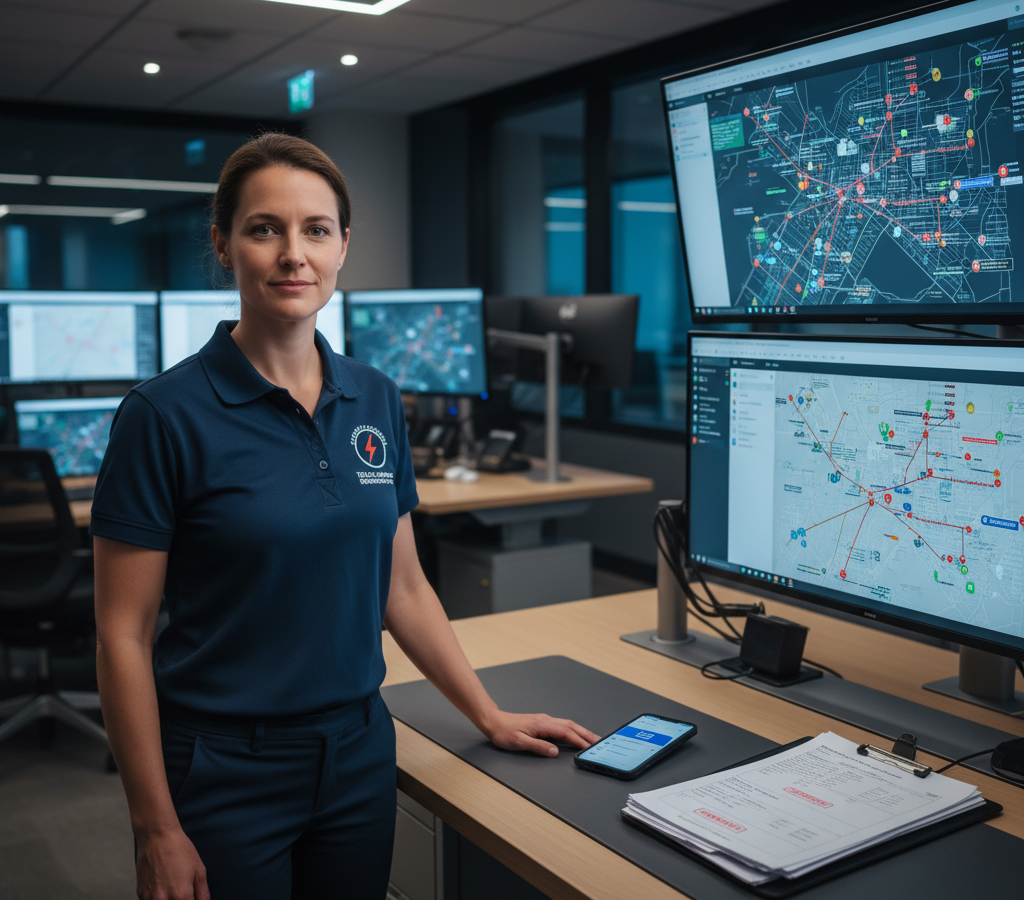
# Emergency Telecom Dispatch Routing Solutions for 2026
> TL; DR: Effective telecom emergency dispatch routing solutions reduce network outage response times from 25+ minutes to under 5 minutes through automated technician assignment and route optimization. Modern systems like Zeo Route Planner use AI-powered optimization to instantly identify the closest qualified technicians and calculate optimal routes, helping telecom teams save 2+ hours daily while minimizing costly service disruptions.
When a major network outage hits your service area at 3 AM, your emergency response system faces the ultimate test. Telecom infrastructure managers know that every minute of downtime costs thousands in revenue and customer trust. Yet most emergency dispatch operations still rely on reactive, manual processes that turn critical repairs into operational chaos.
Modern telecom emergency dispatch routing solutions transform these scenarios from crisis management into coordinated response operations. The difference between a 4-hour outage and a 40-minute fix often comes down to one thing: getting the right technician to the right location as fast as possible.
The Hidden Cost of Slow Emergency Telecom Response: Why Every Minute Matters
Telecom outages create cascading business impacts that extend far beyond your immediate service area. According to the Komisioni Federal Communications, network outages affecting more than 900,000 user-minutes increased 25% from 2022 to 2026, making rapid emergency response more critical than ever.
Consider a fiber cut that affects business customers in a major metropolitan area. Your dispatch team receives the alert at 2:15 AM. Without optimized routing, you face several costly delays:
First, identifying which technicians are closest takes 10-15 minutes of manual checking. Then, your dispatcher manually calculates routes using basic mapping tools, adding another 5-10 minutes. The selected technician receives a phone call with directions, asks clarifying questions, and finally departs 25 minutes after the initial alert.
This same scenario with telecom emergency dispatch routing solutions unfolds differently. Your system automatically identifies the three closest qualified technicians within 90 seconds. Routes optimize instantly based on real-time traffic, and technicians receive detailed repair assignments directly on their mobile devices. Your response time drops from 25 minutes to under 5 minutes.
The financial impact compounds quickly. A single hour of downtime for business customers can cost your company $50,000-$100,000 in SLA penalties and credits. Multiply that across multiple simultaneous outages, and inefficient dispatch operations become profit killers.
Complete Emergency Response Ecosystem: From Network Alert to Technician Arrival
Effective telecom emergency response requires seamless integration between network monitoring systems and field operations. Your emergency dispatch ecosystem needs three core components: real-time technician location data, automated skill-based assignment, and instant communication channels.
Gjurmimi GPS në kohë reale forms the foundation of rapid response. Your system must know exactly where every technician is located, not where they were scheduled to be. Network emergencies don’t follow planned routes, and your dispatch capabilities need that same flexibility.
Skill-based assignment prevents the costly mistake of sending a copper specialist to a fiber emergency. Your dispatch system should automatically filter available technicians by certification level, equipment access, and emergency authorization clearance. A tower climber certified for high-voltage work reaches critical cell site failures faster than routing the call through three different specialists.
Instant mobile communication eliminates the phone tag that delays emergency response. Technicians receive complete incident details, customer contact information, and optimized routes simultaneously. They can update status, request backup, or report completion without calling dispatch.
Real-Time Route Optimization for Emergency Telecom Dispatch
Traditional emergency routing relies on static maps and dispatcher intuition. Real-time optimization considers dozens of variables that manual routing misses: current traffic patterns, road construction, weather conditions, and technician vehicle capabilities.
Zeo Route Planner’s AI-powered route optimization processes these variables instantly, reducing average emergency response times by over 2 hours daily per technician. The system automatically adjusts routes when new emergencies arise, ensuring your closest available specialist always reaches the highest-priority failures first.
Priority-based routing handles multiple simultaneous emergencies without overwhelming your dispatch team. Business customer outages receive ASAP priority over residential issues. Critical infrastructure like hospitals and emergency services get immediate technician assignment. Your system balances response priorities automatically while keeping every customer informed of realistic repair timeframes.
Dynamic route adjustment adapts to changing conditions throughout the emergency response. When a fiber cut affects multiple customer sites, your system recalculates optimal technician assignments as each repair completes. The technician finishing a business district repair automatically receives routing to the next affected location.
Time window optimization ensures technicians arrive when customers expect them. Emergency repairs often require customer facility access or coordination with other utilities. Your routing system factors these constraints into arrival times, preventing technicians from waiting outside locked buildings or arriving before power restoration.
Avancuar softuer për ndjekjen e shoferit enables dispatch teams to monitor technician progress in real-time and provide accurate customer updates throughout the repair process.
Coordinating Multiple Repair Crews: Fleet Management for Critical Infrastructure
Large-scale telecom emergencies require coordinated response from multiple repair crews. Hurricane damage, equipment failures, or construction accidents can create dozens of simultaneous outages across your service territory. Effective softuer për menaxhimin e flotës separates successful recovery operations from extended service disruptions.
Capacity-based crew assignment matches repair complexity with available resources. Major fiber trunk repairs require specialized fusion splicing equipment and senior technicians. Customer premises equipment failures need different skills and tools. Your fleet management system assigns crews based on both geographic proximity and technical requirements.
Real-time crew coordination prevents resource conflicts and maximizes repair efficiency. When multiple crews work the same affected area, your system coordinates their movements to prevent traffic conflicts and equipment sharing delays. Crews receive updates on related repairs, material availability, and priority changes as conditions evolve.
Escalation management handles repairs that exceed initial crew capabilities. Complex underground cable faults may require excavation equipment or utility coordination beyond your standard emergency response. Your system tracks repair progress and automatically triggers escalation protocols when completion times exceed emergency SLA requirements.
Mobile Solutions for Emergency Technicians: Beyond Basic Call Routing
Emergency technicians need more than basic routing information on their mobile devices. Complete emergency response requires instant access to customer history, equipment specifications, safety protocols, and real-time communication channels.

rrisin kursimet e karburantit
Kurseni 200 dollarë në karburant, çdo muaj!
Optimizoni rrugët me algoritmin tonë, duke reduktuar kohën dhe kostot e udhëtimit në mënyrë efikase.
Filloni për të lira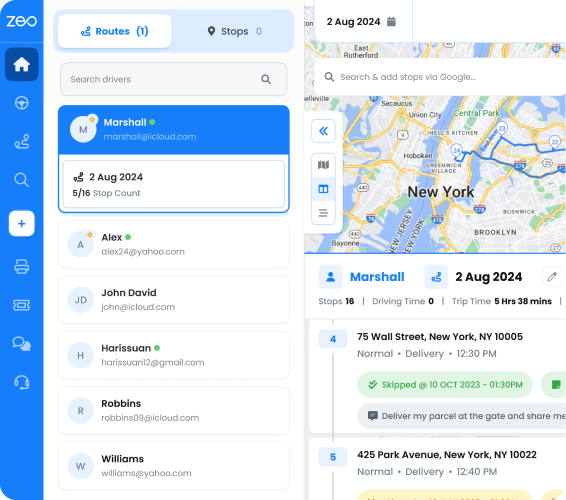
Zeo’s mobile platform delivers optimized emergency routes directly to technician smartphones, complete with customer details and incident specifications. Technicians receive turn-by-turn navigation that updates automatically based on traffic conditions and priority changes from dispatch operations.
Provë e dorëzimit capabilities document emergency repairs for regulatory compliance and customer billing. Technicians capture photos of damaged equipment, collect digital signatures from customer contacts, and record detailed repair notes. This documentation streams directly to your customer service and billing systems without additional data entry.
Real-time status updates keep dispatch teams informed of repair progress without constant phone calls. Technicians update their status from “en route” to “on site” to “repair complete” with single button presses. Dispatch teams maintain full visibility of field operations while technicians focus on technical repairs.
GPS tracking provides exact technician locations for customer ETA updates and backup crew coordination. Your customer service team provides accurate arrival times to affected businesses. Dispatch teams route backup equipment or additional specialists to exact work locations without address confusion or phone-based directions.
Performance Analytics: Measuring and Improving Emergency Response Efficiency
Continuous improvement in emergency response requires detailed performance analytics across your entire dispatch operation. Response time metrics, technician utilization rates, and customer satisfaction scores identify improvement opportunities that reduce future emergency impacts.
Response time analysis reveals patterns in your emergency dispatch efficiency. Average time from alert to technician arrival, broken down by incident type and geographic area, shows where routing optimization creates the biggest impact. You can identify whether equipment failures, traffic patterns, or technician availability drives your longest response times.
Technician performance metrics help optimize crew assignments for different emergency types. Some technicians excel at complex troubleshooting while others handle routine repairs more efficiently. Your dispatch system uses this performance data to automatically assign emergencies to technicians with the best success rates for specific incident types.
Route efficiency analysis shows how actual emergency response compares to optimized routing recommendations. According to the Byroja e Statistikave të Punës, telecommunications equipment installers and repairers average 28% of their time in vehicle travel. Tracking adherence to optimized routes identifies training opportunities and system improvements that reduce non-productive travel time.
Customer impact metrics connect emergency response performance to business outcomes. Tracking customer-minutes of outage against response times shows the real cost of dispatch delays. This data supports investment decisions in additional emergency crews, routing technology, and response equipment.
Zbatimi i provuar route optimization techniques helps telecom companies track emergency response performance and identify optimization opportunities. The platform’s reporting features used by companies across 150+ countries show how route optimization translates into measurable improvements in customer service and operational efficiency.
Pyetjet e bëra më shpesh
Q: How quickly should telecom technicians respond to network emergencies?
Industry standards recommend technician dispatch within 15 minutes of network failure detection, with arrival times varying by service level agreements. Most business customers expect 2-4 hour resolution times for critical outages, while residential services typically allow 24-48 hours depending on the severity.
Q: What information do emergency telecom dispatch systems need to route technicians efficiently?
Effective telecom emergency dispatch routing solutions require real-time technician locations, skill certifications, vehicle equipment inventory, and current traffic conditions. The system also needs customer priority levels, service level agreements, and technical specifications of the network failure to assign the most qualified technician to each emergency.
Q: Can route optimization software handle multiple simultaneous telecom emergencies?
Yes, advanced route optimization systems automatically prioritize multiple emergencies based on customer impact, service level agreements, and technician availability. Zeo Route Planner’s AI-powered optimization processes these variables instantly, enabling dispatch teams to coordinate responses across dozens of simultaneous outages while maintaining optimal technician assignments.
Q: How do telecom companies track emergency response performance?
Telecom companies measure emergency response through key metrics including average response time, first-time fix rates, customer satisfaction scores, and technician utilization rates. Performance analytics help identify bottlenecks in dispatch processes and optimize crew assignments for different emergency types.
Q: What mobile capabilities do emergency telecom technicians need in the field?
Emergency technicians need mobile access to optimized routes, customer contact information, equipment specifications, and real-time communication with dispatch. Zeo Route Planner provides technicians with turn-by-turn navigation, proof of service documentation through photos and digital signatures, and instant status updates that keep dispatch teams informed without constant phone calls.
Start a free trial to see how route optimization can cut your emergency response times by 40%.

A jeni pronar i flotës?
Dëshironi të menaxhoni me lehtësi drejtuesit dhe dërgesat tuaja?
Rriteni biznesin tuaj pa mundim me Zeo Routes Planner – optimizoni rrugët dhe menaxhoni me lehtësi drejtues të shumtë.
rrisin kursimet e karburantit
Kurseni 200 dollarë në karburant, çdo muaj!
Optimizoni rrugët me algoritmin tonë, duke reduktuar kohën dhe kostot e udhëtimit në mënyrë efikase.
Filloni për të lira