



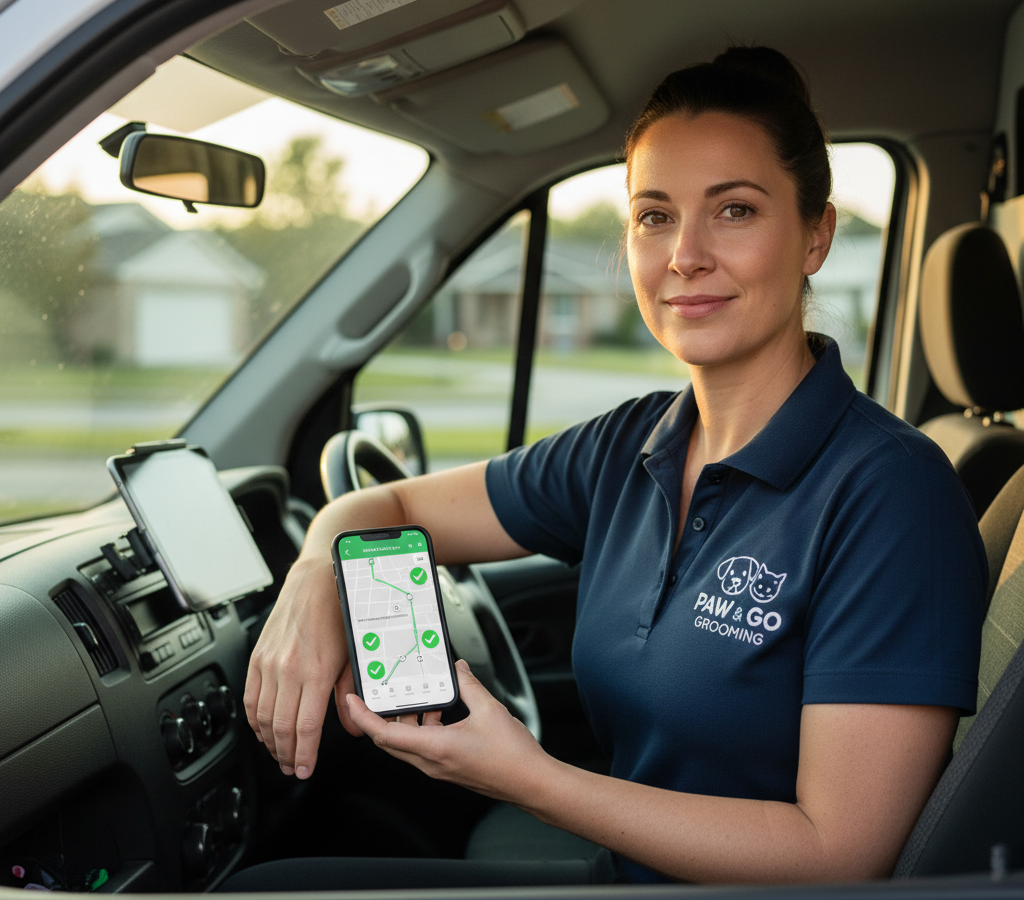
# How to Optimize Mobile Grooming Routes
> TL; DR: Mobile groomers can cut daily drive time by 30% and add 2-3 appointments per day by clustering appointments geographically instead of scheduling based on customer time preferences alone. Poor routing causes groomers to spend 25-35% of their day driving inefficiently between appointments. Route optimization tools like Zeo Route Planner address this with AI-powered optimization that considers traffic patterns and geographic clustering, helping mobile grooming teams save 2+ hours daily.
Running a mobile pet grooming business means your groomers spend almost as much time driving as they do grooming. Poor route planning turns what should be 8-hour days into 12-hour marathons filled with backtracking, late arrivals, and frustrated customers.
Learning how to optimize mobile grooming routes transforms your operation. Instead of groomers zigzagging across town, they follow logical paths that cut drive time by 30% and create space for 2-3 additional appointments daily.
Why Mobile Grooming Route Optimization Matters More Than You Think
Your route planning directly impacts every part of your business. When groomers waste time driving inefficient routes, the costs compound quickly.
De acordo coa Bureau of Labor Statistics, the average mobile service worker spends 25-35% of their day traveling between appointments. For mobile groomers working 10-hour days, that’s 2.5 to 3.5 hours just driving.
Poor routing creates a cascade of problems. Groomers arrive late to appointments, pushing back the entire day’s schedule. They burn through your fuel budget covering unnecessary miles. Most importantly, they can only serve a limited number of pets because so much time gets wasted on the road.
Optimized routes solve these problems systematically. Instead of planning routes based on appointment time alone, you consider geographic clusters, traffic patterns, and service duration. This reduces total drive time and creates predictable schedules.
The financial impact is substantial. A groomer who eliminates one hour of daily drive time can add 1-2 more appointments. At $75 per appointment, that’s an extra $375-750 in weekly revenue per groomer.
Step-by-Step Guide to Optimizing Mobile Grooming Routes
Start by analyzing your current routing patterns. Print out a week’s worth of routes and mark each appointment location on a map. You’ll quickly see the inefficiencies – routes that cross back and forth across the same areas multiple times.
Group appointments by geographic area first, then optimize the sequence within each cluster. Don’t schedule a groomer for the north side at 9 AM, downtown at 11 AM, then back north at 1 PM. Keep them in one area for the morning, then move to adjacent areas.
Consider service duration when sequencing appointments. Schedule longer grooming sessions (full-service appointments for large dogs) when you have buffer time between areas. Place quick nail trims and touch-ups as filler appointments within clusters.
Account for realistic drive times between stops. Use actual GPS data, not straight-line distances. A appointment that looks close on paper might require 25 minutes of city driving during rush hour. Modern software de optimización de rutas can calculate these real-world travel times automatically.
Build in buffer time for unexpected delays. Mobile grooming involves animals, and some appointments run long. Add 10-15 minutes between stops rather than packing schedules too tightly.
Plan routes that flow logically throughout the day. Start in areas farthest from your groomer’s home or ending location, then work back toward their route home. This prevents long drives at the end of tired workdays.
Advanced Strategies: Managing Recurring Clients and Multi-Day Scheduling
Most mobile grooming clients book recurring appointments every 4-8 weeks. This creates opportunities for advanced route optimization across multiple weeks and months.
Create geographic zones and assign each zone to specific days of the week. Monday might cover the northwest suburbs, Tuesday handles downtown and close-in neighborhoods, Wednesday focuses on the southeast area. This pattern reduces overall drive time as your business grows.
Block similar appointment types together when possible. If you offer both full grooming and nail-only services, try to cluster nail appointments together. These shorter stops work well as gap-fillers between major grooming appointments in the same area.
Use recurring appointment data to predict capacity. If you know Mrs. Johnson’s golden retriever needs 90 minutes every six weeks, and the Martinez family’s two small dogs require 2 hours every four weeks, you can plan around these anchor appointments.
Consider offering slight discounts for clients who book flexible time windows. Customers who accept “sometime between 10 AM and 2 PM” instead of demanding 11:30 AM sharp give you more routing flexibility.
Plan multi-day routes together, not individually. A client who’s inconvenient for Tuesday’s route might fit perfectly into Wednesday’s schedule. Xestión do servizo de campo platforms help identify these cross-day opportunities that manual planning misses.
Handling Last-Minute Appointments Without Destroying Your Optimized Routes
Emergency appointments and last-minute bookings don’t have to ruin carefully planned routes. The key is building flexibility into your optimization system from the start.
Reserve specific time slots for same-day bookings. Instead of packing routes completely full, leave 2-3 strategic gaps in each groomer’s schedule. Position these gaps in central locations that can serve multiple geographic areas.
Zeo Route Planner handles dynamic route adjustments when urgent appointments arise. The AI-powered optimization recalculates the entire route in seconds, showing exactly where new stops fit with minimal disruption to existing appointments.
Develop a priority system for last-minute requests. Emergency grooming (medical needs, flea infestations) gets priority over convenience bookings. Charge premium rates for same-day service to compensate for the routing disruption.
Create a waitlist system for popular time slots. When customers call for appointments in already-optimized routes, offer them the next available slot that doesn’t require route changes. Many clients accept slightly less convenient times when you explain the benefits of optimized service.
Train your scheduling team to evaluate routing impact before confirming appointments. A booking that adds 45 minutes of drive time might not be profitable, even at premium pricing.
Real Mobile Groomers Share Their Route Optimization Results
Sarah runs Paws & Pamper Mobile Grooming in Phoenix with four groomers. Before optimizing routes, her team worked 10-11 hour days and completed 6-7 appointments each. Fuel costs were eating into profits, and groomers were burning out from long days.

aumentar o aforro de combustible
Aforra $ 200 en combustible, Mensual!
Optimice as rutas co noso algoritmo, reducindo o tempo de viaxe e os custos de forma eficiente.
Comeza gratis
Despois de implementar optimización de rutas de vendas principles, her groomers now complete 8-9 appointments in 8.5-hour days. Drive time dropped from 3+ hours to under 2 hours daily. The additional appointments generate an extra $1,200 per groomer per week.
“The biggest change was grouping appointments by area instead of trying to accommodate every customer’s preferred time,” Sarah explains. “We offer morning or afternoon slots in each neighborhood. Customers adapted quickly when they realized it meant more reliable arrival times.”
Mike’s Mobile Pet Spa serves rural areas outside Denver. His biggest challenge was the long distances between appointments. Some days included 200+ miles of driving for just 5 appointments.
Route optimization helped him identify which rural areas were profitable to serve and which required minimum appointment clusters. Now he only serves outlying areas when he has at least 3 appointments within a 15-mile radius.
According to industry research from Pet Business magazine, mobile groomers using route optimization software average 23% more appointments per day compared to those planning routes manually. The time savings directly translates to increased revenue capacity.
Choosing the Right Route Optimization Software for Your Grooming Business
Mobile grooming businesses need route optimization features designed for service appointments, not just deliveries. Look for software that handles appointment time windows, varying service durations, and customer communication.
Zeo Route Planner serves over 1.5 million users across 150+ countries, with specific features for mobile service businesses. The platform saves groomers 2+ hours daily through AI-powered route optimization that considers traffic patterns, appointment durations, and geographic clustering.
Essential features include capacity-based routing (matching groomers with appropriate appointment loads), time window management (ensuring appointments fit customer availability), and seguimento GPS en tempo real so customers know exactly when groomers will arrive.
Your groomers need mobile access to optimized routes. Fleet managers use Zeo’s web platform to plan and assign routes, while groomers receive optimized schedules directly on their phones through the mobile app. This includes turn-by-turn navigation and customer details for each appointment.
Customer communication features reduce no-shows and complaints. Automated SMS and email notifications keep clients updated on groomer location and arrival times. Live tracking links let customers monitor progress throughout the day.
Buscar comprobante de entrega features specific to mobile grooming. Photo capture for before/after shots, digital signature collection for service completion, and detailed service notes help document each appointment and reduce disputes.
Integration capabilities matter as your business grows. Connect route optimization software with your booking system, accounting software, and customer management tools to eliminate duplicate data entry. The Asociación Americana de Produtos para Mascotas reports that mobile grooming businesses using integrated software systems see 40% faster growth rates compared to those managing systems separately.
The math on route optimization software is straightforward. If it saves each groomer 1.5 hours daily and enables 1 additional appointment, that’s $375+ in extra weekly revenue per groomer. The software pays for itself within the first week.
Preguntas máis frecuentes
Q: How much time can mobile groomers save with optimized routes?
Mobile groomers typically save 1-3 hours daily through proper route optimization. Instead of spending 25-35% of their day driving inefficiently, optimized routes reduce travel time to under 20% of the workday. Zeo Route Planner’s AI-powered optimization helps mobile groomers save 2+ hours daily by eliminating backtracking and clustering appointments geographically.
Q: What’s the biggest routing mistake mobile pet groomers make?
The most common mistake is scheduling appointments based solely on customer preferred times rather than geographic efficiency. This creates zigzag patterns where groomers drive across town multiple times daily. Successful mobile groomers group appointments by area and offer morning or afternoon time windows within each neighborhood.
Q: How do you handle emergency grooming appointments without ruining your route?
Reserve 2-3 strategic time gaps in your daily schedule positioned in central locations that serve multiple areas. This allows flexibility for urgent appointments like flea treatments or pre-surgery grooming. Zeo Route Planner’s dynamic route adjustments can recalculate your entire route in seconds when emergency bookings arise, showing exactly where new stops fit with minimal disruption.
Q: Should mobile groomers charge extra for same-day appointments?
Yes, premium pricing for same-day service compensates for routing disruption and helps filter requests to genuine emergencies. Many mobile groomers charge 25-50% more for appointments booked within 24 hours. This pricing strategy maintains profitability while offering flexibility to customers who truly need urgent grooming services.
Q: What’s the ideal number of appointments per day for mobile groomers?
Most efficient mobile groomers complete 7-9 appointments in 8-9 hour days with optimized routing. Without optimization, groomers typically manage only 5-6 appointments in 10+ hour days due to excessive drive time. The exact number depends on service types, geographic area density, and appointment durations.
Start your free 14-day trial of Zeo Route Planner and see how much time and fuel you can save on your next grooming routes.

Es propietario dunha flota?
Queres xestionar os teus condutores e entregas facilmente?
Fai crecer o teu negocio sen esforzo con Zeo Routes Planner: optimiza rutas e xestiona varios condutores con facilidade.
aumentar o aforro de combustible
Aforra $ 200 en combustible, Mensual!
Optimice as rutas co noso algoritmo, reducindo o tempo de viaxe e os custos de forma eficiente.
Comeza gratis 










